Timesheet compliance and period locking
How SmartERP enforces timely timesheet submission, automates multi-tier manager escalations, locks historical accounting periods, and audits privileged overrides.
Accurate project costing and client billing require timely, reliable timesheet submissions. SmartERP Enterprise Timesheets (smart_enterprise_timesheet) provides compliance rules that compare logged hours against expected resource calendars, escalate chronic delays, and prevent backdated modifications through strict period locks.
Timesheet compliance rules#
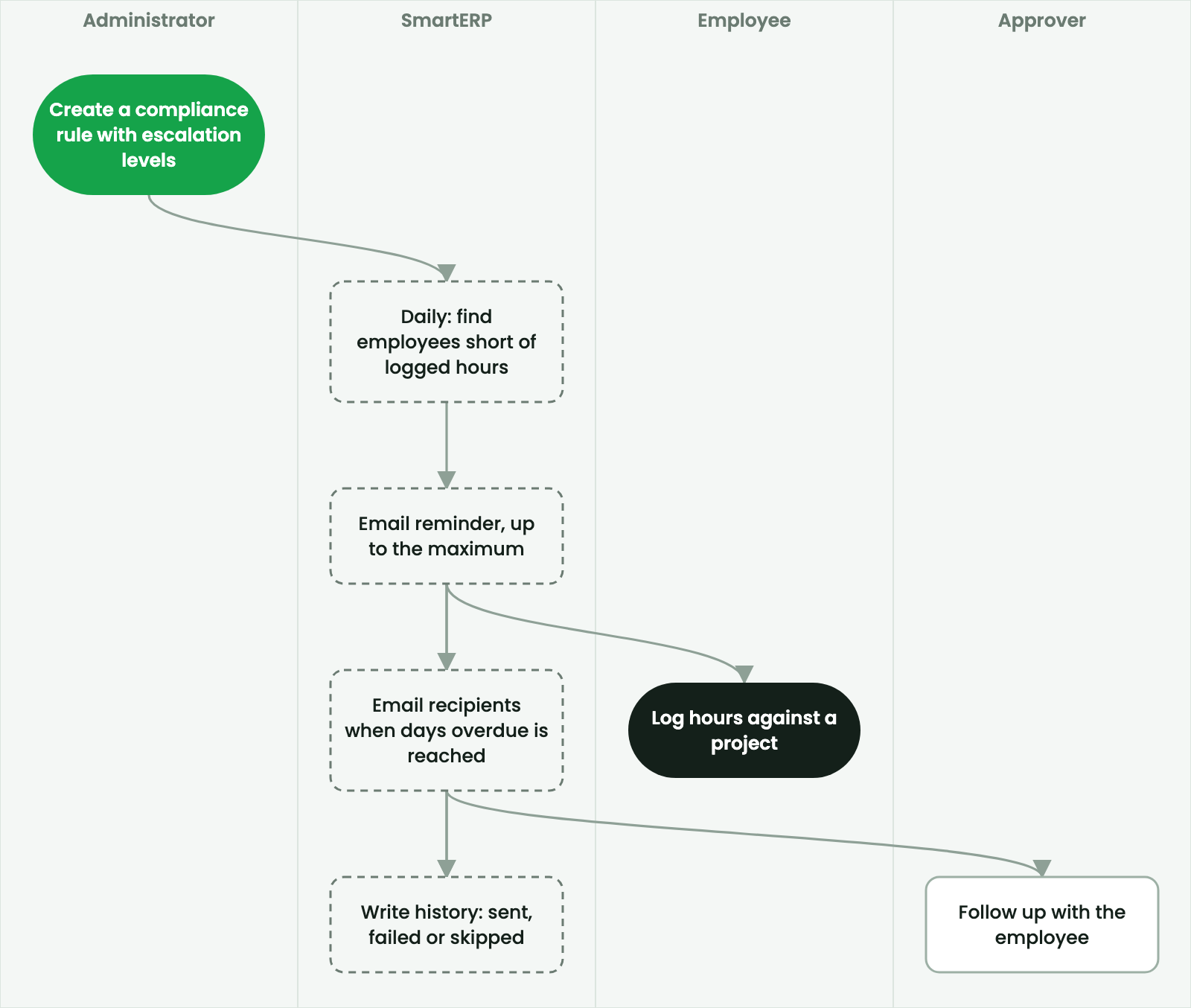
Administrators configure compliance rules (smart.timesheet.control.rule) to establish organizational expectations for time tracking:
- Target Hours: Evaluated dynamically against each employee's assigned working calendar (
resource.calendar), accounting for approved leaves and Ethiopian public holidays. - Evaluation Frequency: Daily background scan identifies employees whose logged hours fall below expectations for the preceding day or week.
- Gentle Reminders: An automated email reminder is dispatched directly to the employee prompt them to log missing hours (capped at a configurable maximum per week).
Multi-tier escalation engine#
When timesheet delays persist beyond acceptable thresholds, SmartERP triggers escalation lines defined in the compliance rule:
| Escalation level | Threshold (Days overdue) | Action taken | Recipients |
|---|---|---|---|
| Level 1 | 2 days overdue | Warning notification with list of unlogged dates. | Employee and direct Line Manager |
| Level 2 | 4 days overdue | High-priority escalation activity and email alert. | Line Manager and Project Manager |
| Level 3 | 7 days overdue | Governance non-compliance flag on employee dashboard. | Department Head and PMO Controller |
Every notification and escalation event is permanently recorded in the notification history (smart.timesheet.notification.history) as sent, failed, or skipped.
Period locking and audit controls#
At fiscal period close (weekly, monthly, or quarterly), the finance team or PMO sets a Timesheet Lock Date (smart.timesheet.period.lock). Once locked, historical timesheet records are protected against tampering.
Editing in a locked period#
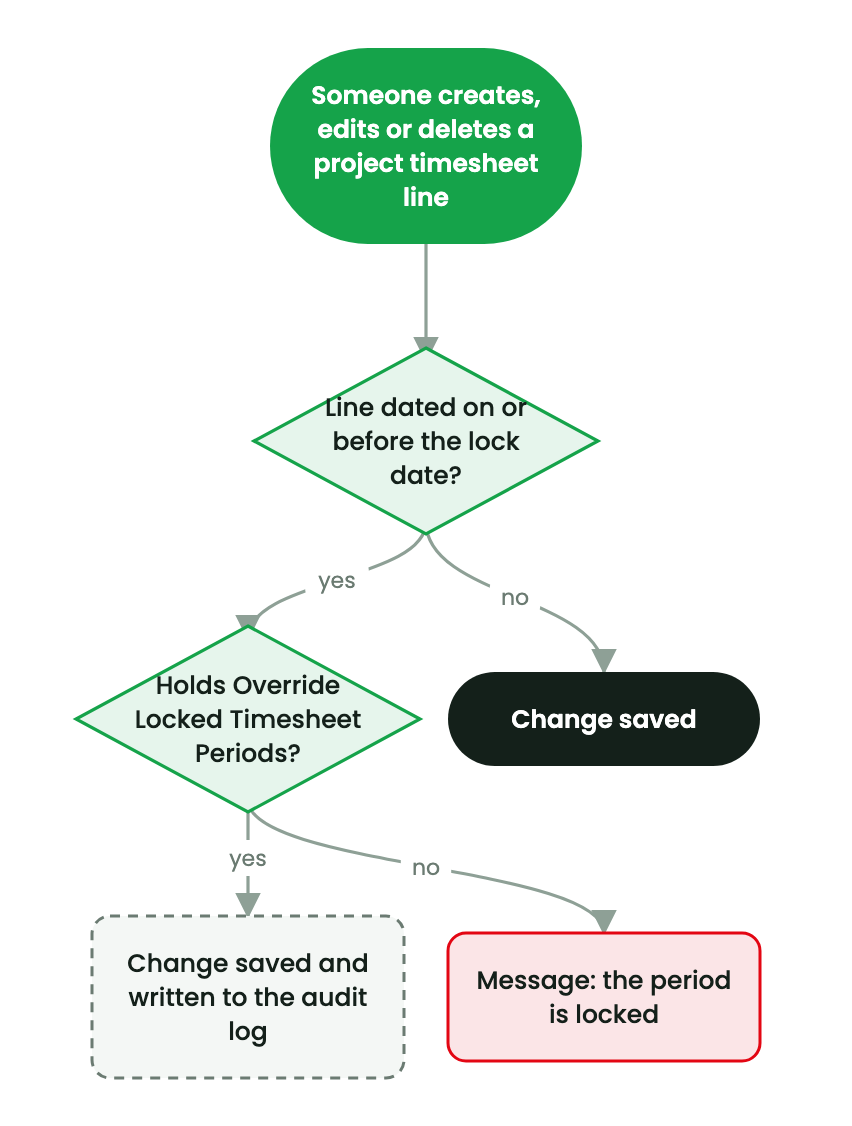
When a user attempts to create, update, or delete a timesheet line with a date on or before the lock date:
- Standard Users: SmartERP immediately rejects the operation with a validation error stating that the accounting period has been locked.
- Authorized Supervisors: Users belonging to the privileged security group Override Locked Timesheet Periods (
group_smart_timesheet_override) can modify locked records via a dedicated override wizard. - Immutable Audit Log: Every override requires a mandatory justification reason. SmartERP writes the previous values, new values, timestamp, and author to the audit log (
auditlog.log/smart.timesheet.period.lock.override).
Caution
Bypassing period locks without formal financial clearance can distort already-filed VAT returns, client billings, and recognized revenue reports.