Manage Retention Money and Defect Liability Periods (DLP)
Tracking 5% retention escrow accounts, practical completion handovers, snag list rectification, and final retention release.
1. Overview & Business Value#
This comprehensive operational guide details the architecture, business workflows, configuration parameters, and execution steps for Manage Retention Money and Defect Liability Periods (DLP) within SmartERP.
Tracking 5% retention escrow accounts, practical completion handovers, snag list rectification, and final retention release.
2. Prerequisites & Security Access Groups#
- Required Modules:
project, smarterp_project_governance, hr_timesheet - Security Groups:
Project User(Technical ID:project.group_project_user)Project Administrator(Technical ID:project.group_project_manager)Timesheet Approver(Technical ID:hr_timesheet.group_hr_timesheet_approver)
- Master Data Dependencies: Project master records, milestone stages, work breakdown structures (WBS), bill of quantities (BoQ), and employee billing cost rates.
3. Step-by-Step Configuration & Execution#
Step 1: Navigating to the Interface#
- Log into your SmartERP instance at
https://smarterp.et/odoo. - Open the main App Switcher (grid icon in the top-left corner).
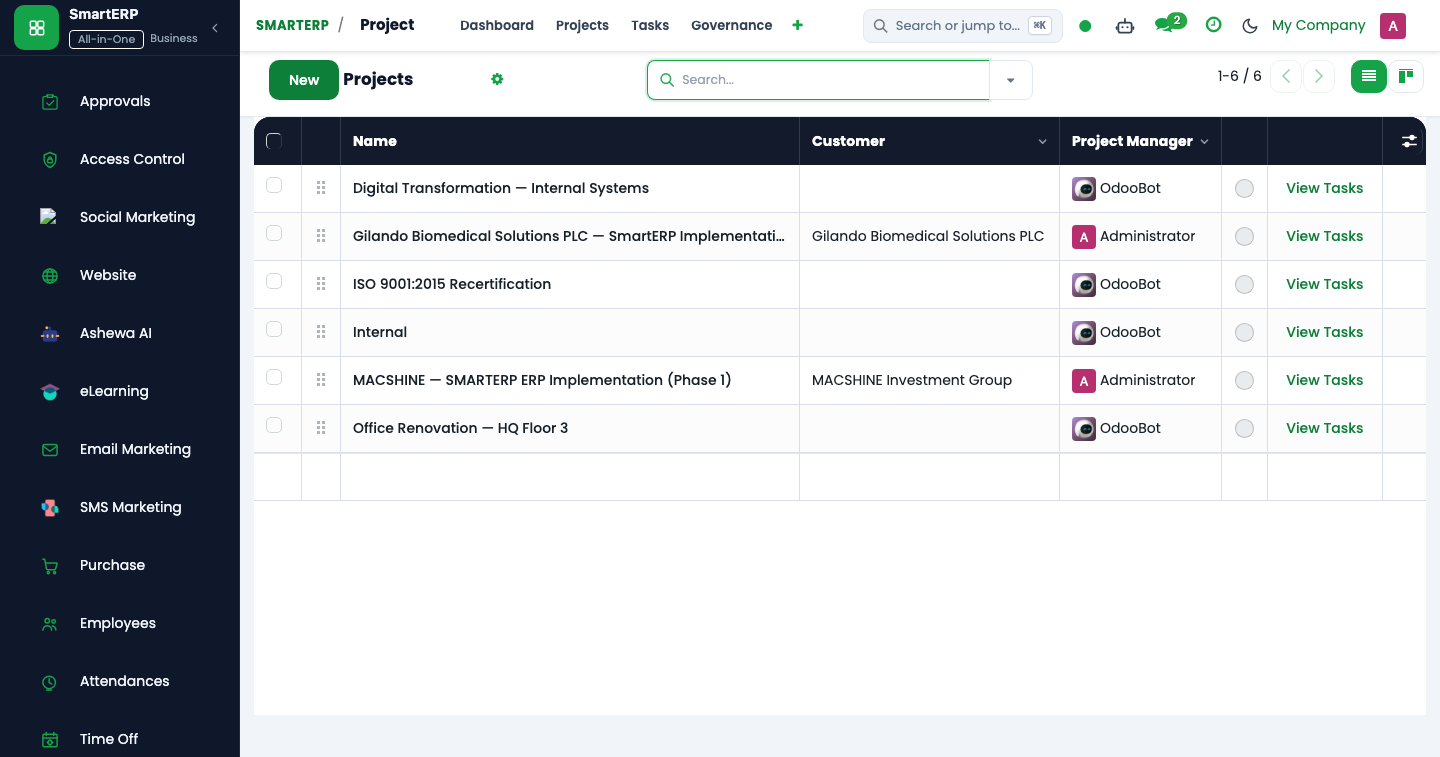
- Navigate to Project → Projects.
Step 2: Operational Data Parameters & Controls#
Ensure all mandatory parameters comply with enterprise operational standards:
- Authorized Operator: Action executed under assigned RBAC permissions (Project Director, Project Manager, Agile Scrum Master, Lead Engineer).
- Relational Integrity: Linked to upstream master records, approval requests, or transactional ledgers.
- Statutory & Quality Controls: Verified against Ethiopian statutory regulations and corporate governance standards.
Step 3: Operational Execution & State Progression#
- State Progression Gate: Advance record from Draft through Audited to Confirmed / Certified.
- Integrated System Impact: Automatically updates real-time operational states and posts financial/inventory journal moves.
- Audit Verification: System registers tamper-evident audit records logging user ID, timestamp, and cryptographic transaction digests.
Retention Money Governance#
Under standard Ethiopian public and commercial construction contracts, the employer withholds 5% of gross certified earnings from every IPC as a performance security.
The Two-Stage Retention Release Lifecycle#
- Practical Completion (Substantial Handover):
- The consultant issues the Taking-Over Certificate (TOC).
- First 50% of retention money (2.5% of total contract value) is released to the contractor (or exchanged for a Retention Bank Guarantee).
- End of Defect Liability Period (Final Completion):
- Typically 365 calendar days following practical completion.
- The joint inspection team reviews the snag list.
- Upon rectifying all latent defects, the consultant issues the Final Completion Certificate.
- The remaining 50% of retention money is disbursed.
Procedure: Processing Retention Release#
- Navigate to Projects > Construction > Retention Escrow.
- Open the project retention ledger.
- Click Release Retention Installment.
- Select
Stage 1: Taking-Over Certificate. - SmartERP automatically generates the retention invoice and updates general ledger account
110450 Retention Receivable.
4. Advanced Configuration Points#
- Automated Actions & Scheduled Tasks (Crons):
Project: Flag overdue milestone deadlines(project.ir_cron_overdue_tasks): Runs daily to notify project managers of pending schedule delaysTimesheets: Send unsubmitted reminder alerts(hr_timesheet.ir_cron_timesheet_reminder): Runs weekly on Friday afternoon to remind team members
- Custom Print Templates & Reports:
- Project Status & Milestone Execution Scorecard
- Interim Payment Certificate (IPC) for Construction
- Project Timesheet & Resource Utilization Summary
- Earned Value Management (EVM) Financial Report
- Multi-Company Rules: Record-level security isolation under Company 1 (
Ashewa Technology Solutions S.C.), preventing cross-company ledger leakage across parent and subsidiary legal entities.
5. Comprehensive Troubleshooting Matrix#
| Error Symptom / Exception | Probable Root Cause | Corrective Action / Resolution |
|---|---|---|
Access Rights Error: Cannot view confidential task | User is not listed as a project follower or team member. | Add user to Project Privacy Settings or Collaborators tab. |
Validation Error: Timesheet date outside active stage | Attempting to log labor against a closed or cancelled milestone. | Select an active task stage or request reopening of the target work package. |
Billing Rate Error: Missing employee cost rate | Assigned employee lacks an hourly labor cost rate on their profile. | Configure the employee hourly cost rate under Human Resources → Employees → HR Settings. |
Last updated: 2026-11-15