Prescriptions, insurance co-pays, controlled narcotics and counter sales for modern pharmacies
A pharmacy operates at the intersection of critical clinical care, strict health regulatory compliance, and high-frequency retail commerce. SmartERP Pharmacy provides complete digital prescription tracking, pharmacist verification sign-offs, automated health insurance co-pay calculation, and controlled substance audit registers.
Fully integrated with Point of Sale (POS), Inventory (FEFO batch expiry), Wholesaler Purchasing, and Accounting for streamlined claim reconciliation and tax reporting.
Typical businesses: Retail pharmacies · Neighbourhood pharmacies · Drug shops · Small pharmacy chains · Clinic pharmacies
Problems this industry runs into
The shelf count and the till never agree
Items are sold, returned and given out as samples without a record, so at the end of the week the stock on the shelf differs from what the books say.
Popular medicines run out while slow ones fill the shelf
Reordering is done by eye, so a regular customer's long-term medicine is missing while items nobody asks for tie up the shop's cash.
Wholesaler bills are paid without checking the delivery
The bill arrives with the delivery note in a separate pile, so the pharmacy pays for items that were short or at a price that changed.
Clinics and small businesses buy on credit and are forgotten
First-aid supplies and repeat orders for a nearby clinic are written on paper, so unpaid balances surface only when the pharmacy itself is asked to pay its wholesaler.
Applications in the Healthcare edition
These applications are the ones the industry edition's blueprint includes. Each opens its own page.
Often added for this industry
What each application does for pharmacy
Accounting
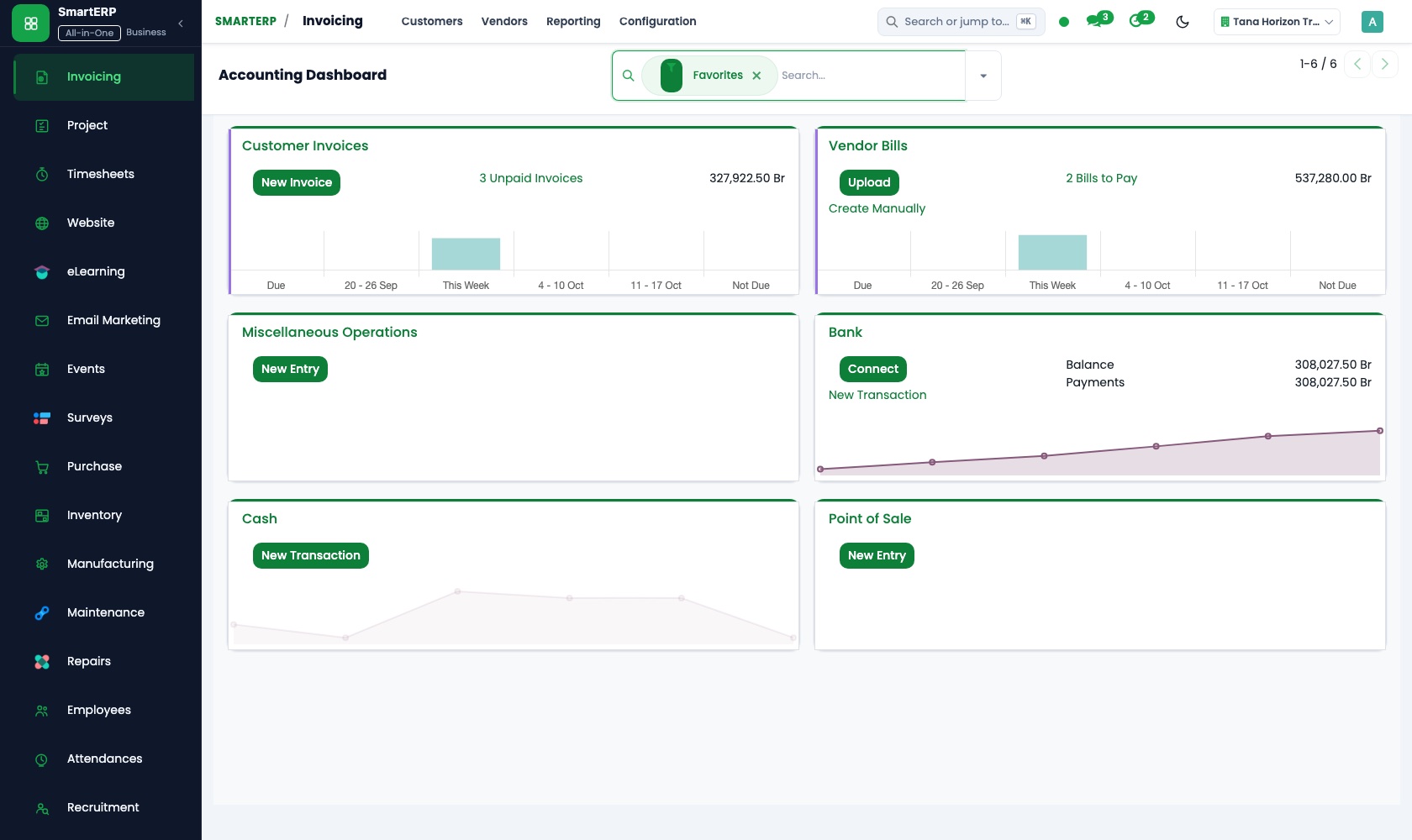
Wholesaler bills are registered and paid from one list of what is due, so each wholesaler's account stays current. Invoices to clinics and businesses are followed until paid, and the owner reads financial reports from the same postings.
Sales
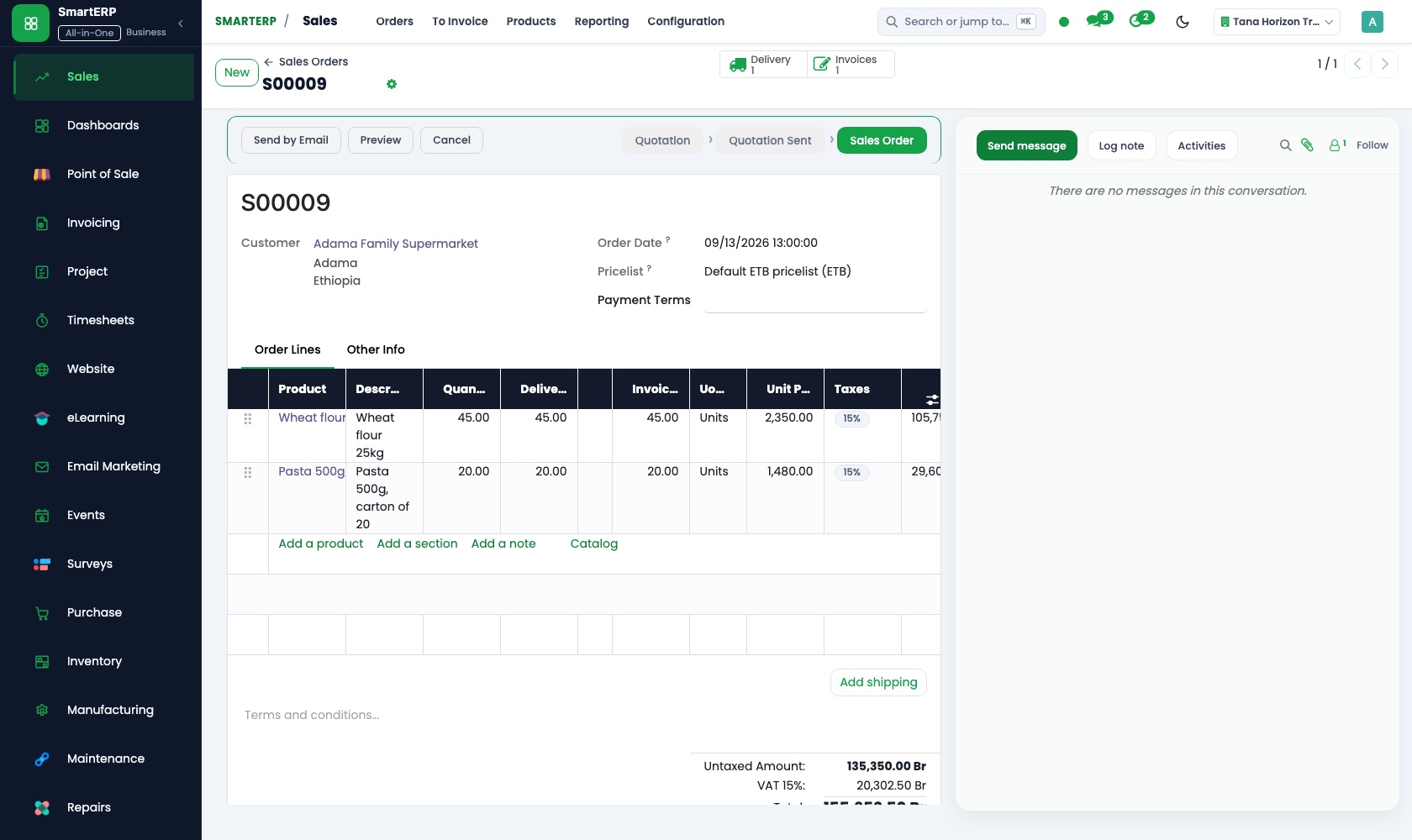
A nearby clinic or small business buying on account gets a quotation at the agreed prices, confirmed as a sales order and then invoiced. Price lists and discounts keep an institution's rates apart from the counter price.
Inventory
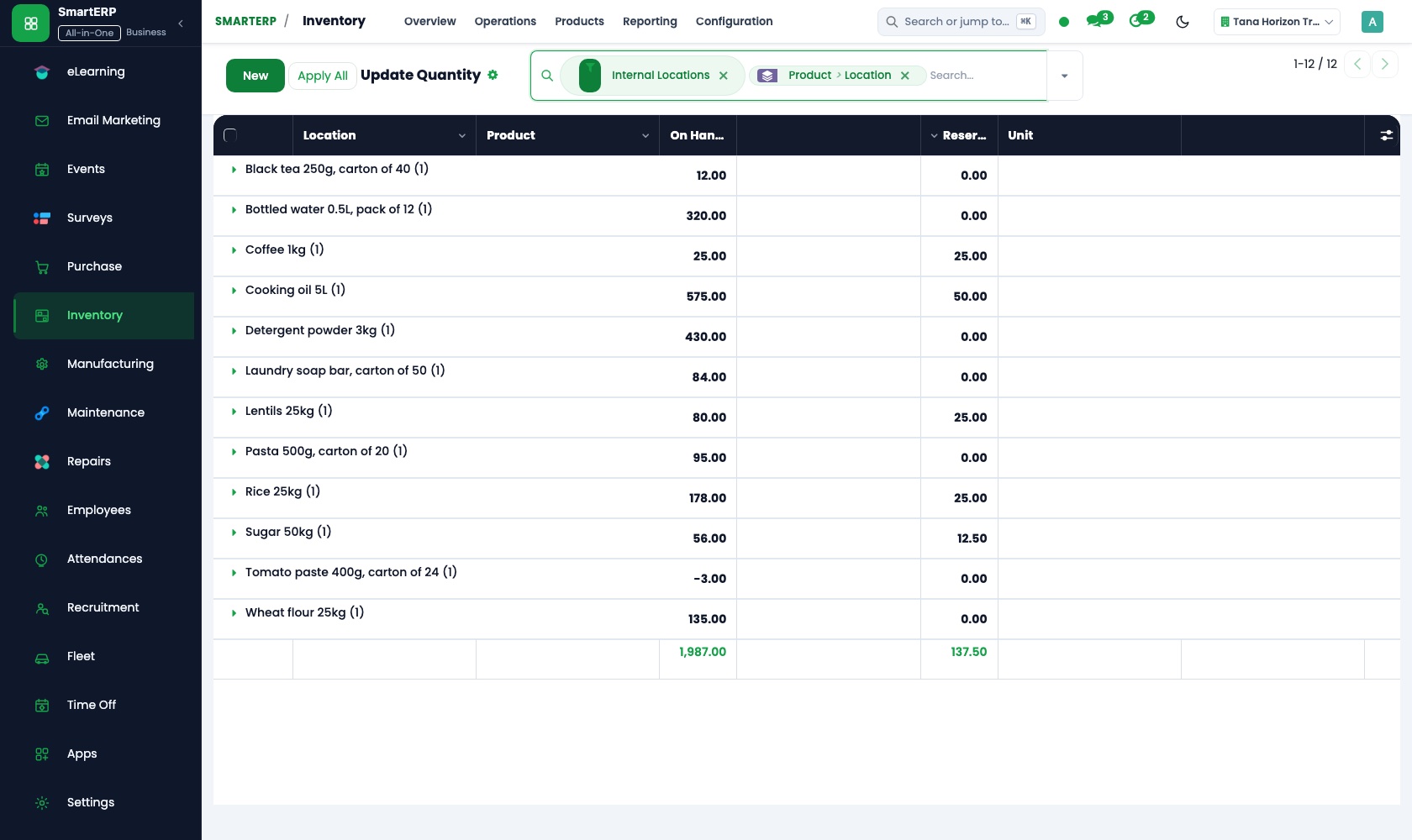
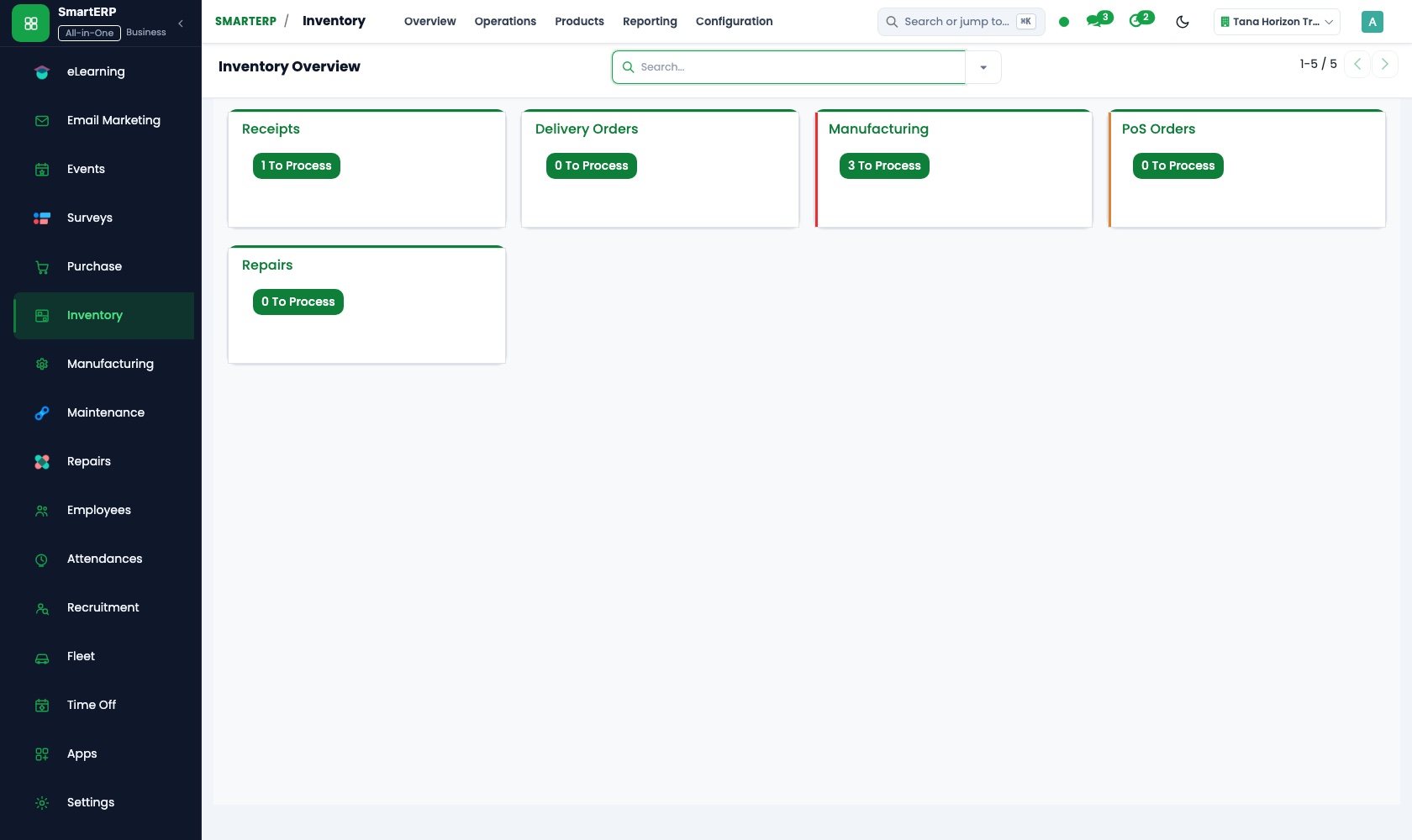
Every medicine sits in a location with a quantity on hand. Reorder rules give each fast-moving item a minimum, lots record the batch that arrived, and a dated adjustment explains a broken pack, a return or a count difference.
Purchase
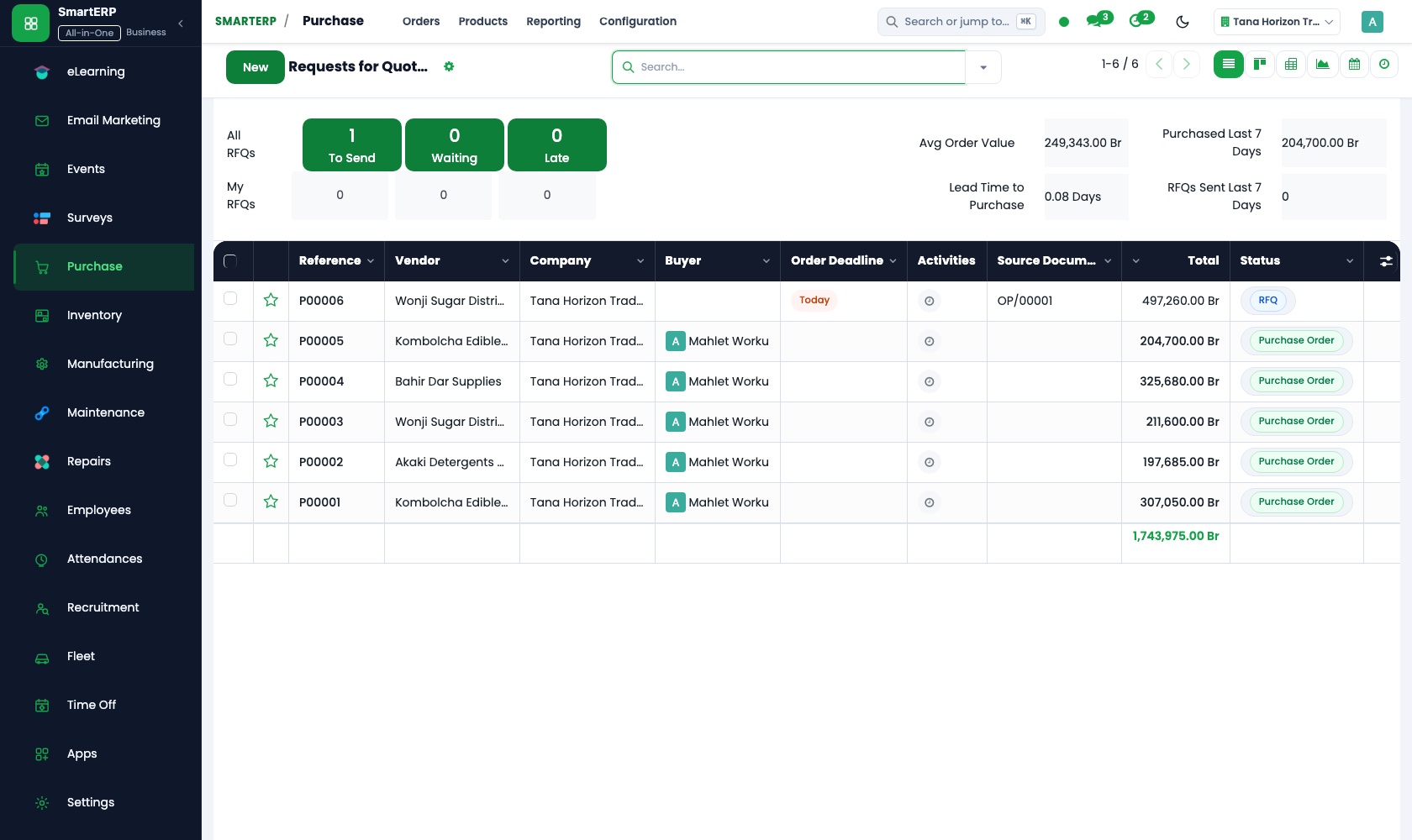
Orders go to the wholesaler that holds the item, at the price agreed on the purchase order. When a delivery arrives, the delivery note, the order and the bill are compared on quantity and price before payment.
CRM
A clinic or business asking to buy on account is entered as an opportunity in the pipeline, with its next step beside it. Scheduled activities remind the owner to call institutional buyers about repeat orders.
How the work runs on SmartERP
From a counter sale to a balanced till and true stock
Every sale at the counter reduces stock, the drawer is counted at closing and differences are recorded rather than guessed.
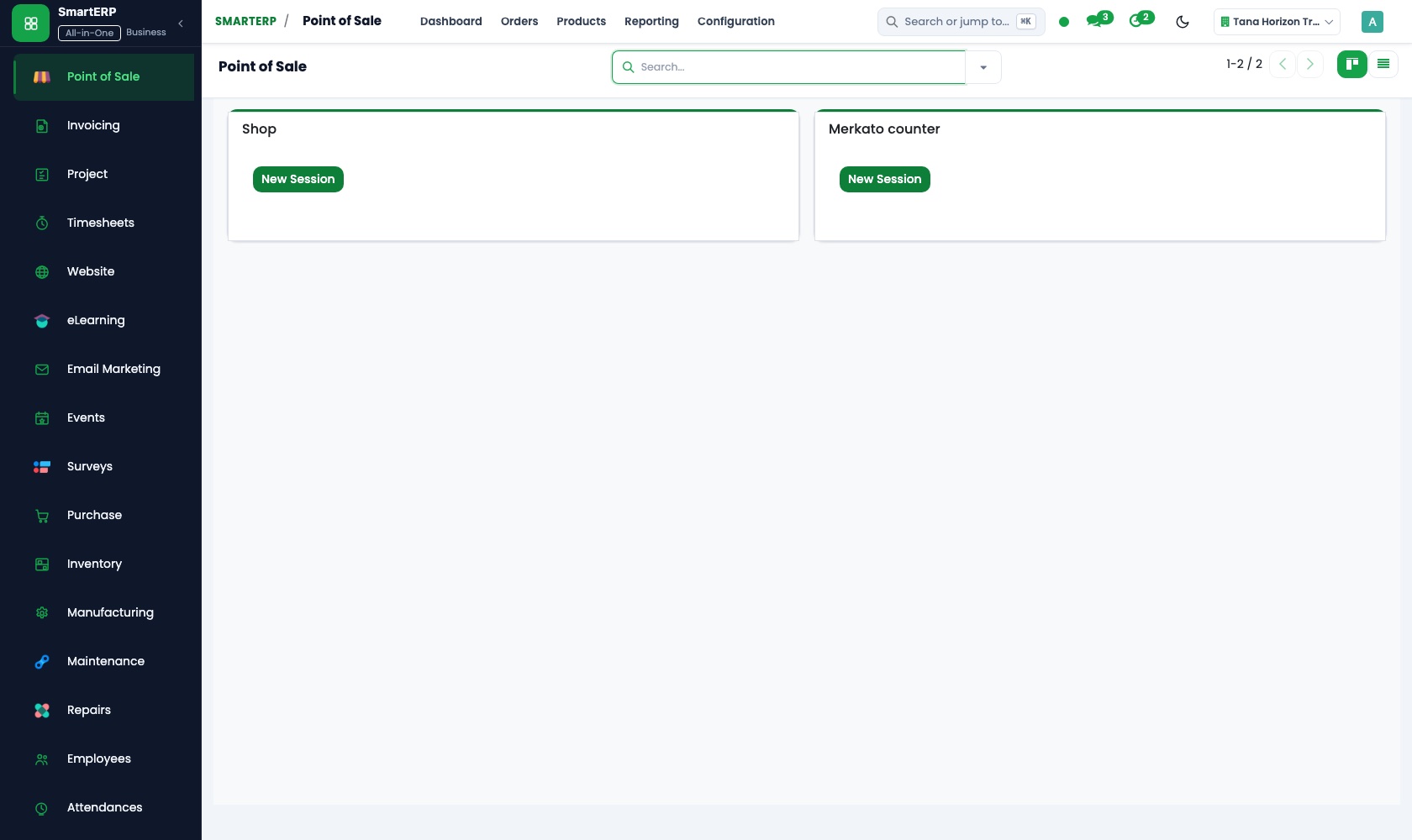
- Point of Sale: Browser-based till The cashier rings up medicines and sundries at the counter and hands the customer a printed receipt.
- Point of Sale: Stock integration Each sale lowers the quantity on hand, so the shelf record follows the counter through the day.
- Point of Sale: Sessions and cash control At closing, count the drawer against the session total and note any difference with a reason.
- Inventory: Stock valuation and adjustments Record a broken pack, a return to the wholesaler or a count difference as a dated adjustment.
From a low-stock warning to a matched wholesaler bill
Items that fall below their minimum are ordered, received with their batch numbers and paid only when the bill agrees.
- Inventory: Reorder rules Set a minimum for each fast-moving medicine so a regular customer does not find it missing.
- Purchase: Purchase orders Order from the wholesaler that holds the item and keep the agreed price on record.
- Inventory: Lots and serial numbers Record the batch number of what arrived, so a batch can be traced back to the delivery it arrived in.
- Purchase: Receipts and three-way matching Check that delivery note, order and bill agree on quantity and price before paying.
- Accounting: Vendor bills and payments Pay the wholesaler and keep its account current for the next order.
Your first month
- First week. We load your product list with prices, your wholesalers and the clinics and businesses that buy on account, and agree a minimum quantity for the medicines customers ask for most.
- Second week. Your accountant helps us set up the chart of accounts, tax lines and bank accounts, and opening balances go in. The shelves are counted so opening stock matches the shop.
- Third week. Whoever orders practises a purchase order and checks a delivery against the bill, and the owner invoices one account customer. Where the till is used, the cashier counts the drawer at closing.
- After go-live. We review the first weeks with the owner: count differences, items that ran out and wholesaler bills that did not match the delivery. Then we adjust minimums and price lists.
What to have ready
- Your product list with selling prices and the quantity now on the shelf
- Wholesaler names with the items and agreed prices for each
- Clinics and small businesses that buy on account, with billing details
- Recent delivery notes and wholesaler bills that are still unpaid
- The balances your accountant carries forward and the shop's bank account details
The applications on screen
Real SmartERP screens with sample data.
Who uses it
- Business owner or general managerSee the whole business and keep every department working on the same records.
- Finance and accountingInvoices, bills, bank and reports from one ledger.
- Sales and customer serviceLeads, quotations, orders and follow-up.
- Purchasing and storesBuy, receive and control stock.
Company sizes
- Up to 10 people
- 11 to 50 people
What SmartERP does not cover for this industry
SmartERP covers prescription management, insurance co-pay splits, controlled narcotic registers, POS and stock. It does not replace national clinical laboratory testing diagnostic equipment or automated robotic dispensing machines.
Questions about SmartERP for pharmacy
Can SmartERP record prescriptions and dispensing?
No. SmartERP does not include a prescription or dispensing record, drug-interaction checks, a controlled-medicine register, insurance claim filing or delivery tracking. Those stay with your pharmacist's own procedures; SmartERP covers sales, stock, purchasing and accounts.
Will we know a medicine is running low before it runs out?
Yes. Give each fast-moving item a reorder rule with minimum and maximum quantities in Inventory. Purchase turns what falls below the minimum into purchase needs for the wholesaler.
How do the till, the shelf and wholesaler bills stay in agreement?
With Point of Sale every sale reduces stock. Inventory records adjustments, Purchase checks a delivery against the order and the bill, the till's takings post to Accounting, and Accounting pays the wholesaler.
Can the counter keep working if the internet is down?
Plan for an internet connection at the counter. Offline behaviour depends on the device and is confirmed during implementation, and printers and scanners depend on your own setup.
Does SmartERP connect to a fiscal machine at the till?
No. Tax-authority and fiscal-machine integrations are not offered today. Receipts can be printed or emailed, and invoices show VAT.
See it before you decide
From a low-stock warning to a matched wholesaler bill in a fictional pharmacy
The walkthrough shows a fast-moving medicine dropping below its minimum, the order to the wholesaler, the delivery received with its batch number and the bill matched and paid, on sample data.
There is no self-service sandbox. The demo is a guided walkthrough on sample data, or you can start a trial workspace.
Pricing
SmartERP has an industry edition for this sector (Healthcare). The applications listed above are its applications, and the editions, their staff bands and the current prices are on the pricing page. This page shows no price.
See plans and pricingA website for your business
SmartERP can also set up a starter website for this kind of business, offered as part of a website project: Home, What We Stock, Prescriptions, Delivery & Pickup, Ask a Pharmacist, Medicine Request, Contact. How the website tools work.
Start with what your business needs first
Tell us your industry and we carry it through the guided set-up, or talk to us first.
Start SmartERP Book a demo