Brief to campaign to invoice, with agency fees and media costs kept apart
An agency sells ideas and effort, yet its bank account also carries the client's media money: radio spots, printing, billboards. SmartERP keeps fee lines and media lines apart on the quotation and the invoice, and ties creative hours to each campaign. It does not schedule ads or measure results; those live in each platform.
Start with CRM and Sales for briefs and quotations, Project for the campaign board, Timesheets for designers and copywriters and Accounting for client invoices and media supplier bills. Email Marketing and Website suit agencies running their own outreach and enquiry form.
Typical businesses: Advertising agencies · Branding studios · Social media agencies · Design and print studios · Content production houses
Problems this industry runs into
Client media money and agency fees are muddled
Radio, printing and billboard costs are paid on the client's behalf, then mixed with the agency's own fee. It is unclear what the campaign really earned.
Feedback rounds go on until the fee is gone
A logo or a campaign film goes through round after round of revisions. Because hours are not logged against the brief, the extra rounds are absorbed.
Campaign pieces live in group chats and personal lists
Designers, copywriters and the account manager each hold their own version of what is due. A client asking where the print run stands gets several answers.
Retainer clients ask for a little more every month
A monthly content retainer grows with extra posts, replies and small edits. With no hours recorded per client, nobody knows when to renegotiate.
Applications in the Professional Services edition
These applications are the ones the industry edition's blueprint includes. Each opens its own page.
Often added for this industry
What each application does for marketing and advertising
Accounting
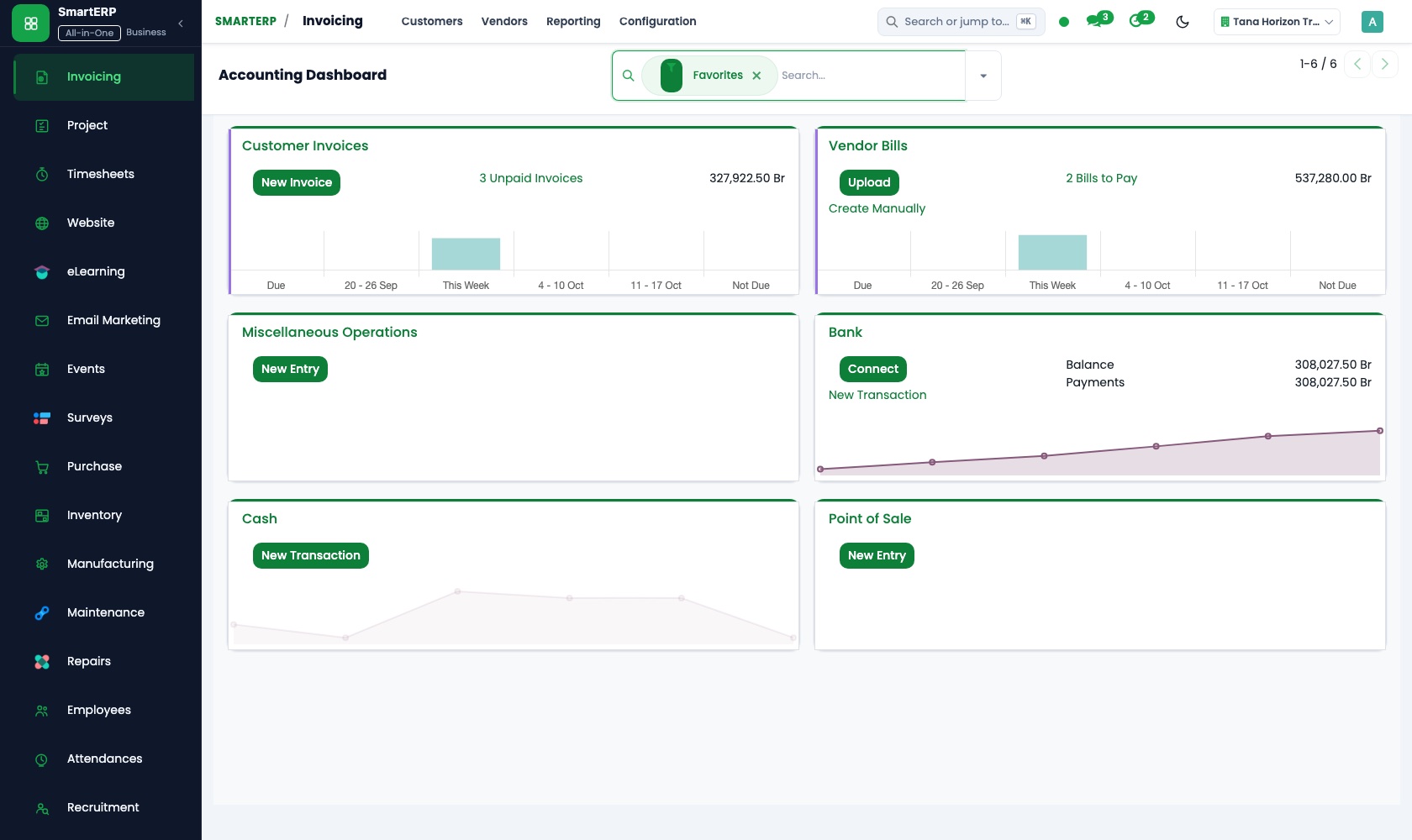
Invoices show the agency fee and the radio, print or billboard cost on separate lines. Media suppliers' vendor bills are paid from the same ledger, so profit and loss shows what the agency itself earned.
Project
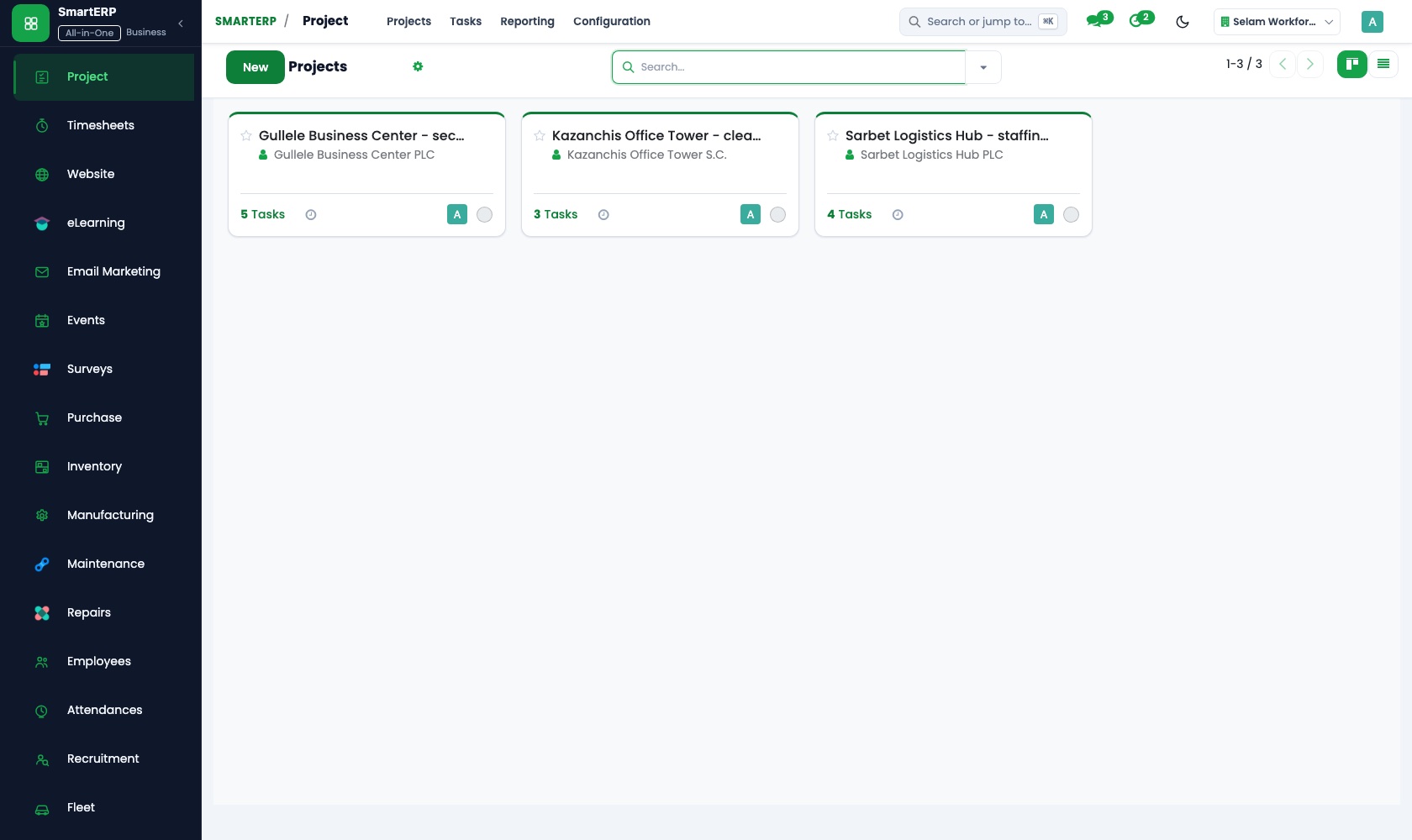
Each poster, script or social set is a task with an assignee and a deadline, moved across kanban stages from concept to delivered. The account manager opens the board to say where the print run stands.
Timesheets
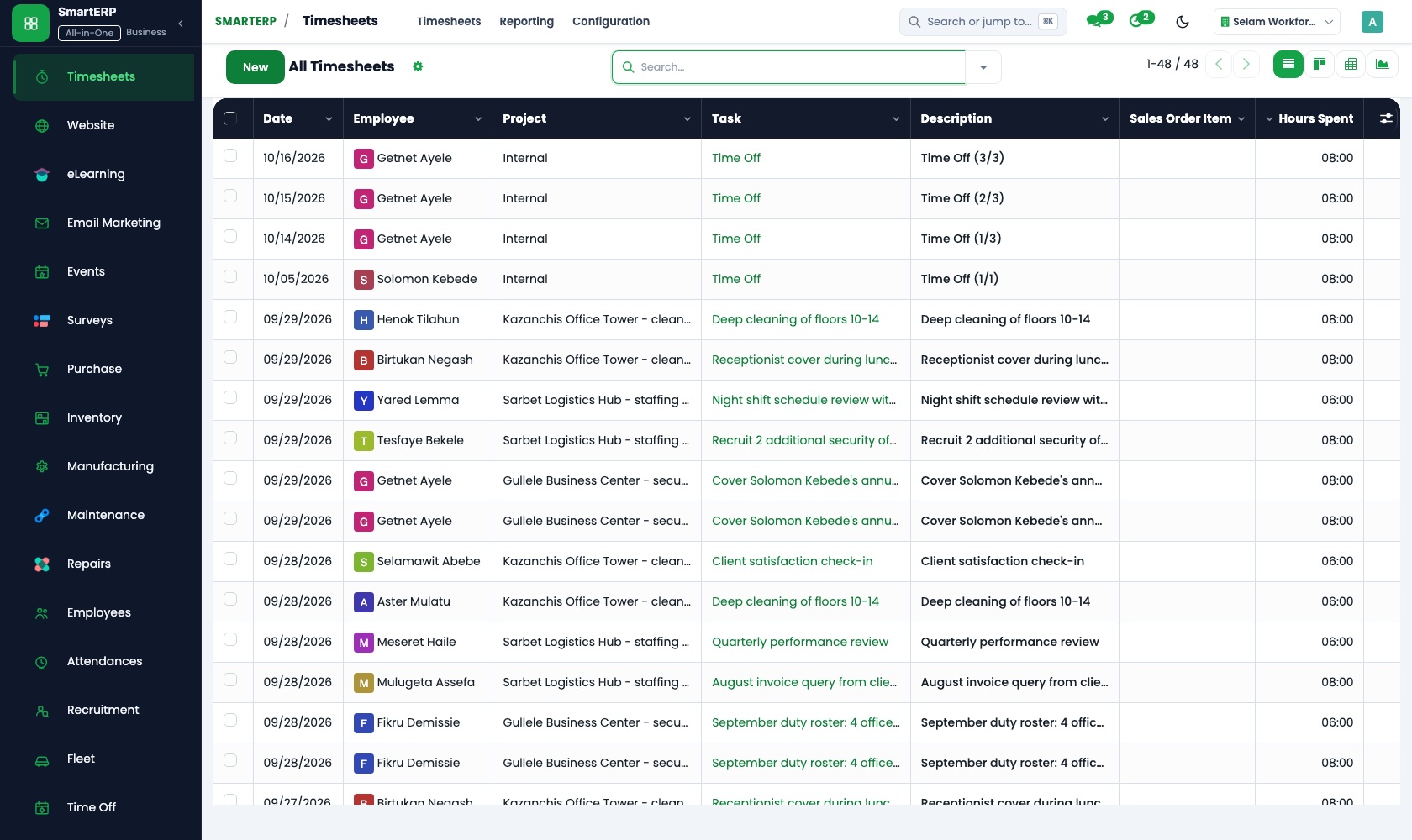
Designers and copywriters log time on the piece they worked on. Cost and profitability sets those hours against a retainer's monthly fee, so extra revision rounds show up before the margin is gone.
Sales
A campaign quotation template puts creative fees and media on separate lines, with optional extras. Price lists hold your rate card, and sales reporting shows margin by client.
CRM
A business owner's goal and launch date are logged as an opportunity before creative work starts. Scheduled activities keep the next call on someone's list.
How the work runs on SmartERP
From client brief to a quotation with media on its own lines
A business goal becomes a brief and a quotation in which agency fees and media costs are separate, and each piece then moves across a task board.
- CRM: Leads and opportunities Capture the business owner's goal and launch date as an opportunity before any creative work begins.
- Sales: Quotation templates Use a campaign template with creative fees on some lines and radio, print or outdoor media on their own lines.
- Sales: Quotations and sales orders Confirm the campaign as an order once the client accepts both the fee and the media plan.
- Project: Kanban stages Move each piece, such as a poster, script or social set, through concept, draft, revision and delivered.
From creative hours and media bills to the client invoice
Hours are recorded per piece, media suppliers' bills are entered against the campaign, and the client receives one invoice with fee and media shown apart.
- Timesheets: Log time on tasks Designers and copywriters record hours against the campaign piece they worked on.
- Timesheets: Cost and profitability Compare hours on a retainer client with the monthly fee to see when revision rounds cost too much.
- Accounting: Vendor bills and payments Enter the radio station's, printer's or billboard owner's bill against the campaign and pay it.
- Accounting: Customer invoices and credit notes Invoice the agency fee and the media costs on separate lines; credit a piece the client cancels.
Your first month
- First week. We agree how fee lines and media lines appear on a quotation, then load your clients, media suppliers and team names.
- Second week. Your accountant confirms the Ethiopian chart of accounts; bank accounts and opening balances go in. Task stages are named concept, draft, revision and delivered.
- Third week. Account managers work a live brief from opportunity to quotation to task board. Designers and copywriters log hours on real pieces.
- After go-live. At the first month's close we compare hours with each retainer fee and check that every media bill reached the right client invoice.
What to have ready
- Your rate card for design, copy, print and video work
- Regular media suppliers, such as radio stations and printers, with their terms
- Retainer clients with the monthly fee and what it covers
- Names and roles of designers, copywriters and account managers
- Your bank details and the opening balances from your accountant
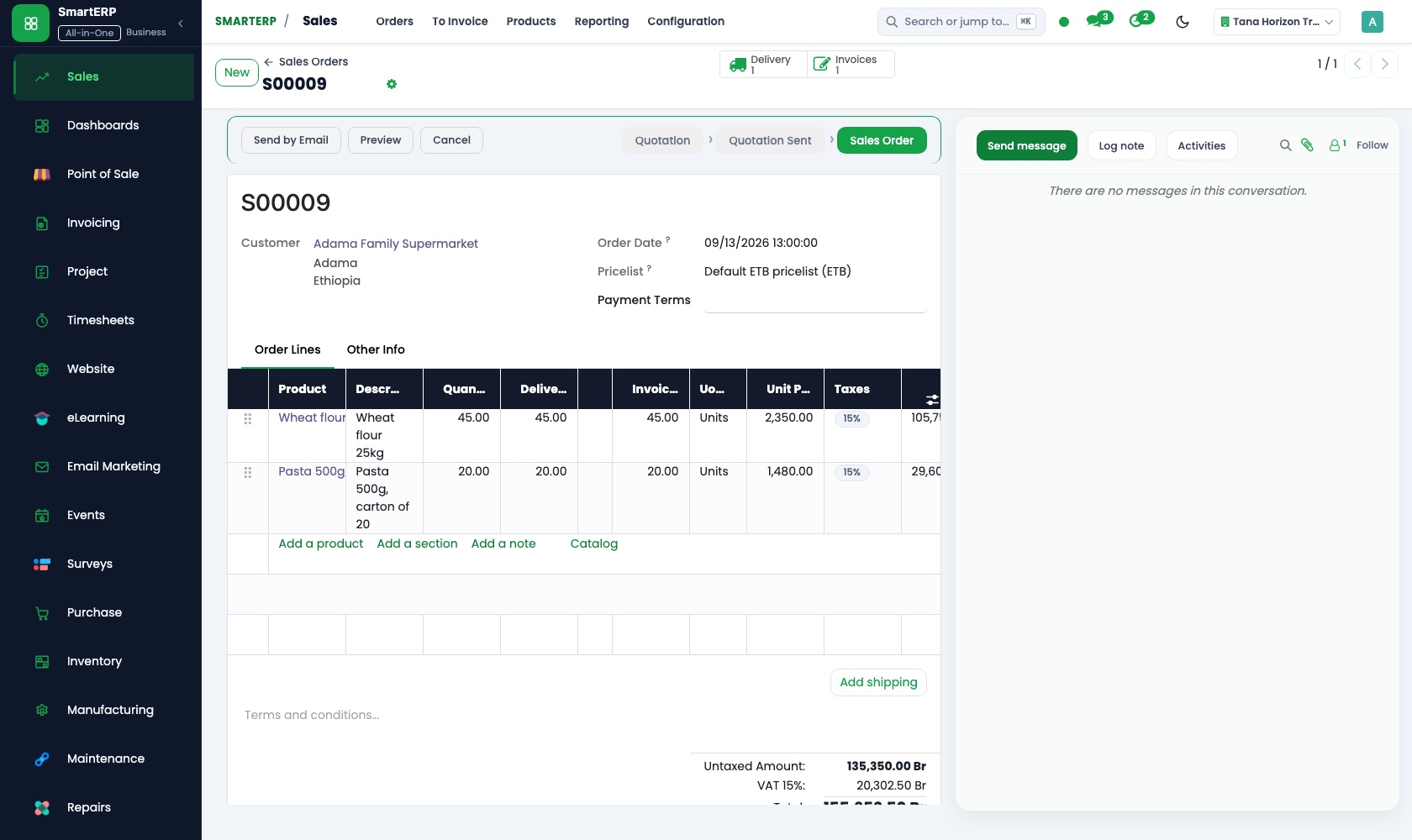
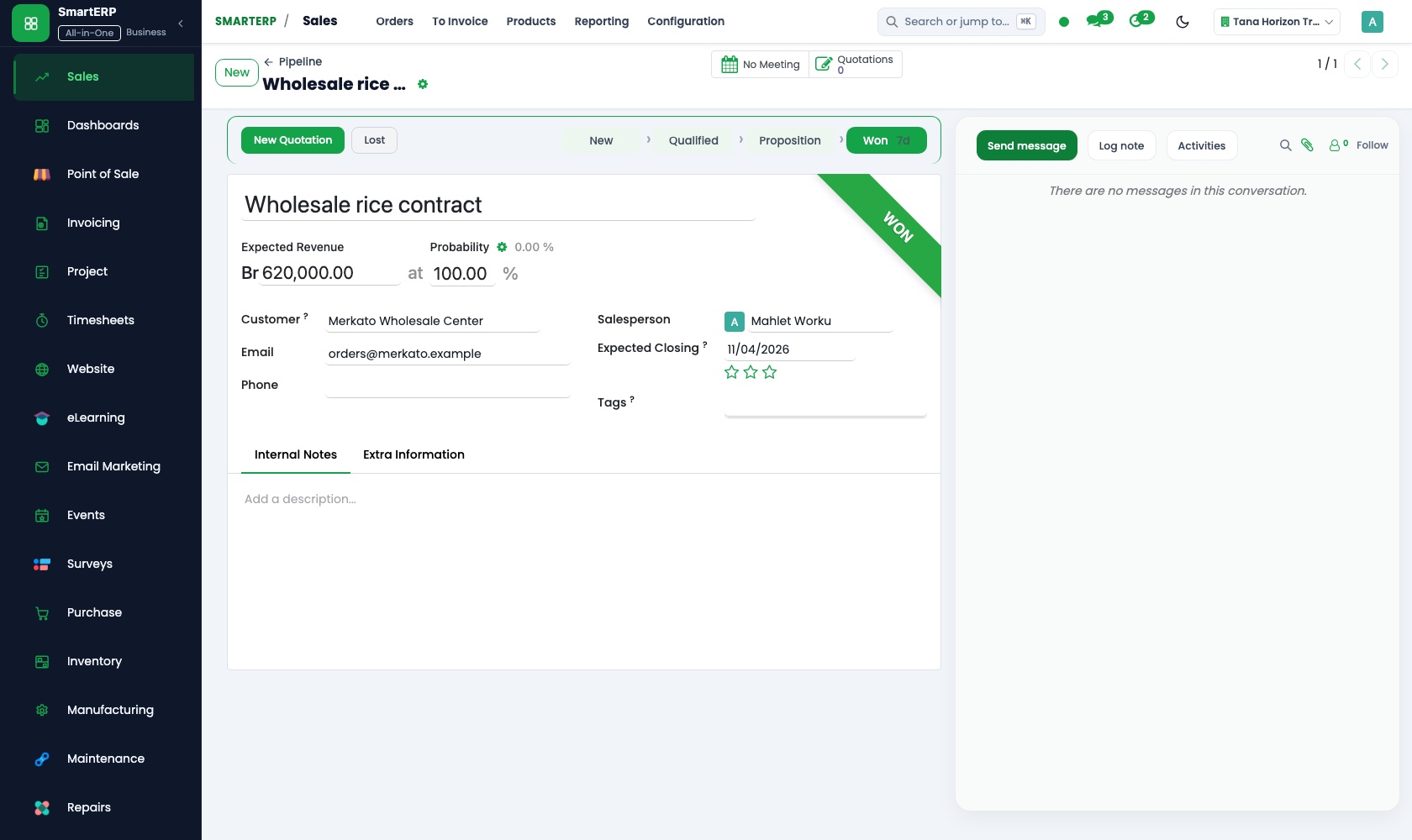
The applications on screen
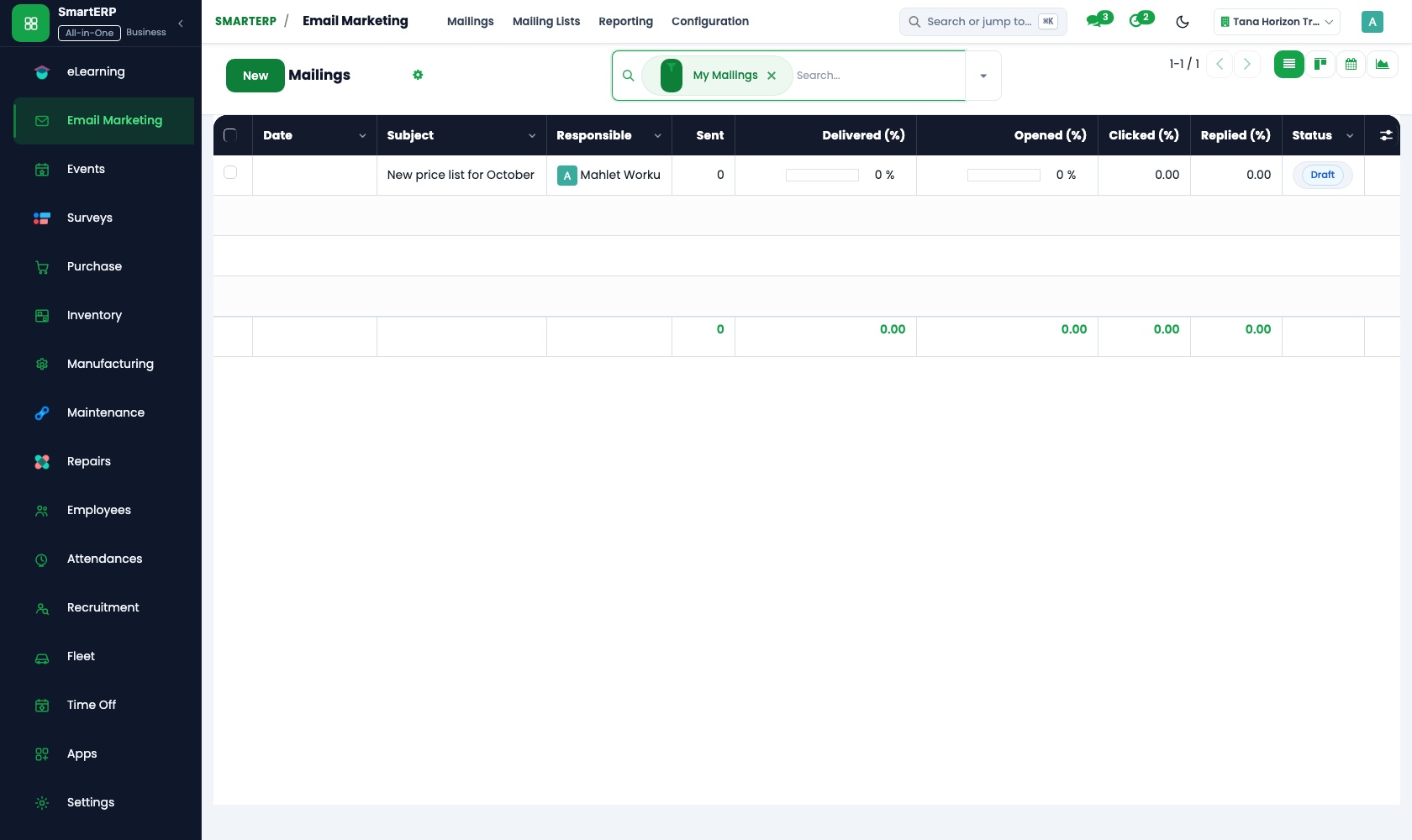
Real SmartERP screens with sample data.
Who uses it
- Business owner or general managerSee the whole business and keep every department working on the same records.
- Finance and accountingInvoices, bills, bank and reports from one ledger.
- Project and service managersPlan projects and bill the time.
- Marketing and webWebsite, campaigns and events.
Company sizes
- Up to 10 people
- 11 to 50 people
What SmartERP does not cover for this industry
SmartERP does not schedule or publish posts, buy or track ad space, run creative sign-off rounds or report campaign results such as reach. Those stay in the social platforms, ad channels and design tools you use.
Questions about SmartERP for marketing and advertising
Can SmartERP schedule and publish our clients' social posts?
No. SmartERP does not schedule or publish posts, buy or track ad space, or report reach. Those stay in your social platforms, ad channels and design tools.
How do we keep media costs apart from our agency fee?
Put the fee and each media item on separate quotation lines. They carry into the invoice, and the supplier's bill is entered in Accounting against the same campaign.
Can clients sign off designs inside SmartERP?
No. SmartERP does not run creative sign-off rounds. Files and comments attach to the task, but the client's final word stays in your email or meeting.
Can we see when a retainer client costs more than it pays?
Yes. Staff log hours on the client's tasks, and Timesheets compares the cost of that time with project revenue, so you know when a retainer needs a new fee.
How do Sales, Project, Timesheets and Accounting work together?
An accepted quotation in Sales becomes an order and can open a project. Hours from Timesheets and media bills from Accounting belong to that campaign, and the invoice comes from the same order.
See it before you decide
A product launch campaign from brief to client invoice
The walkthrough follows a fictional business owner's launch: the brief in CRM, a quotation with fee and media lines, a piece-by-piece task board, then hours and the invoice.
There is no self-service sandbox. The demo is a guided walkthrough on sample data, or you can start a trial workspace.
Pricing
SmartERP has an industry edition for this sector (Professional Services). The applications listed above are its applications, and the editions, their staff bands and the current prices are on the pricing page. This page shows no price.
See plans and pricingA website for your business
SmartERP can also set up a starter website for this kind of business, offered as part of a website project: Home, Services, Work, How We Work, Channel Guide, Studio, Start a Brief, Contact. How the website tools work.
Start with what your business needs first
Tell us your industry and we carry it through the guided set-up, or talk to us first.
Start SmartERP Book a demo