Scope the diagnostic, run the assignment and invoice on agreed deliverables
A consultancy sells judgement, delivered through workshops, reports and handover sessions. The commercial risk is scope: a diagnostic grows into a full assignment without a new agreement. SmartERP ties each deliverable to a task, each consultant's days to that task and each milestone to an invoice. It does not store slide decks, models or research.
Start with CRM and Sales for diagnostics and proposals, Project and Timesheets for the deliverable list and the team's days, and Accounting for milestone invoices. Add Calendar to place client workshops and steering meetings in shared diaries.
Typical businesses: Management consultancies · Business advisory firms · Independent consultants · Development advisory teams · Operations improvement advisers
Problems this industry runs into
The diagnostic grows into a full assignment at no charge
A short diagnostic turns into weeks of extra analysis because the follow-on scope was never written or priced, and the consultancy absorbs the added days.
Deliverables are agreed in a meeting and lost by the report
What the client was promised sits in one partner's notes, so the team delivers something different from what the sponsor expects at handover.
Consultant days are split across clients without a record
Senior and junior consultants work on several assignments at once. Without days logged per assignment, day rates and margins are guesses.
Milestone invoices wait for someone to remember them
Payment falls due at the diagnostic, the draft and the handover. The invoice goes out late because nobody can see that the milestone was reached.
Applications in the Professional Services edition
These applications are the ones the industry edition's blueprint includes. Each opens its own page.
Often added for this industry
What each application does for management consulting
Accounting
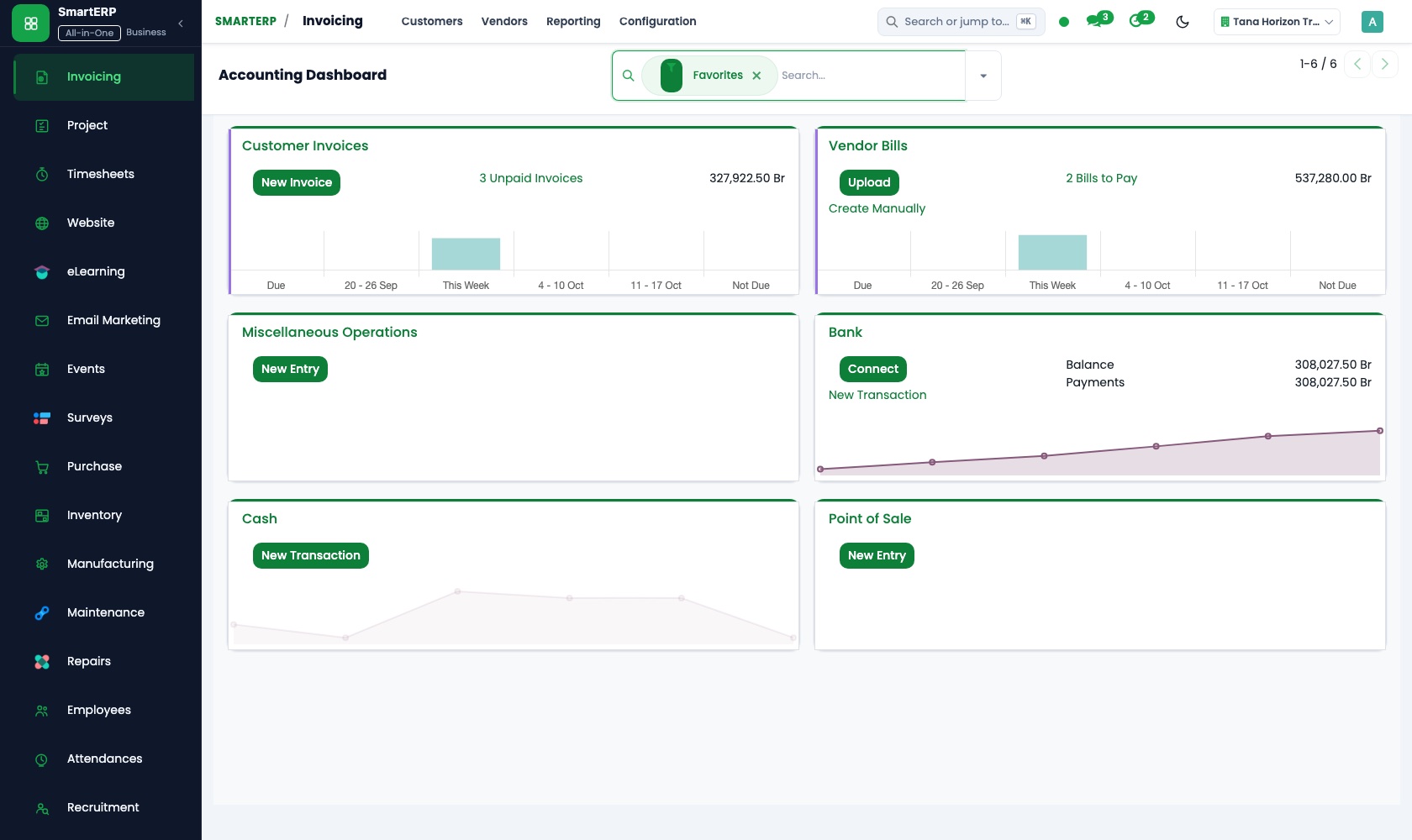
The consultancy invoices when a milestone is reached: the diagnostic, the draft, the handover. A credit note records a fee reduced when scope is cut, and bank matching shows which invoices are paid.
Project
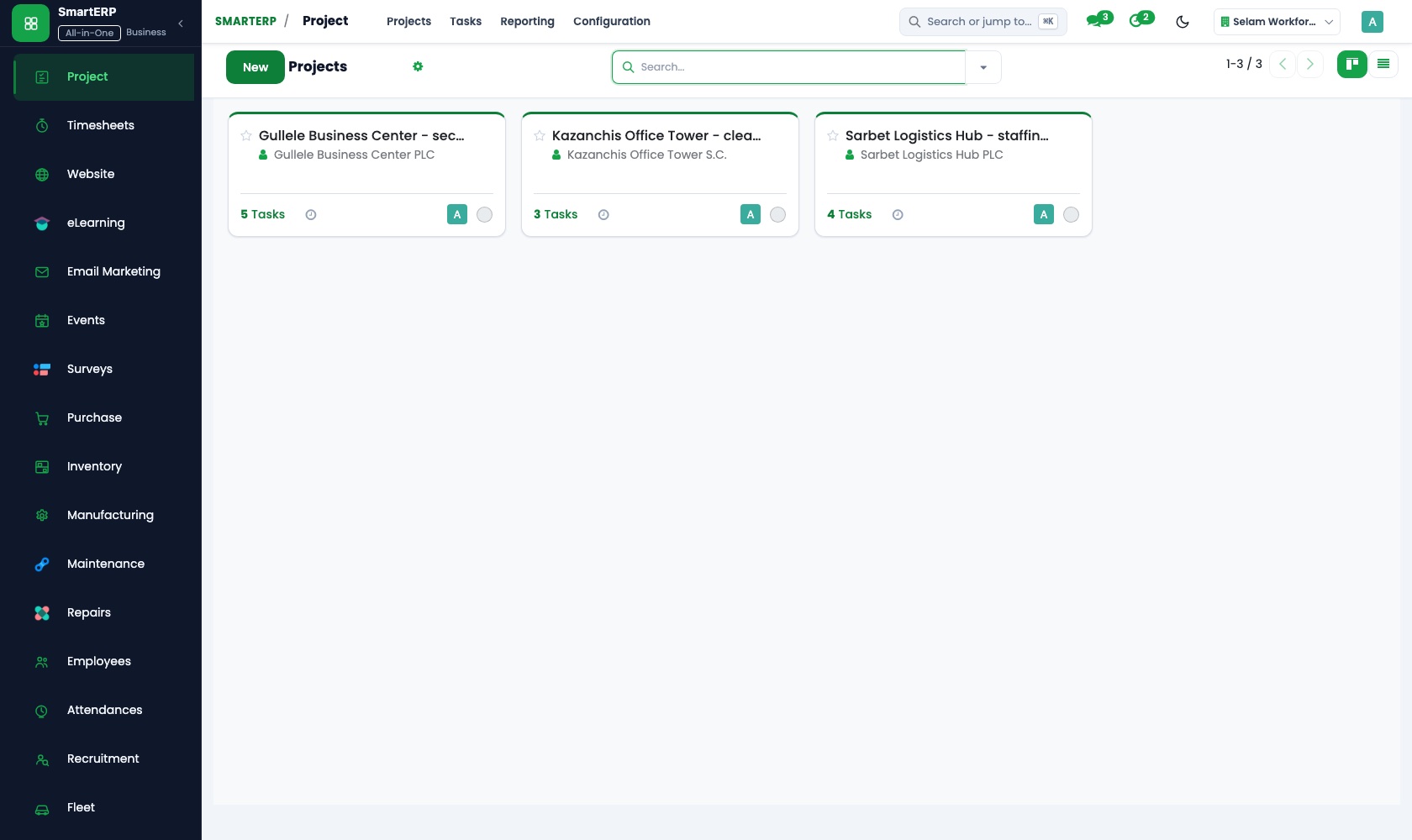
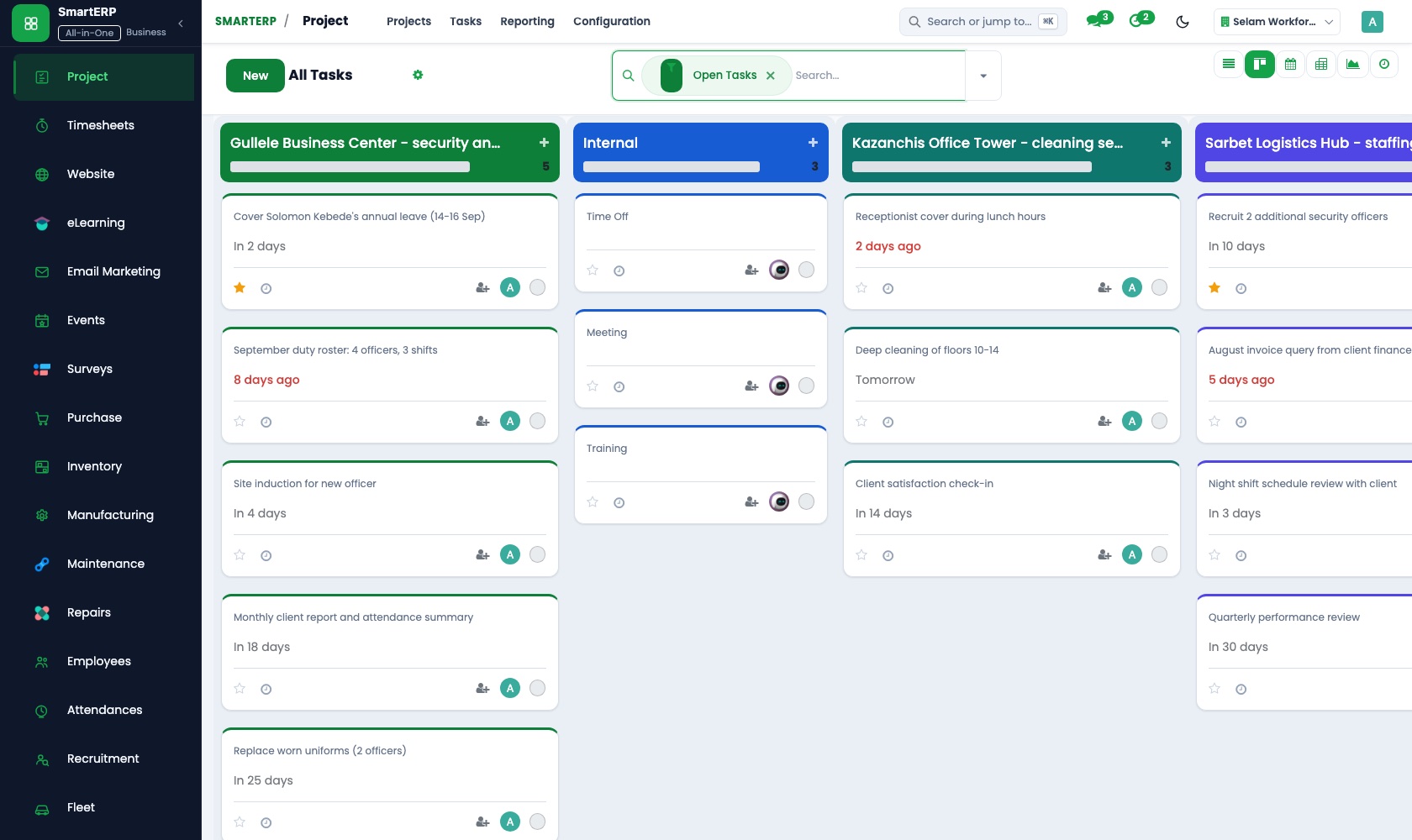
Each promised deliverable is a task with an owner and a deadline inside the assignment's project. The project can be shared with the sponsor through the customer portal.
Timesheets
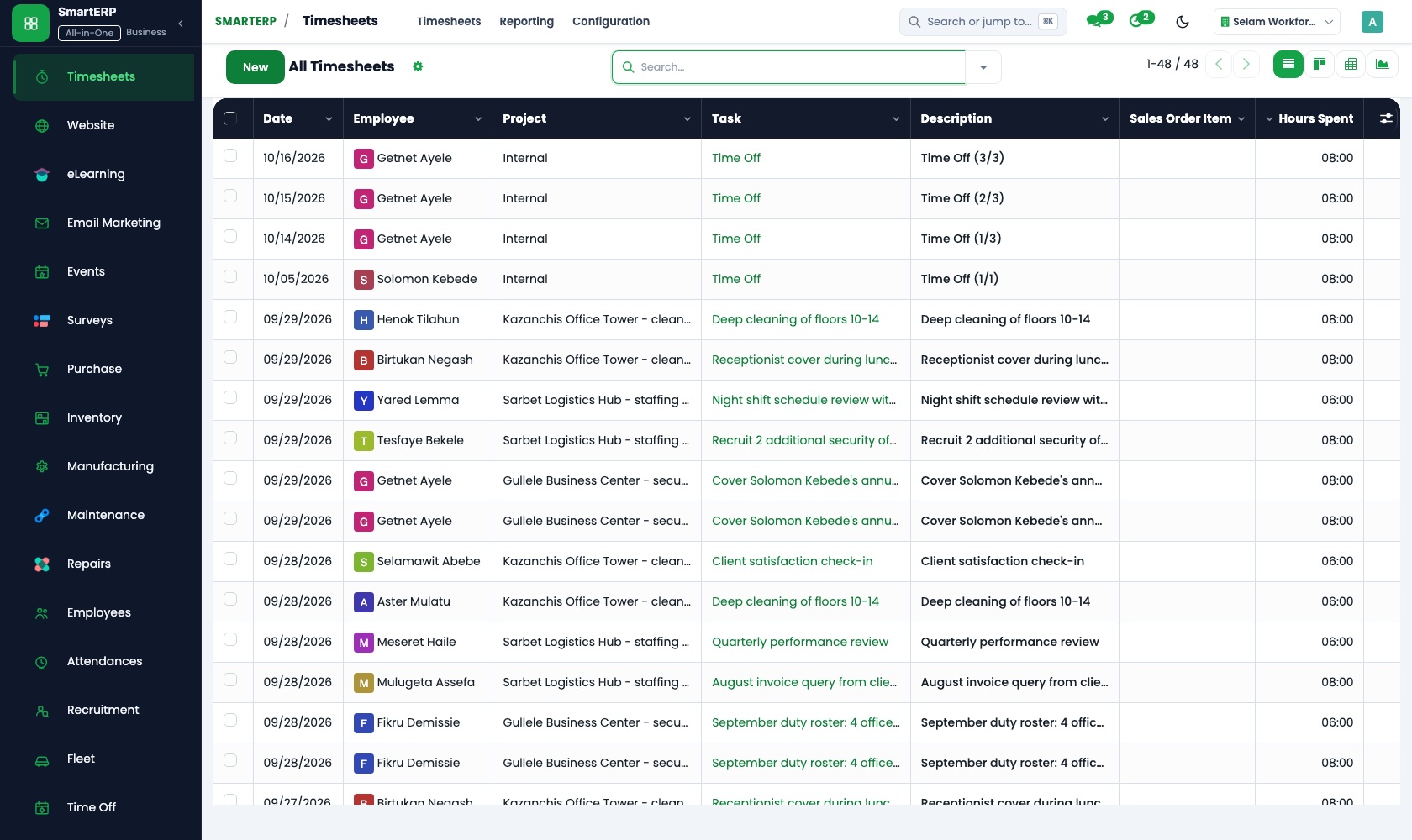
Senior and junior consultants log time on the deliverable they worked on, with a timer or a weekly grid. Cost and profitability show an overrun of senior time early.
Sales
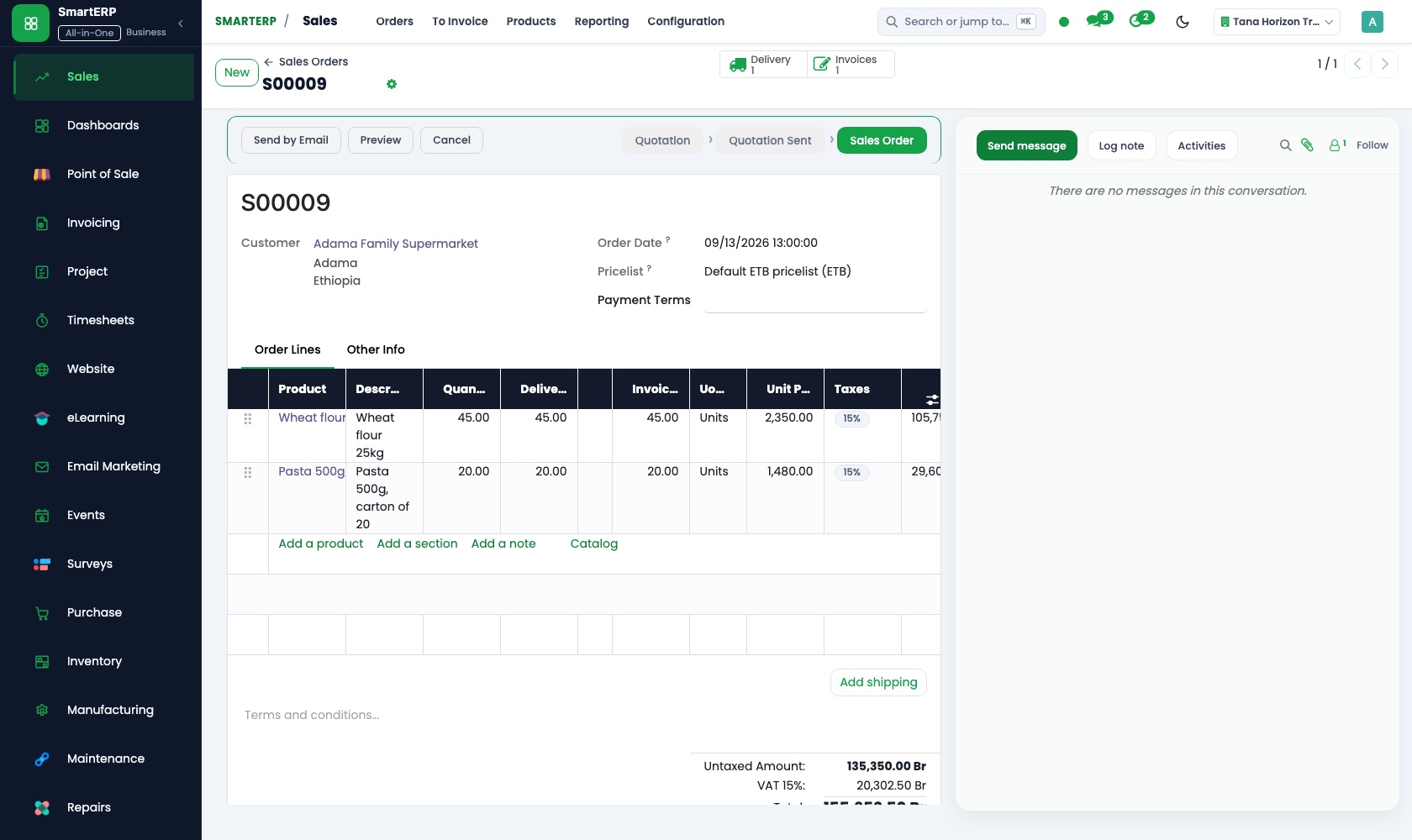
Day rates for each level of consultant sit in price lists. The diagnostic is quoted as a small fixed piece and the follow-on assignment on its own quotation, so added scope is priced.
CRM
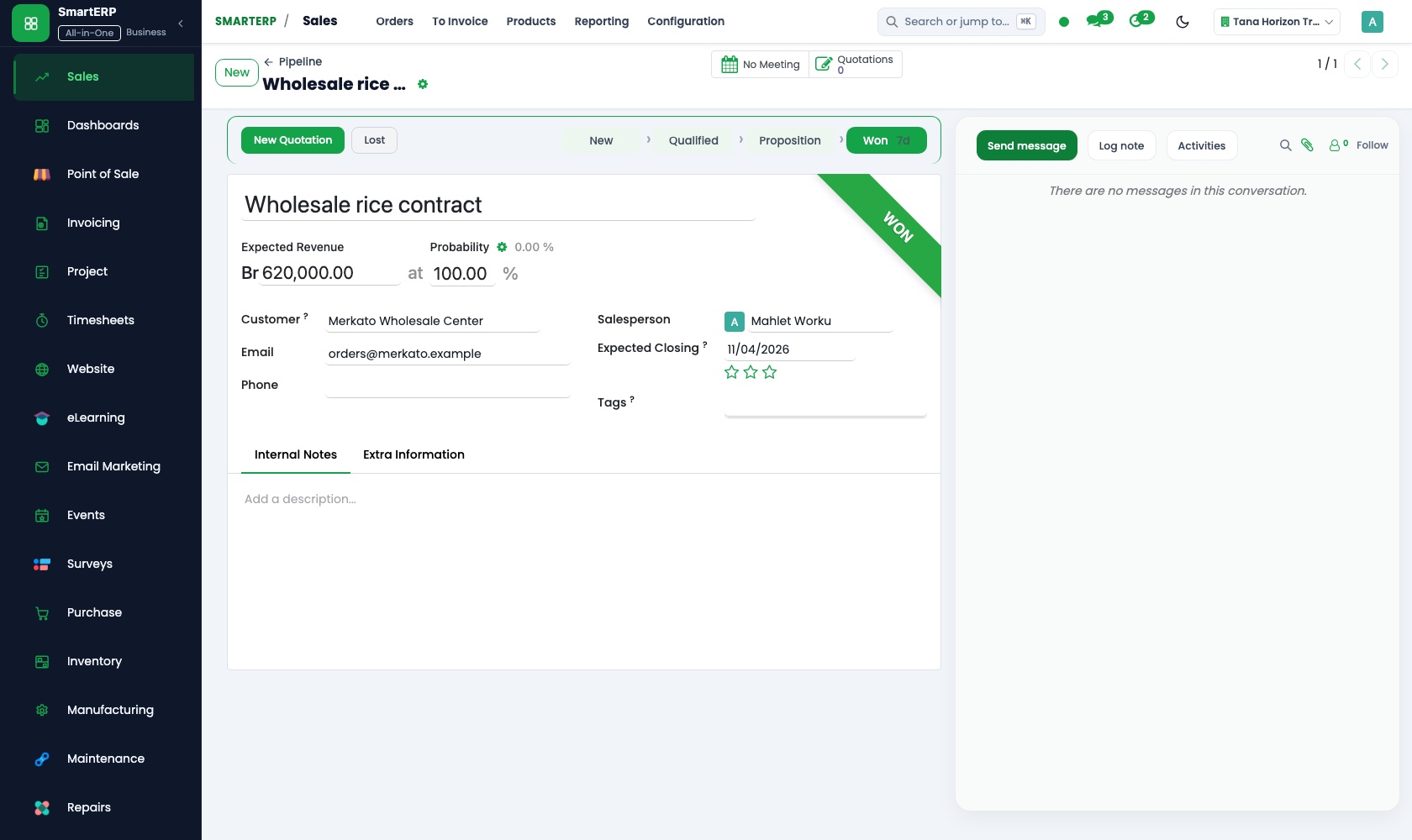
The owner or director who raised the problem is a lead with scheduled calls, so every conversation has a next step. Won opportunities become quotations.
How the work runs on SmartERP
From first call to a scoped diagnostic assignment
An executive raises a problem, the diagnostic is priced at agreed day rates, and each promised deliverable becomes a task with an owner.
- CRM: Scheduled activities Schedule the first conversation and the follow-up call with the owner or director who raised the problem.
- Sales: Price lists and discounts Apply the day rate for each level of consultant, with a lower rate for a client on retainer.
- Sales: Quotations and sales orders Price the diagnostic as a small fixed piece and quote the follow-on assignment separately.
- Project: Projects and tasks Turn each agreed deliverable into a task with an owner, so the team works to the scope written in the proposal.
From consultant days to a milestone invoice
Days are recorded against the deliverables, the sponsor sees what is done, and the invoice goes out when the milestone is reached.
- Timesheets: Log time on tasks Record days spent on the workshop, the analysis and the handover session against the assignment.
- Timesheets: Cost and profitability See whether senior days are running ahead of what the assignment was priced for.
- Project: Customer visibility Let the sponsor see which deliverables are finished and which are waiting on the client's own team.
- Accounting: Customer invoices and credit notes Issue the invoice when the milestone is reached and credit it if scope was cut.
Your first month
- First week. We list your service lines and the day rate for each level of consultant, set up price lists, and load your clients, sponsors and consultants.
- Second week. A project template is agreed for a typical diagnostic and assignment, with its deliverables as tasks, and the ledger and bank accounts are set up with your accountant.
- Third week. One real assignment is run through it: the diagnostic quotation, the deliverable tasks, time logged by the team and the first milestone invoice.
- After go-live. The partners review overruns of senior time with us after the first assignments, then adjust day rates, deliverable lists and the milestone wording of proposals.
What to have ready
- Your day rates by consultant level, and any retainer rates
- Active clients with the sponsor's name and the stage of each assignment
- A typical proposal, with the deliverables and milestones you usually agree
- The consultants, with their level and the clients each one serves
- Bank account details and starting balances agreed with your accountant
The applications on screen
Real SmartERP screens with sample data.
Who uses it
- Business owner or general managerSee the whole business and keep every department working on the same records.
- Finance and accountingInvoices, bills, bank and reports from one ledger.
- Sales and customer serviceLeads, quotations, orders and follow-up.
- Project and service managersPlan projects and bill the time.
Company sizes
- Up to 10 people
- 11 to 50 people
What SmartERP does not cover for this industry
SmartERP does not store slide decks, models or research libraries, keep a knowledge base of past assignments, or plan consultant capacity across months. Keep your file storage; SmartERP records assignments, days and invoices.
Questions about SmartERP for management consulting
Does SmartERP keep our slide decks, models and past reports?
No. SmartERP does not store slide decks, models or research libraries, keep a knowledge base of past assignments or plan consultant capacity across months. Keep your file storage.
How do we stop a diagnostic growing into unpriced extra work?
Quote the diagnostic as its own small order and the follow-on assignment as a separate quotation. Each agreed deliverable is a task, so added work shows as a new task that can be priced.
How do I know whether an assignment is running ahead of its price?
Consultants log time against tasks, and Timesheets compares time cost with revenue by project. The partner sees senior time running ahead while the assignment is still open.
How do the proposal, the deliverables, the time and the invoice connect?
Start in CRM with the conversation. Sales prices the assignment, Project holds each deliverable as a task, and Timesheets records time on those tasks. When the milestone is reached, Accounting issues the invoice.
Can the client's sponsor see which deliverables are finished?
Yes. Project can share selected projects with the client through the customer portal, so the sponsor sees finished tasks and those waiting on the client's own team.
See it before you decide
A diagnostic for a fictional family business from first call to milestone
The walkthrough follows a fictional owner from a first call to a priced diagnostic and a deliverable task list, then shows the consultant days recorded and the milestone invoice.
There is no self-service sandbox. The demo is a guided walkthrough on sample data, or you can start a trial workspace.
Pricing
SmartERP has an industry edition for this sector (Professional Services). The applications listed above are its applications, and the editions, their staff bands and the current prices are on the pricing page. This page shows no price.
See plans and pricingA website for your business
SmartERP can also set up a starter website for this kind of business, offered as part of a website project: Home, Focus Areas, Our Approach, Workshops, Case Studies, Discovery Call, Contact. How the website tools work.
Start with what your business needs first
Tell us your industry and we carry it through the guided set-up, or talk to us first.
Start SmartERP Book a demo