Memberships, day passes and coaches managed from the front desk to the ledger
A gym has two rhythms: a rush of sign-ups when the season starts and a quiet drift of members who stop coming. SmartERP records who joined, what they paid and who to call, and it invoices the companies that buy staff wellness. It does not run the class timetable or the door.
Start with CRM and Sales for trial visitors and packages, and the Point of Sale for the desk. Add Membership for member status and fee invoices, Email Marketing for notes to members, and Attendance for the coaches' hours.
Typical businesses: Gyms · Fitness studios · Yoga studios · Martial arts clubs · Sports and health clubs
Problems this industry runs into
Trial visitors are never called back
People who try a session leave a name on a sheet at the desk. Nobody phones them, so the sign-ups that should follow a good first visit never happen.
Who has paid this month is checked at the door
Fees arrive in cash, by transfer and at the desk with no single list, so staff debate whether a member's fee is due while that member stands waiting.
Coaches' hours and personal-training sessions are counted by hand
Trainers write down hours worked and sessions given, and the owner compares two sets of notes at month end before knowing what each coach's time cost the gym.
Company wellness deals are promised aloud and invoiced late
An office that buys memberships for its staff is quoted a rate in conversation, and the group invoice is raised late or at a different rate.
A recommended starting set of applications
There is no packaged edition for this industry yet. These applications are our recommendation for a business of this kind, not a fixed bundle.
Often added for this industry
What each application does for fitness and gym
Accounting
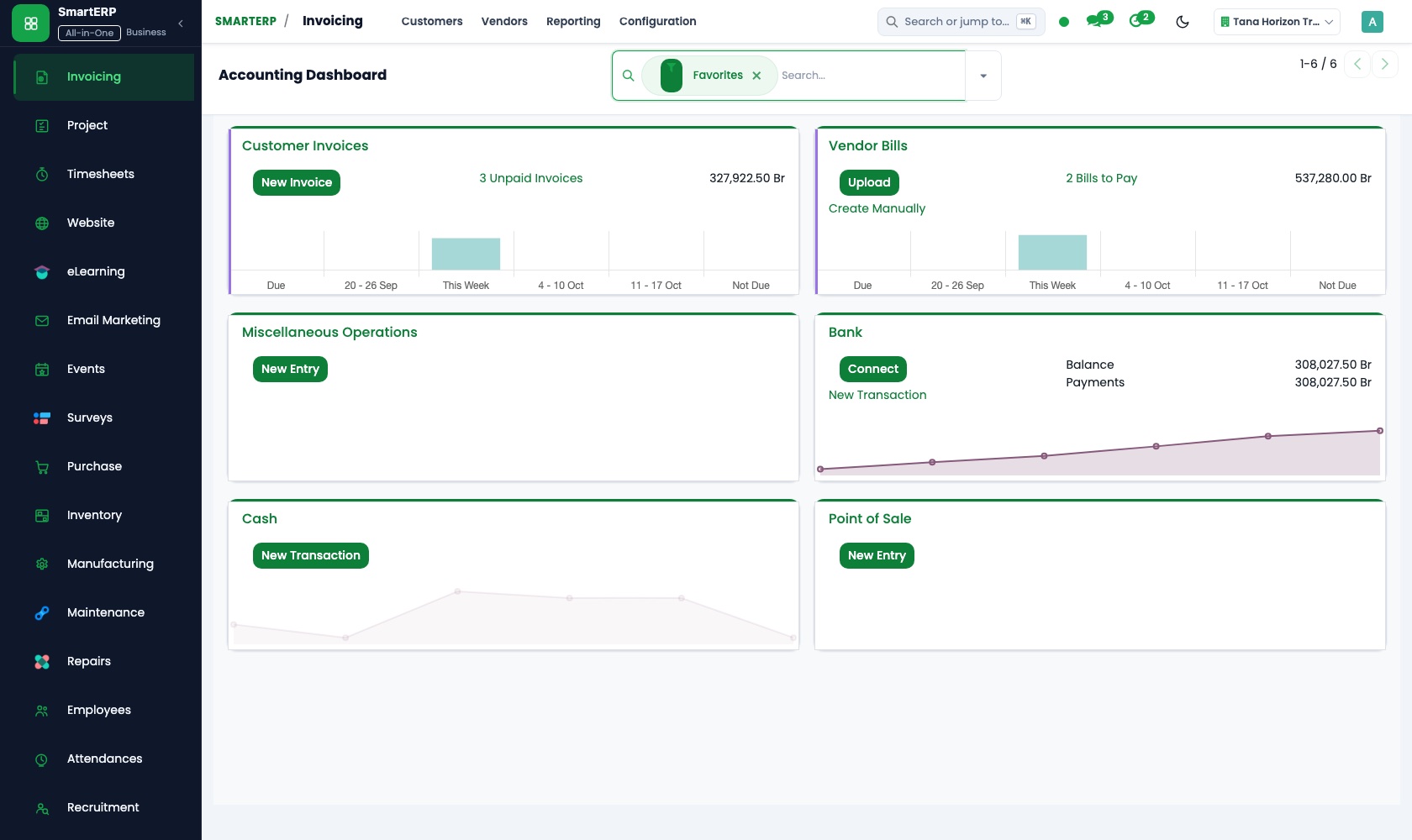
Joining fees, monthly fees and personal-training packs are invoiced, and payment status shows who has paid. A company that buys memberships for staff gets one group invoice.
CRM
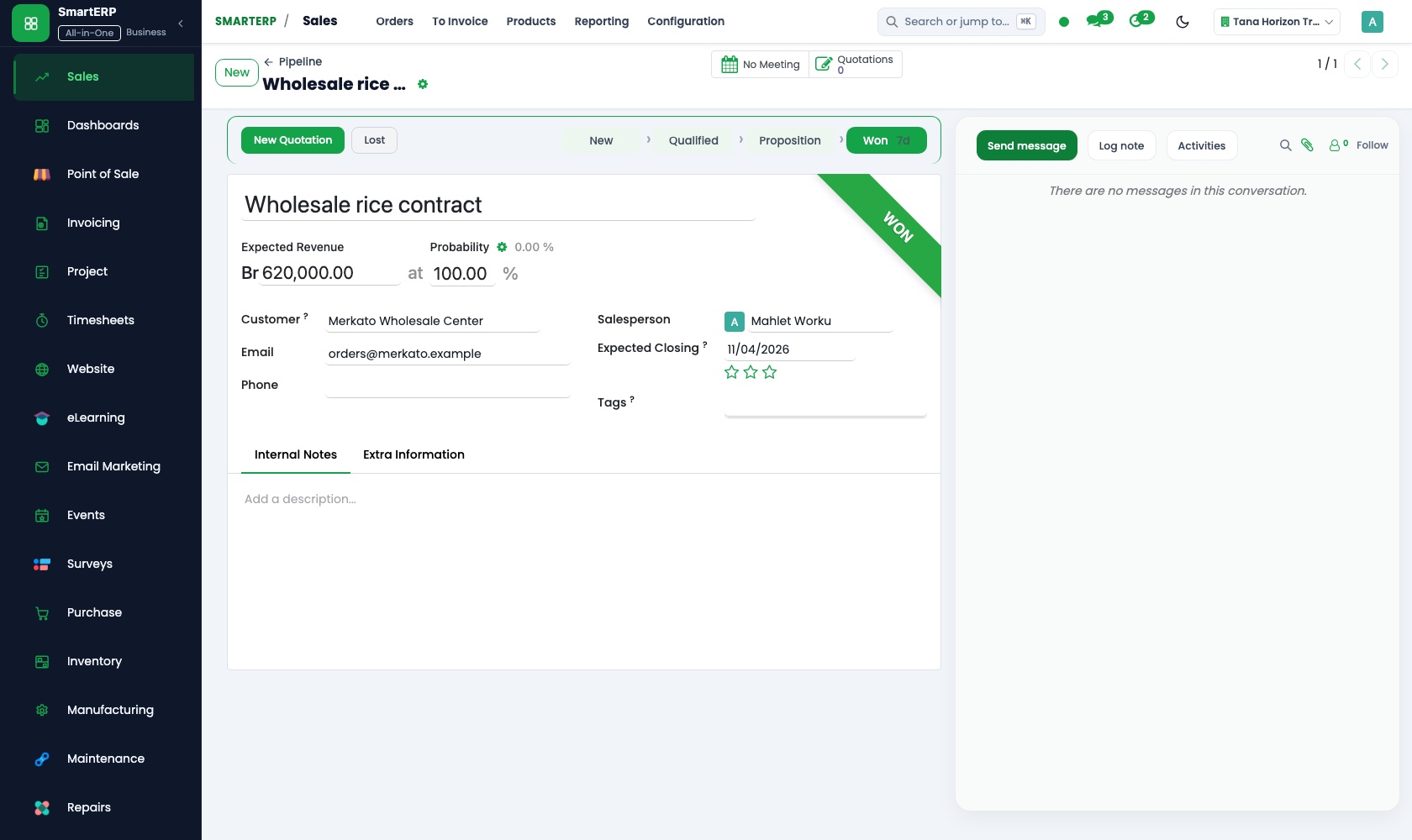
Everyone who tries a session is entered as a lead with the goal they mentioned. A scheduled activity sets the call for the day after.
Sales
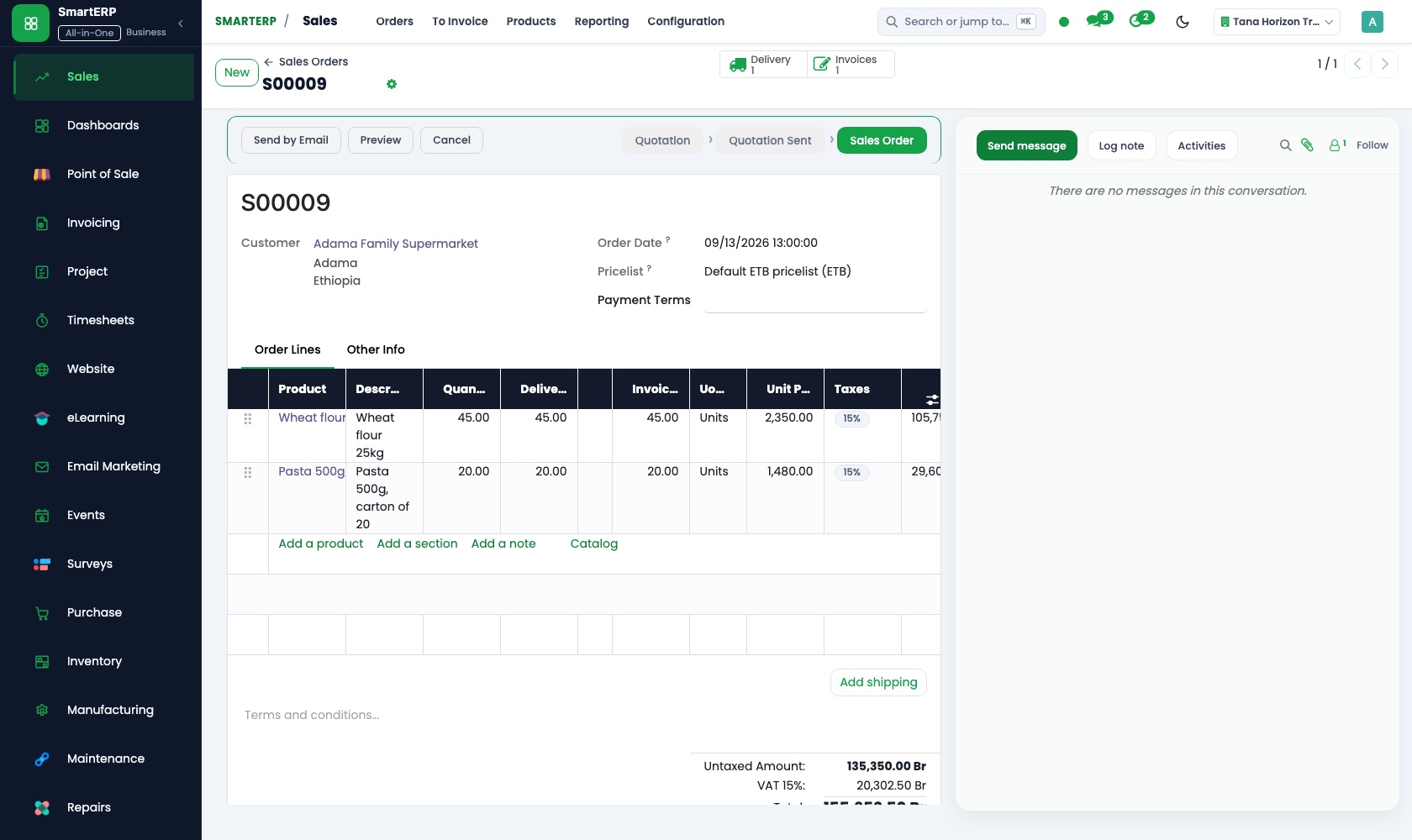
Price lists hold the student and early-morning rates, so the desk quotes a stored figure, not a remembered one. A company offer is one quotation.
Point of Sale
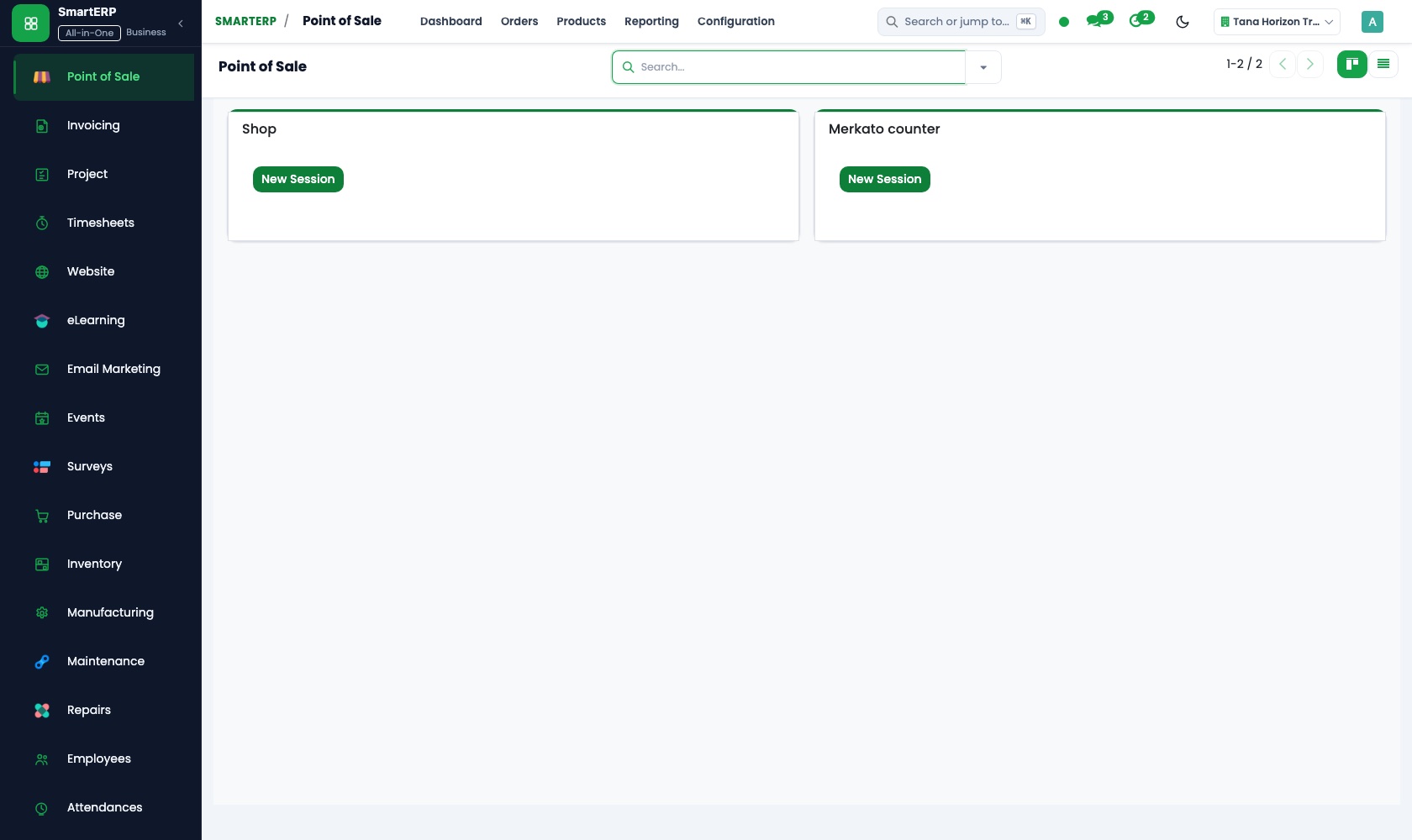
The desk sells day passes and drinks through a browser-based till. Payment methods keep cash and bank transfer apart, and closing the session gives a cash count.
Employees
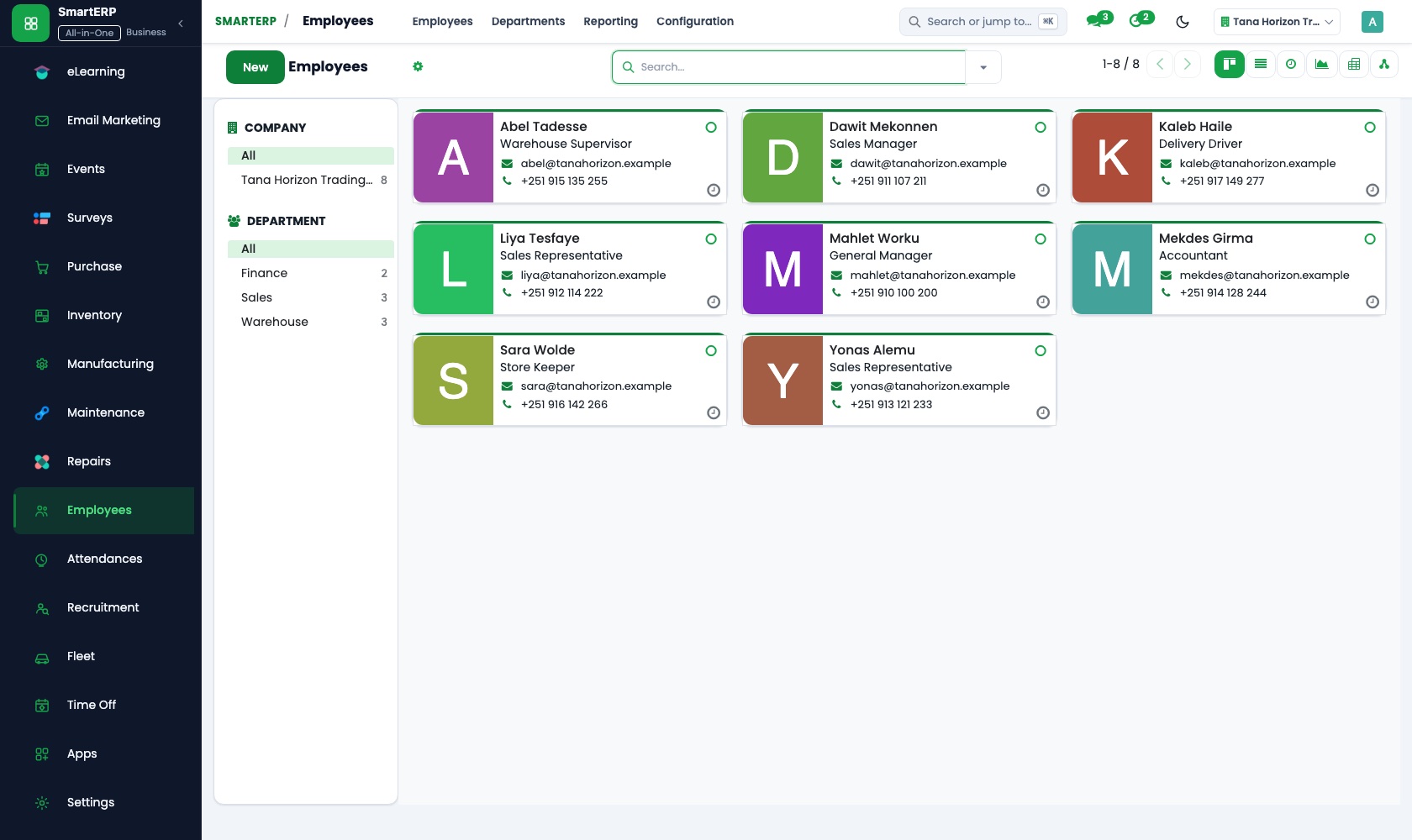
Each coach has a record with role and manager, whether personal trainer, class instructor or floor staff. Job positions describe the roles.
Attendance
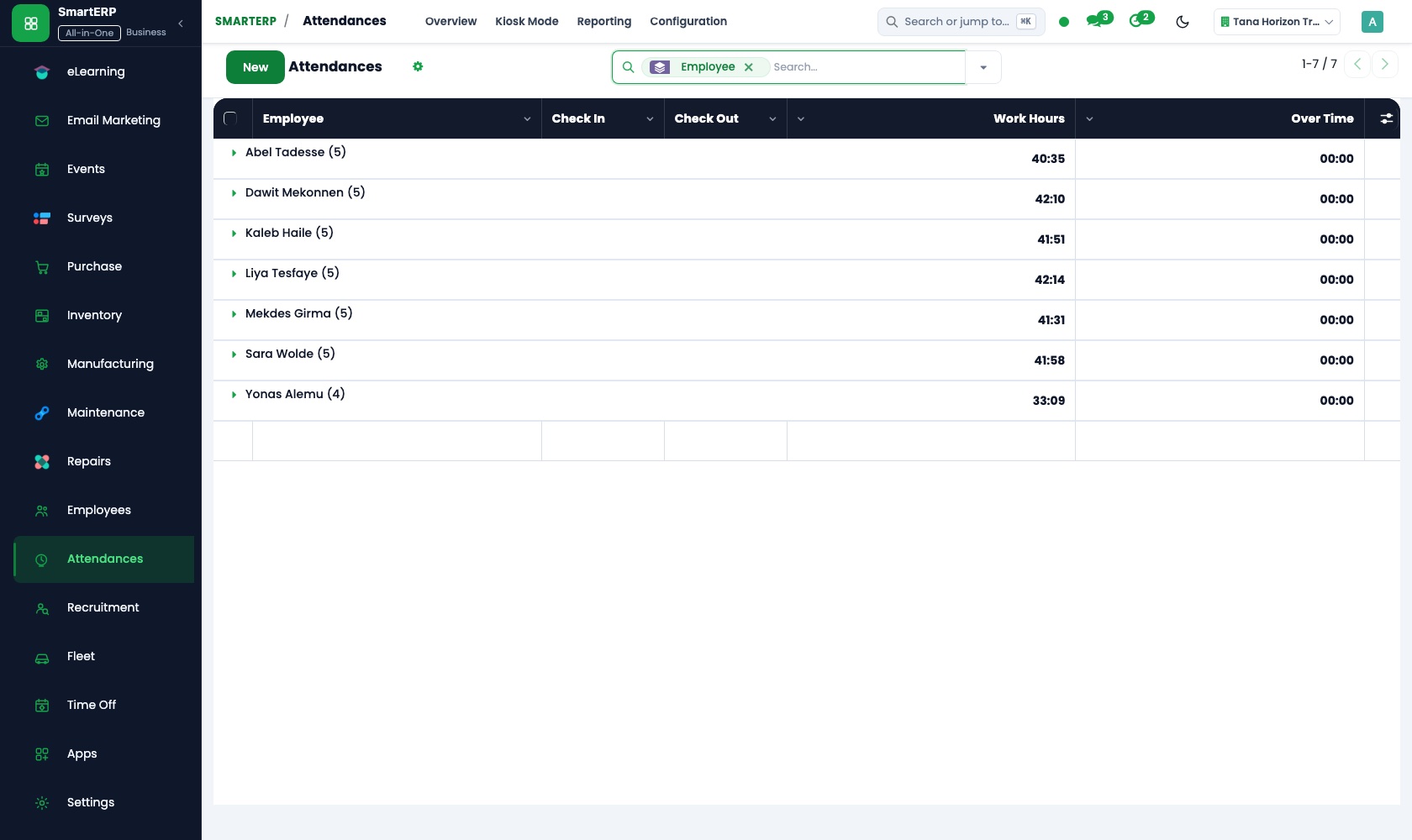
Coaches check in at the kiosk by the staff door with a badge or PIN. Worked hours per coach are ready for the head coach, who corrects a missed check-out.
How the work runs on SmartERP
From a trial session to a paying member
A visitor who tried the gym is followed up, priced fairly, signed up and invoiced, and the desk can see whether the fee is current.
- CRM: Leads and opportunities Enter each person who tried a session, with the goal they mentioned, on the same day.
- CRM: Scheduled activities Set a call for the day after the trial, while the visit is fresh in the person's mind.
- Sales: Price lists and discounts Apply the student or early-morning rate from a price list instead of a remembered figure.
- Membership: Invoicing the fee Raise the joining fee and the first period's invoice when the person signs up.
- Membership: Member status The front desk sees who is current and who has lapsed before they head to the floor.
From a coach's shift to a reviewed week of hours
Coaches record when they start and finish, and the head coach reviews and corrects the week before month end.
- Employees: Employee directory Keep each coach's record with their role, whether personal trainer, class instructor or floor staff.
- Attendance: Kiosk mode Coaches check in at a shared screen by the staff door when a floor shift begins.
- Attendance: Worked hours See how many hours each coach covered, including the early and late peaks of the day.
- Attendance: Manager review The head coach checks the week and corrects a missed check-out before the month is closed.
Your first month
- First week. We enter the membership packages and day passes with prices, the student and early-morning rates, and the companies that buy staff wellness.
- Second week. The desk till is set up with the passes and drinks on sale, your accountant confirms the accounts, and coaches join the directory with their roles.
- Third week. Front desk staff practise signing up a real visitor from trial to invoice, and coaches use the kiosk every shift so the week of hours is real.
- After go-live. In the first month's review we look at trial visitors called back, overdue fees and each coach's hours, then adjust rates and follow-up steps.
What to have ready
- Membership packages, day passes and personal-training packs with prices
- Current members, what each pays and when the fee falls due
- Companies that buy memberships for staff, and the rate agreed
- Coaches' names, roles and the shifts they normally cover
- Drinks and other desk products with their prices
The applications on screen
Real SmartERP screens with sample data.
Who uses it
- Business owner or general managerSee the whole business and keep every department working on the same records.
- Sales and customer serviceLeads, quotations, orders and follow-up.
- Human resourcesStaff records, hiring, leave and attendance.
- Marketing and webWebsite, campaigns and events.
Company sizes
- Up to 10 people
- 11 to 50 people
What SmartERP does not cover for this industry
SmartERP has no class timetable or class booking, door or turnstile access, members' phone application, body-measurement records or automatic repeat card charge. Fees are invoiced through Accounting or Membership; keep your access and class system alongside.
Questions about SmartERP for fitness and gym
Can members book classes or enter the gym through SmartERP?
No. SmartERP has no class timetable or class booking, no door or turnstile access, no members' phone application and no body-measurement records. Keep your access and class system alongside it.
Will member fees be charged again automatically each month?
No. SmartERP has no automatic repeat card charge. Your team invoices renewals through Accounting or Membership, and recurring billing is available only through an implementation project.
How do we follow up people who tried a session?
Enter each visitor in CRM the same day and set a scheduled activity for the day after. The pipeline shows who is still deciding.
Can the desk see who has lapsed before they reach the floor?
Yes, with Membership: it holds each member's status, such as paid, invoiced or expired. Without it, the invoice status in Accounting shows what is unpaid.
How do the desk, the coaches and the fees fit together?
Sales prices the packages, Point of Sale sells passes and drinks at the desk, and Accounting gathers it all into one ledger. Attendance gives the head coach each coach's hours.
See it before you decide
A trial visitor becomes a member, on sample data for a fictional studio
The walkthrough follows one visitor from the day-after phone call to a priced membership and a fee invoice, then shows how the front desk reads member status, on a fictional studio.
There is no self-service sandbox. The demo is a guided walkthrough on sample data, or you can start a trial workspace.
Pricing
This industry has no packaged edition yet. You can start on a per-user plan with the recommended applications, or ask for a quote. Current plans and prices are on the pricing page.
See plans and pricingA website for your business
SmartERP can also set up a starter website for this kind of business, offered as part of a website project: Home, Memberships, Classes, Trainers, Facilities, Book a Trial, Contact. How the website tools work.
Start with what your business needs first
Tell us your industry and we carry it through the guided set-up, or talk to us first.
Start SmartERP Book a demo