Loan Disbursement via Telebirr, CBE & Cash Counter
Execute instant digital loan disbursements via Telebirr bulk payout APIs, Commercial Bank of Ethiopia direct credits, or branch cash vouchers.
1. Overview & Business Value#
This comprehensive operational guide details the architecture, business workflows, configuration parameters, and execution steps for Loan Disbursement via Telebirr, CBE & Cash Counter within SmartERP.
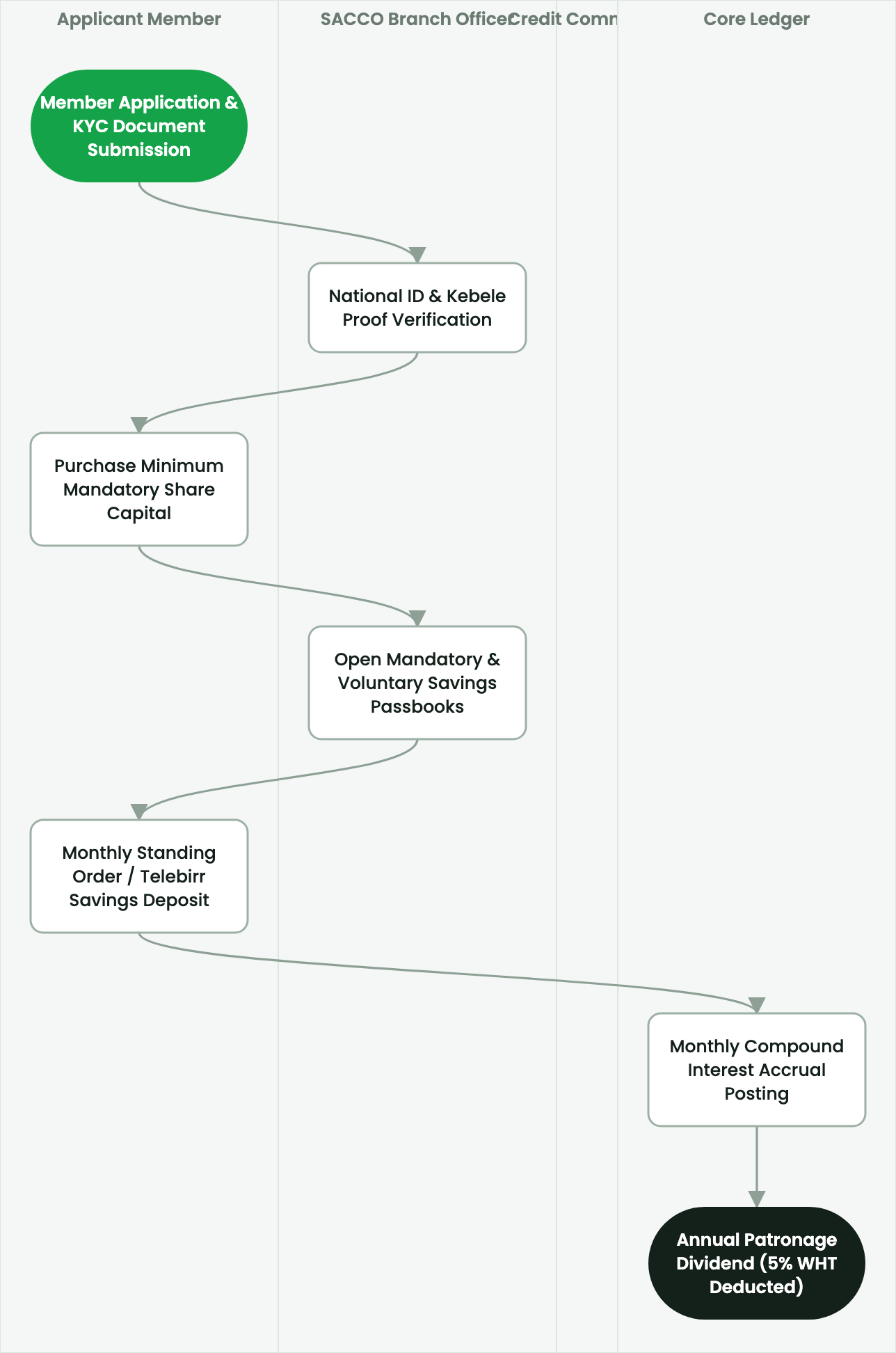
Execute instant digital loan disbursements via Telebirr bulk payout APIs, Commercial Bank of Ethiopia direct credits, or branch cash vouchers.
2. Prerequisites & Security Access Groups#
- Required Modules:
smarterp_sacco_core, smarterp_equb, smarterp_loan_management - Security Groups:
SACCO Loan Officer(Technical ID:smarterp_sacco.group_sacco_officer)SACCO Credit Committee Member(Technical ID:smarterp_sacco.group_sacco_committee)SACCO General Manager(Technical ID:smarterp_sacco.group_sacco_manager)
- Master Data Dependencies: Member KYC profiles, share capital registers, savings product tiers, loan products with reducing-balance schedules, and Equb rotational pool configurations.
3. Step-by-Step Configuration & Execution#
Step 1: Navigating to the Interface#
- Log into your SmartERP instance at
https://smarterp.et/odoo. - Open the main App Switcher (grid icon in the top-left corner).
- Navigate to SACCO Core → Member Accounts; Loans → Active Loans.
Step 2: Operational Data Parameters & Controls#
Ensure all mandatory parameters comply with enterprise operational standards:
- Authorized Operator: Action executed under assigned RBAC permissions (SACCO General Manager, Loan Appraisal Officer, Cashier).
- Relational Integrity: Linked to upstream master records, approval requests, or transactional ledgers.
- Statutory & Quality Controls: Verified against Ethiopian statutory regulations and corporate governance standards.
Step 3: Operational Execution & State Progression#
- State Progression Gate: Advance record from Draft through Audited to Confirmed / Certified.
- Integrated System Impact: Automatically updates real-time operational states and posts financial/inventory journal moves.
- Audit Verification: System registers tamper-evident audit records logging user ID, timestamp, and cryptographic transaction digests.
Digital Loan Disbursement Channels#
Once a loan is fully approved and loan agreements are signed, SmartERP supports immediate multi-channel disbursement, eliminating multi-day check clearing delays.
Executing Telebirr Bulk Payout Disbursement#
- Open SACCO > Loans > Pending Disbursements.
- Select approved loan record (
LN-2026-00412). - Verify member registered mobile phone number.
- Select Payment Channel:
Telebirr Corporate Payout API. - Enter one-time authorization token from the SACCO Chief Cashier security key.
- Click Execute Instant Mobile Disbursement:
- SmartERP dispatches an encrypted REST API request to Ethio Telecom.
- Funds credit instantly to the member's Telebirr wallet.
- System receives transaction confirmation ID (
TEL-TX-9982141). - General ledger posts:
- Debit: Member Loan Asset (
110100) - Credit: Telebirr Clearing Account (
101201) - Credit: Loan Processing Fee Revenue (
410200)
- Debit: Member Loan Asset (
Commercial Bank of Ethiopia (CBE) Direct Account Transfer#
For larger business and housing loans exceeding mobile wallet balance caps:
- Select Payment Channel:
CBE Direct Account Transfer. - Enter member's 13-digit CBE bank account number.
- Generate the encrypted electronic CBE Batch Payment file.
- The integration daemon transmits the payment via CBE corporate host-to-host gateway.
- Upon confirmation, the loan state updates to
Disbursed - Active Repayment.
4. Advanced Configuration Points#
- Automated Actions & Scheduled Tasks (Crons):
SACCO: Accrue monthly member savings interest(smarterp_sacco.ir_cron_savings_interest): Runs on the final day of each calendar month to credit interestLoan: Evaluate 5-tier NBE delinquency classification(smarterp_sacco.ir_cron_loan_delinquency): Runs nightly to compute loan loss provisions per NBE directivesEqub: Execute scheduled lottery draw(smarterp_sacco.ir_cron_equb_draw): Runs on defined pool cycle dates using provably fair random selection
- Custom Print Templates & Reports:
- Member Savings Passbook & Transaction Ledger
- Loan Amortization Schedule (Reducing Balance)
- NBE 5-Tier Delinquency & Loan Loss Provisioning Statement
- Annual Patronage Dividend Distribution Schedule
- Multi-Company Rules: Record-level security isolation under Company 1 (
Ashewa Technology Solutions S.C.), preventing cross-company ledger leakage across parent and subsidiary legal entities.
5. Comprehensive Troubleshooting Matrix#
| Error Symptom / Exception | Probable Root Cause | Corrective Action / Resolution |
|---|---|---|
Loan Blocked: Exceeds 3x savings ceiling | Requested loan principal exceeds 300% of member unencumbered savings balance. | Increase compulsory savings deposit or provide authorized co-signers with sufficient collateral. |
Equb Draw Blocked: Participant arrears detected | Selected Equb member has unpaid rotational dues in current or prior cycles. | Collect outstanding contribution payment before executing lottery draw. |
Share Capital Limit Error: Member exceeds 10% ceiling | Subscribed shares exceed statutory maximum under Proclamation No. 985/2016. | Restrict share allocation to maximum allowable 10% total cooperative equity threshold. |