Execute year-end fiscal closing
Annual financial closing procedure, retained earnings transfer, P&L zeroing, opening balance generation, and new fiscal year activation.
1. Overview & Business Value#
This comprehensive operational guide details the architecture, business workflows, configuration parameters, and execution steps for Execute year-end fiscal closing within SmartERP.
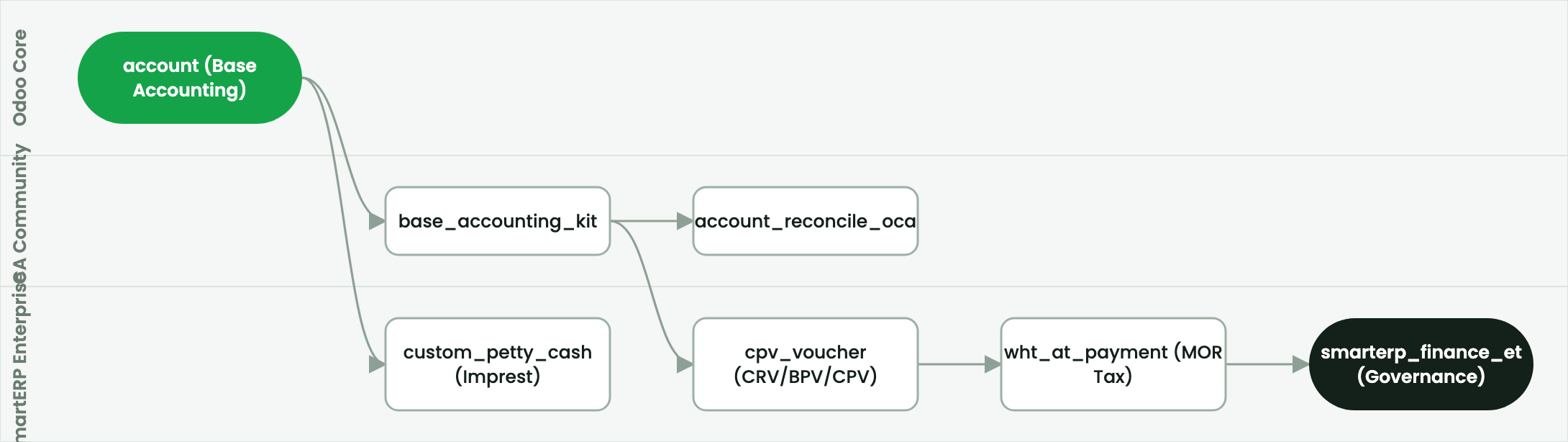
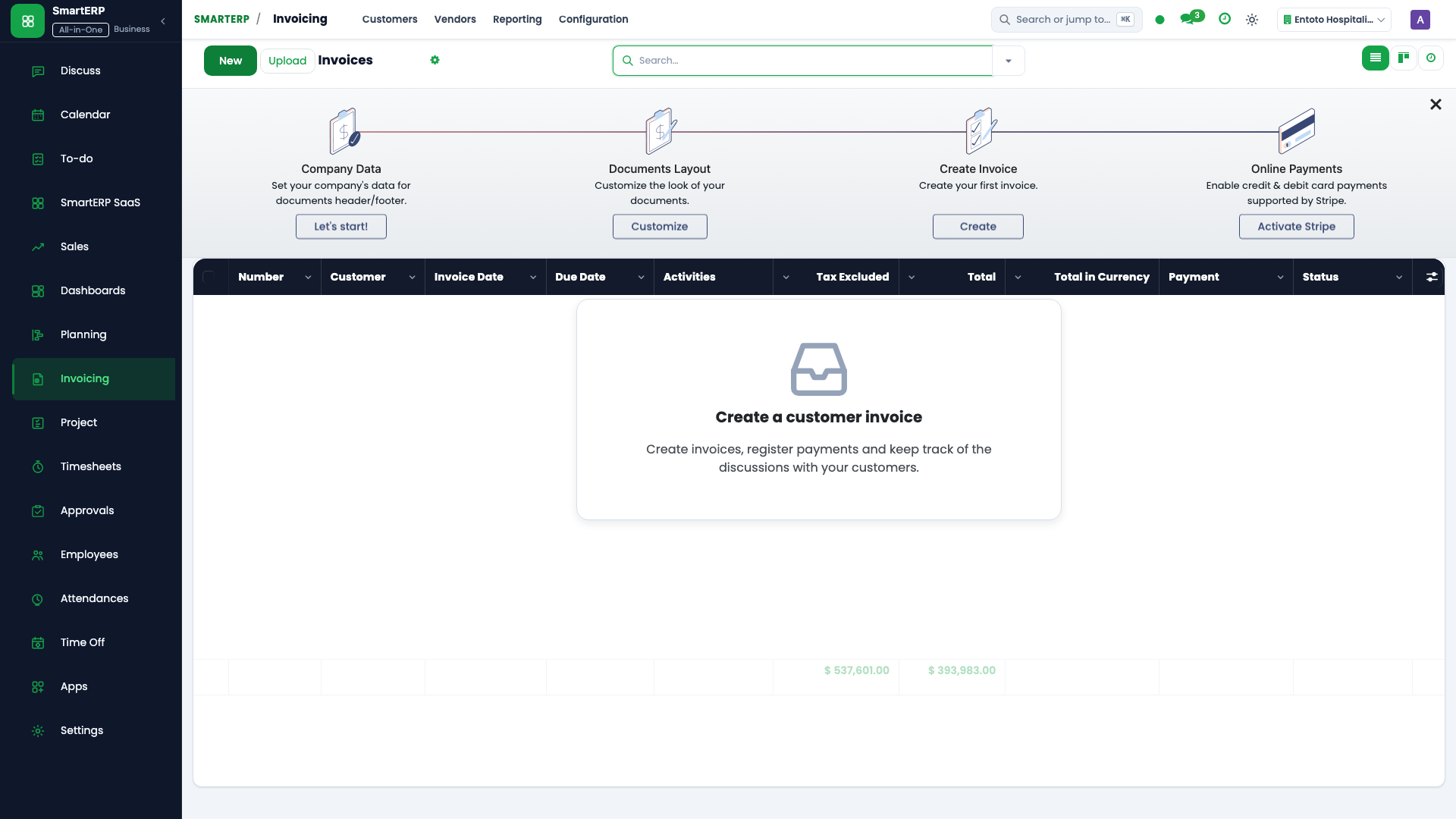
This page is for Financial Controllers, Chief Financial Officers, and External Auditors conducting annual fiscal year closing.
2. Prerequisites & Security Access Groups#
- Required Modules:
account, smarterp_finance, smarterp_ethiopian_payroll - Security Groups:
Show Full Accounting Features(Technical ID:account.group_account_user)Billing Administrator / Financial Controller(Technical ID:account.group_account_manager)Chief Financial Officer / Auditor(Technical ID:account.group_account_readonly)
- Master Data Dependencies: Chart of accounts, statutory tax definitions (VAT 15%, WHT 2%/30%), payment terms, and open fiscal periods for Company 1 (Ashewa Technology Solutions S.C.).
3. Step-by-Step Configuration & Execution#
Step 1: Navigating to the Financial Interface#
- Log into your SmartERP instance at
https://smarterp.et/odoo. - Open the main App Switcher (grid icon in the top-left corner).
- Navigate to Accounting → Accounting → Fiscal Year Closing.
Step 2: Financial Parameters & Statutory Controls#
Ensure all mandatory accounting parameters conform to statutory fiscal regulations:
- Designated Authority / Role: Action authorized by verified financial role (Chief Financial Officer, External Auditor).
- Fiscal Period & Journal Integrity: Bound to an open, unlocked fiscal period adhering to the Ethiopian financial calendar.
- Statutory Tax & Regulatory Validation: Compliant with Ethiopian Proclamation No. 979/2016 (Withholding Tax 2%/30%) and Proclamation No. 1157/2019 (VAT 15%).
Step 3: Transaction Posting & General Ledger Impact#
- State Progression Gate: Advance record from Draft through Audited to Posted / Reconciled.
- Double-Entry General Ledger Impact: System automatically generates immutable journal items (
account.move.line) updating real-time trial balances and customer/vendor sub-ledgers. - Audit Verification: System registers tamper-evident audit records logging user ID, timestamp, and cryptographic transaction digests.
Year-end closing requirements#
Before executing fiscal closing:
- All 12 monthly periods must be reconciled and locked.
- Physical inventory count variance entries must be posted.
- External audit adjusting entries (accruals, tax provisions, bad debt allowances) must be finalized.
Execute year-end closing entry#
- Open Accounting → Configuration → Fiscal Years → Fiscal Periods.
- Select the closing fiscal year and press Execute Fiscal Year Closing.
- In Closing Date, select the final date of the fiscal year (e.g.
July 7, 2026orDecember 31, 2026). - In Retained Earnings Account, select
310100 Retained Earnings. - In Closing Journal, select
General Closing Journal. - Press Generate Closing Entries.
The closing mechanics#
The system automatically:
- Identifies all Revenue (
4xxxxx) and Expense (5xxxxx,6xxxxx,7xxxxx) accounts. - Debits all revenue balances and credits all expense balances, bringing their closing balance to zero.
- Transfers the net difference (Net Profit or Net Loss) to Retained Earnings (
310100). - Rolls forward asset, liability, and equity account balances into the newly created opening fiscal period.
- Sets the fiscal year state to Closed / Locked.
4. Advanced Configuration Points#
- Automated Actions & Scheduled Tasks (Crons):
Account: Automatic reconciliation(account.ir_cron_auto_reconcile): Runs nightly to match open ledger transactionsAsset: Compute depreciation lines(account_asset.ir_cron_compute_depreciation): Runs monthly on the 30th to compute fixed asset depreciation schedulesTax: Generate VAT and WHT schedules(smarterp_finance.ir_cron_tax_schedules): Runs monthly to prepare MOR tax return summaries
- Custom Print Templates & Reports:
- Official Cash Receipt Voucher (CRV)
- Bank Payment Voucher (BPV) & Cheque Payment Voucher (CPV)
- Withholding Tax Certificate (Form 3.4)
- General Ledger & Trial Balance Audit Schedules
- Multi-Company Rules: Record-level security isolation under Company 1 (
Ashewa Technology Solutions S.C.), preventing cross-company ledger leakage across parent and subsidiary legal entities.
5. Comprehensive Troubleshooting Matrix#
| Error Symptom / Exception | Probable Root Cause | Corrective Action / Resolution |
|---|---|---|
Access Rights Error: Operation not allowed on account.move | User account lacks accounting operator privileges. | Assign the user to account.group_account_user or account.group_account_manager under Settings → Users. |
Validation Error: Missing analytic distribution | Selected general ledger account mandates cost center allocation for IFRS compliance. | Populate the analytic distribution column on all debit and credit lines before posting. |
Posting Blocked: Fiscal period closed | Transaction date falls within an immutable locked accounting period. | Select a transaction date within the open fiscal year or request an authorized period reopening under Accounting Settings. |
Tax Imbalance: WHT withholding variance | Withholding deduction does not match statutory 2% goods or 30% service rate. | Verify vendor TIN registration status in partner master and recalculate statutory tax lines. |
Next#
- Review reports: Financial dashboards and reporting.
- Technical reference: Finance technical architecture.
Last updated: 2026-11-15