Connect KPIs Directly to SmartERP ORM Data
Automating KPI actuals by querying sales orders, invoices, production OEE, timesheets, and inventory balances in real time.
1. Overview & Business Value#
This comprehensive operational guide details the architecture, business workflows, configuration parameters, and execution steps for Connect KPIs Directly to SmartERP ORM Data within SmartERP.
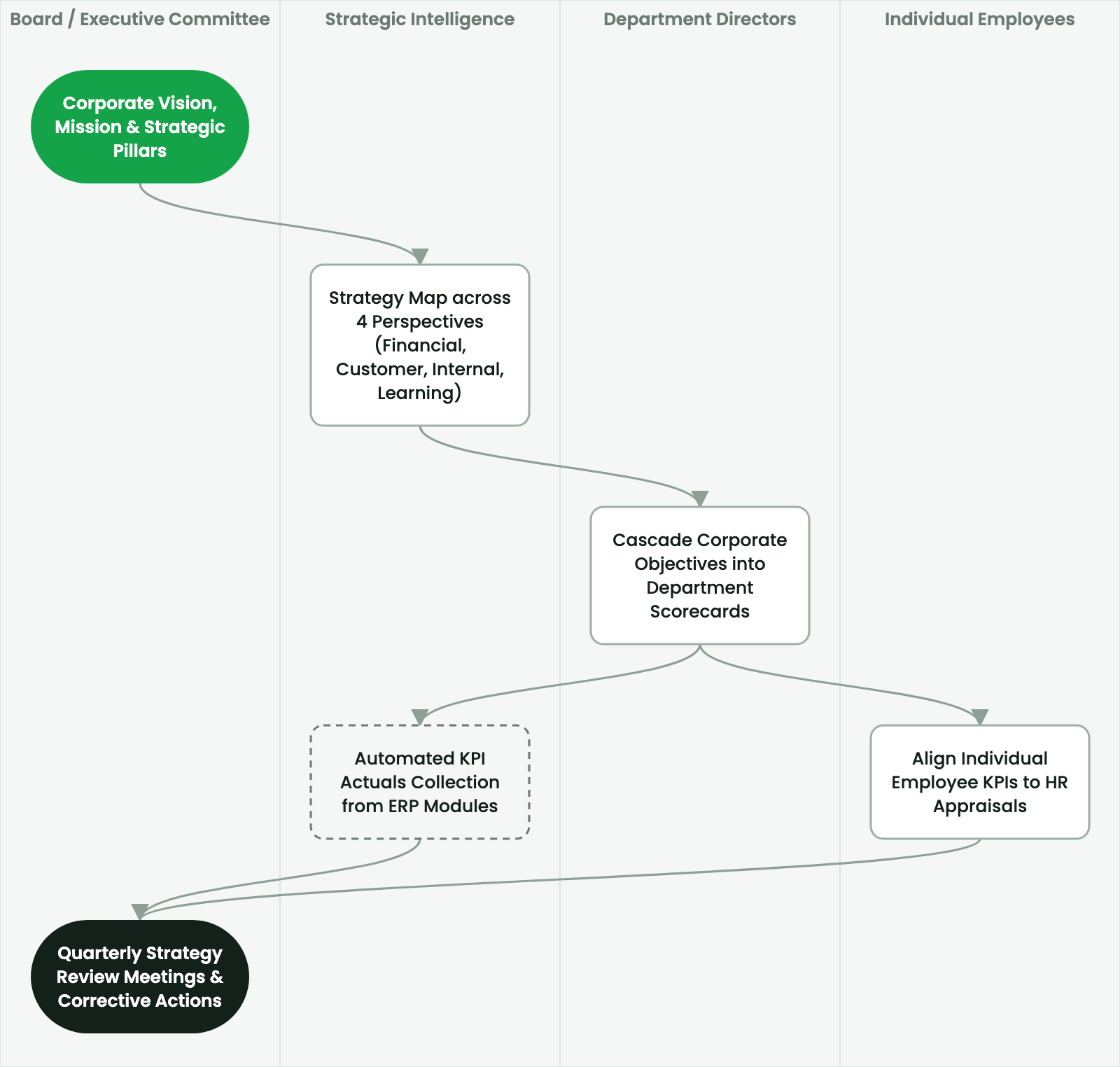
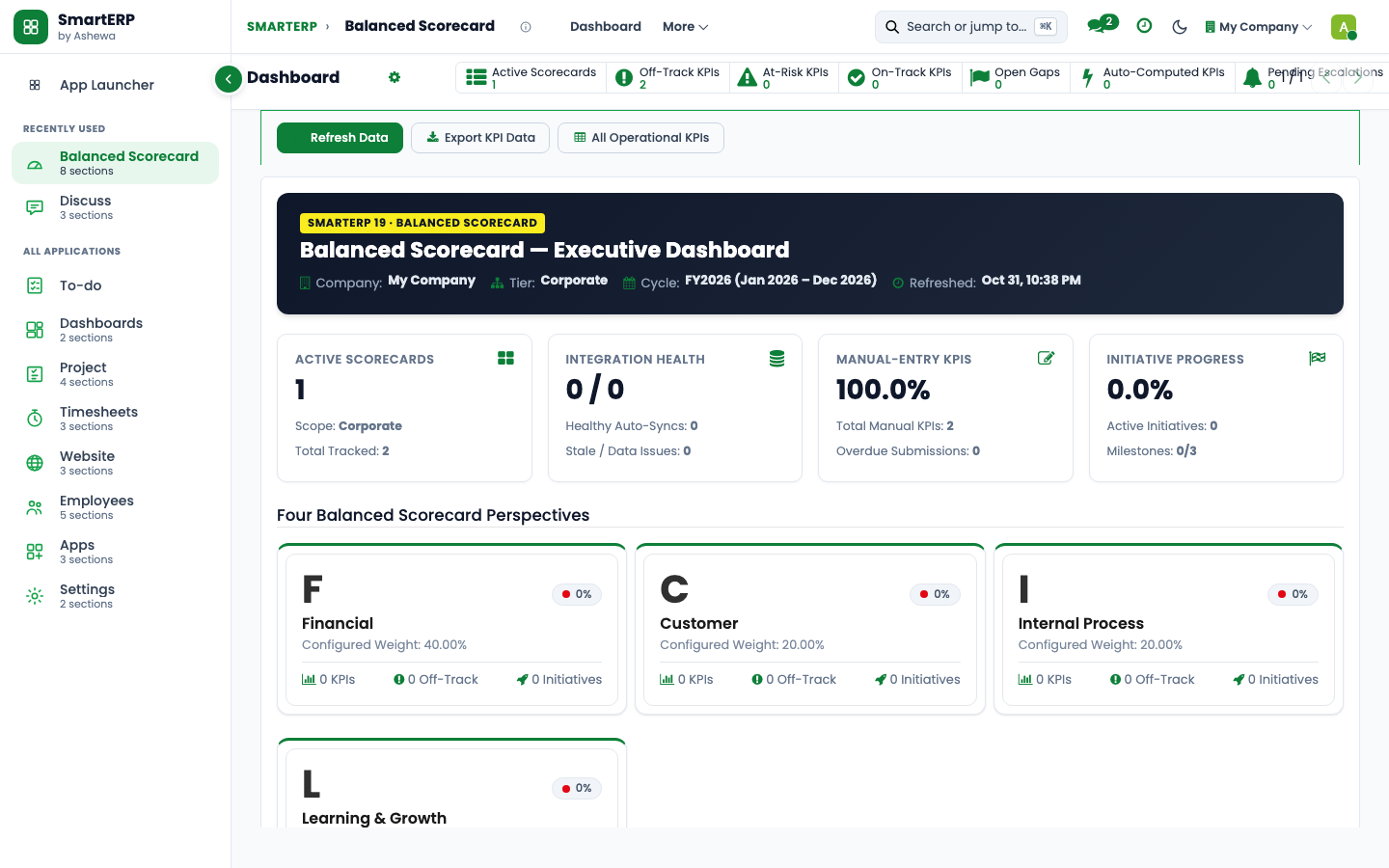
Automating KPI actuals by querying sales orders, invoices, production OEE, timesheets, and inventory balances in real time.
2. Prerequisites & Security Access Groups#
- Required Modules:
smarterp_balanced_scorecard, smarterp_strategy - Security Groups:
Strategy Officer(Technical ID:smarterp_balanced_scorecard.group_bsc_user)Strategy Director(Technical ID:smarterp_balanced_scorecard.group_bsc_manager)Executive Committee Member(Technical ID:smarterp_balanced_scorecard.group_bsc_executive)
- Master Data Dependencies: Strategic themes, 4 BSC perspectives (Financial, Customer, Internal Process, Learning & Growth), corporate KPIs, and quarterly appraisal periods.
3. Step-by-Step Configuration & Execution#
Step 1: Navigating to the Interface#
- Log into your SmartERP instance at
https://smarterp.et/odoo. - Open the main App Switcher (grid icon in the top-left corner).
- Navigate to Balanced Scorecard → Strategic Dashboard.
Step 2: Operational Data Parameters & Controls#
Ensure all mandatory parameters comply with enterprise operational standards:
- Authorized Operator: Action executed under assigned RBAC permissions (Chief Executive Officer, Corporate Planning Director, Strategy Lead).
- Relational Integrity: Linked to upstream master records, approval requests, or transactional ledgers.
- Statutory & Quality Controls: Verified against Ethiopian statutory regulations and corporate governance standards.
Step 3: Operational Execution & State Progression#
- State Progression Gate: Advance record from Draft through Audited to Confirmed / Certified.
- Integrated System Impact: Automatically updates real-time operational states and posts financial/inventory journal moves.
- Audit Verification: System registers tamper-evident audit records logging user ID, timestamp, and cryptographic transaction digests.
Eliminating Manual Performance Self-Reporting#
Traditional strategic reviews suffer from self-reporting bias and stale data. SmartERP Balanced Scorecard features native data connectors that pull actual KPI performance directly from backend ORM models.
Procedure: Linking a KPI to an Automated Data Source#
- Open the target KPI form (e.g.,
Monthly Gross Sales Revenue). - In the Data Source field, select
SmartERP Database Model (Automated). - Configure the query parameters:
- Target Model:
account.move(Customer Invoices). - Target Field:
amount_untaxed_signed. - Aggregation Operator:
Sum. - Domain Filter:
[('move_type', '=', 'out_invoice'), ('state', '=', 'posted')]. - Date Range Field:
invoice_date.
- Target Model:
- Click Test Query.
- SmartERP executes the ORM search in real time and displays the live value:
42,850,200.00 ETB.
- SmartERP executes the ORM search in real time and displays the live value:
- Check Scheduled Nightly Sync. The system updates actual performance automatically at midnight without human intervention.
4. Advanced Configuration Points#
- Automated Actions & Scheduled Tasks (Crons):
BSC: Calculate quarterly KPI achievements(smarterp_bsc.ir_cron_compute_kpi): Runs quarterly on the 5th to compute composite achievement scoresBSC: Issue appraisal cascade reminders(smarterp_bsc.ir_cron_appraisal_alert): Runs monthly to remind objective champions to update progress
- Custom Print Templates & Reports:
- Institutional Balanced Scorecard Executive Dashboard
- Departmental Strategic Cascade Matrix
- KPI Performance Variance & Trend Analysis
- Corporate Strategy Execution Summary
- Multi-Company Rules: Record-level security isolation under Company 1 (
Ashewa Technology Solutions S.C.), preventing cross-company ledger leakage across parent and subsidiary legal entities.
5. Comprehensive Troubleshooting Matrix#
| Error Symptom / Exception | Probable Root Cause | Corrective Action / Resolution |
|---|---|---|
Weighting Error: Perspective weights do not equal 100% | Total weights assigned to objectives within perspective fail to sum to 100.00%. | Adjust individual objective weightings so the perspective total equals exactly 100%. |
Data Feed Error: Automated KPI metric returned null | Underlying model query failed or target database view has no records. | Verify connected model name and filter domain in the KPI automated calculation parameters. |
Lockout Error: Period results locked for executive review | Current appraisal quarter has been locked by the Strategy Director. | Obtain written authorization and request temporary unlock from the Strategy Director. |
Last updated: 2026-11-15