Automated Timetable Scheduling & Facility Allocation
Generate conflict-free university timetables, allocate lecture halls and laboratories, and resolve scheduling collisions.
1. Overview & Business Value#
This comprehensive operational guide details the architecture, business workflows, configuration parameters, and execution steps for Automated Timetable Scheduling & Facility Allocation within SmartERP.
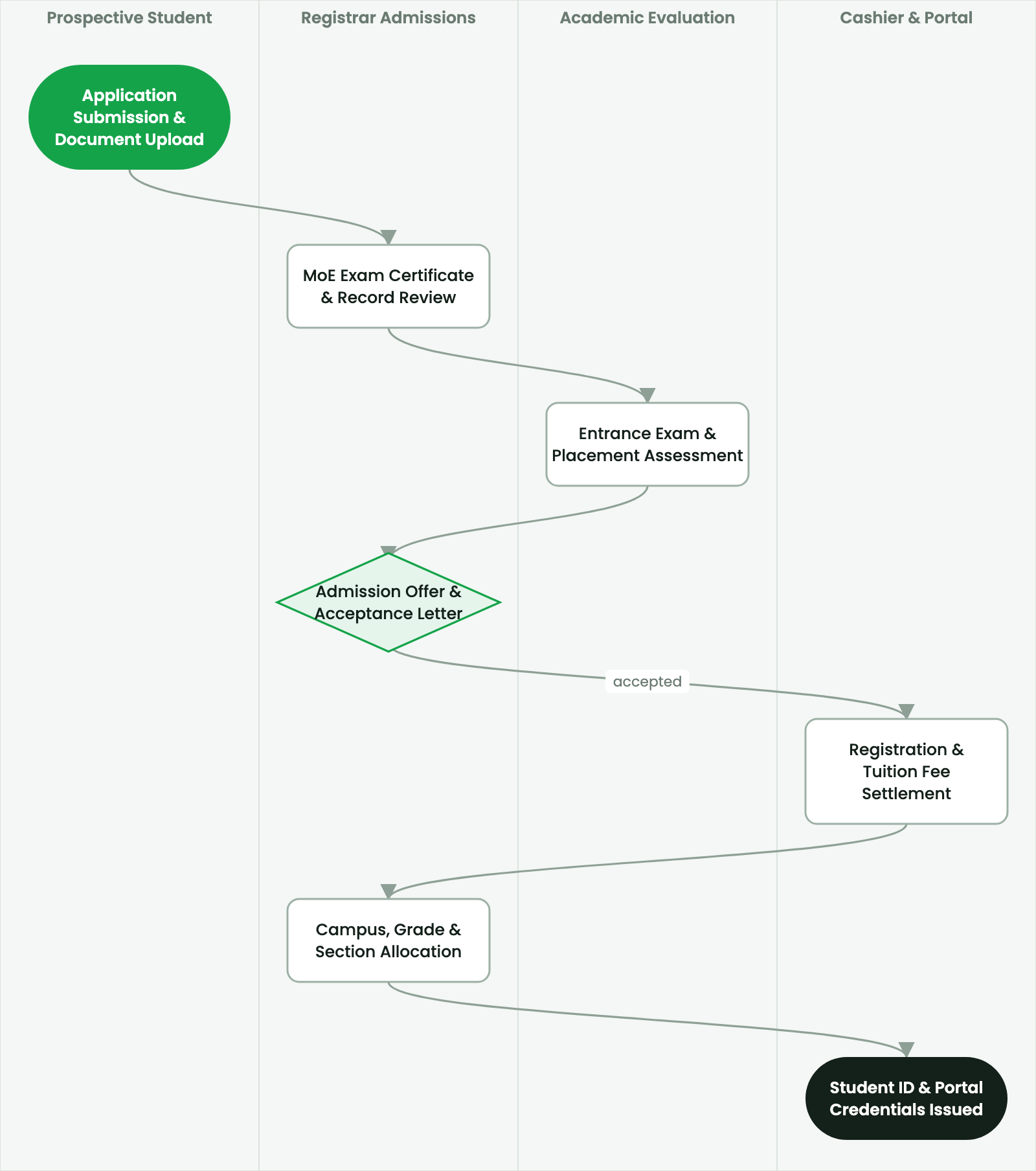
Generate conflict-free university timetables, allocate lecture halls and laboratories, and resolve scheduling collisions.
2. Prerequisites & Security Access Groups#
- Required Modules:
smarterp_higher_education, smarterp_student_records - Security Groups:
Admissions Officer(Technical ID:smarterp_higher_ed.group_admissions_user)Registrar / Academic Dean(Technical ID:smarterp_higher_ed.group_registrar_manager)Faculty Member / Instructor(Technical ID:smarterp_higher_ed.group_faculty_user)
- Master Data Dependencies: Faculties, departments, ECTS modular curricula, academic semesters (Ethiopian/Gregorian calendar), tuition fee schedules, and student master files.
3. Step-by-Step Configuration & Execution#
Step 1: Navigating to the Interface#
- Log into your SmartERP instance at
https://smarterp.et/odoo. - Open the main App Switcher (grid icon in the top-left corner).
- Navigate to Academic → Students → Admissions.
Step 2: Operational Data Parameters & Controls#
Ensure all mandatory parameters comply with enterprise operational standards:
- Authorized Operator: Action executed under assigned RBAC permissions (Academic Registrar, Faculty Dean, Student Affairs Officer).
- Relational Integrity: Linked to upstream master records, approval requests, or transactional ledgers.
- Statutory & Quality Controls: Verified against Ethiopian statutory regulations and corporate governance standards.
Step 3: Operational Execution & State Progression#
- State Progression Gate: Advance record from Draft through Audited to Confirmed / Certified.
- Integrated System Impact: Automatically updates real-time operational states and posts financial/inventory journal moves.
- Audit Verification: System registers tamper-evident audit records logging user ID, timestamp, and cryptographic transaction digests.
Automated Timetable Generation Engine#
SmartERP incorporates a constraint-satisfaction heuristic engine that optimizes lecture, laboratory, and tutorial schedules across the university.
The engine processes multidimensional constraints:
- Hard Constraints (Must Zero Collisions):
- No professor assigned to teach two classes simultaneously.
- No student section scheduled for two lectures in the same timeslot.
- No lecture room booked beyond its verified seating capacity.
- Specialized courses (e.g., Chemistry Lab) must be placed in compatible facilities.
- Soft Constraints (Optimization Targets):
- Minimize student idle gaps between classes.
- Distribute faculty teaching loads evenly across the 5-day week.
- Avoid Friday afternoon bookings for core mandatory courses where possible.
Executing Timetable Optimization#
- Navigate to Higher Education > Timetable > Automated Scheduler.
- Select Academic Term:
Semester I (2026/2027). - Select campus or faculty scope.
- Click Run Constraint-Based Timetable Generator:
- The engine iterates through genetic algorithms to resolve assignments.
- Review the collision report:
- If collisions occur, the dashboard highlights the specific bottleneck (e.g., "Insufficient computer lab capacity on Tuesday mornings").
- Manually adjust flagged timeslots or add secondary facility rooms.
- Click Publish Master University Timetable.
Room Booking for Ad-Hoc Academic Events#
For public lectures, guest seminars, and departmental defenses:
- Open Higher Education > Facilities > Room Booking Calendar.
- Select date and timeslot.
- The system filters available rooms meeting capacity and multimedia criteria.
- Submit booking; the Facility Manager approves or rejects based on campus maintenance schedules.
4. Advanced Configuration Points#
- Automated Actions & Scheduled Tasks (Crons):
Education: Compute semester GPA and cumulative CGPA(smarterp_higher_ed.ir_cron_cgpa_calc): Runs at the end of each examination period to compute student academic standingFinance: Generate semester tuition fee invoices(smarterp_higher_ed.ir_cron_tuition_invoices): Runs prior to semester registration deadline
- Custom Print Templates & Reports:
- Official Student Academic Transcript (MoE & ETA Standards)
- Semester Course Registration & Clearance Slip
- Student ID Card with Cryptographic QR Verification
- Examination Results & Faculty Grade Distribution Ledger
- Multi-Company Rules: Record-level security isolation under Company 1 (
Ashewa Technology Solutions S.C.), preventing cross-company ledger leakage across parent and subsidiary legal entities.
5. Comprehensive Troubleshooting Matrix#
| Error Symptom / Exception | Probable Root Cause | Corrective Action / Resolution |
|---|---|---|
Prerequisite Blocked: Missing course prerequisite | Student has not successfully passed the prerequisite course code. | Register the student for prerequisite course or submit an academic dean prerequisite waiver. |
Grading Window Closed: Semester deadline passed | Faculty grade submission period has officially concluded. | Request temporary grade submission reopening from the Academic Registrar. |
Financial Hold: Outstanding tuition balance | Student examination entry or portal access blocked due to unpaid tuition invoice. | Process fee payment via Telebirr or record bank deposit voucher in the Finance office. |