Digital Fee Collection via Telebirr, CBE Birr & Chapa
Automate student tuition collection, integrate digital payment gateways, verify instant webhooks, and eliminate manual bank slips.
1. Overview & Business Value#
This comprehensive operational guide details the architecture, business workflows, configuration parameters, and execution steps for Digital Fee Collection via Telebirr, CBE Birr & Chapa within SmartERP.
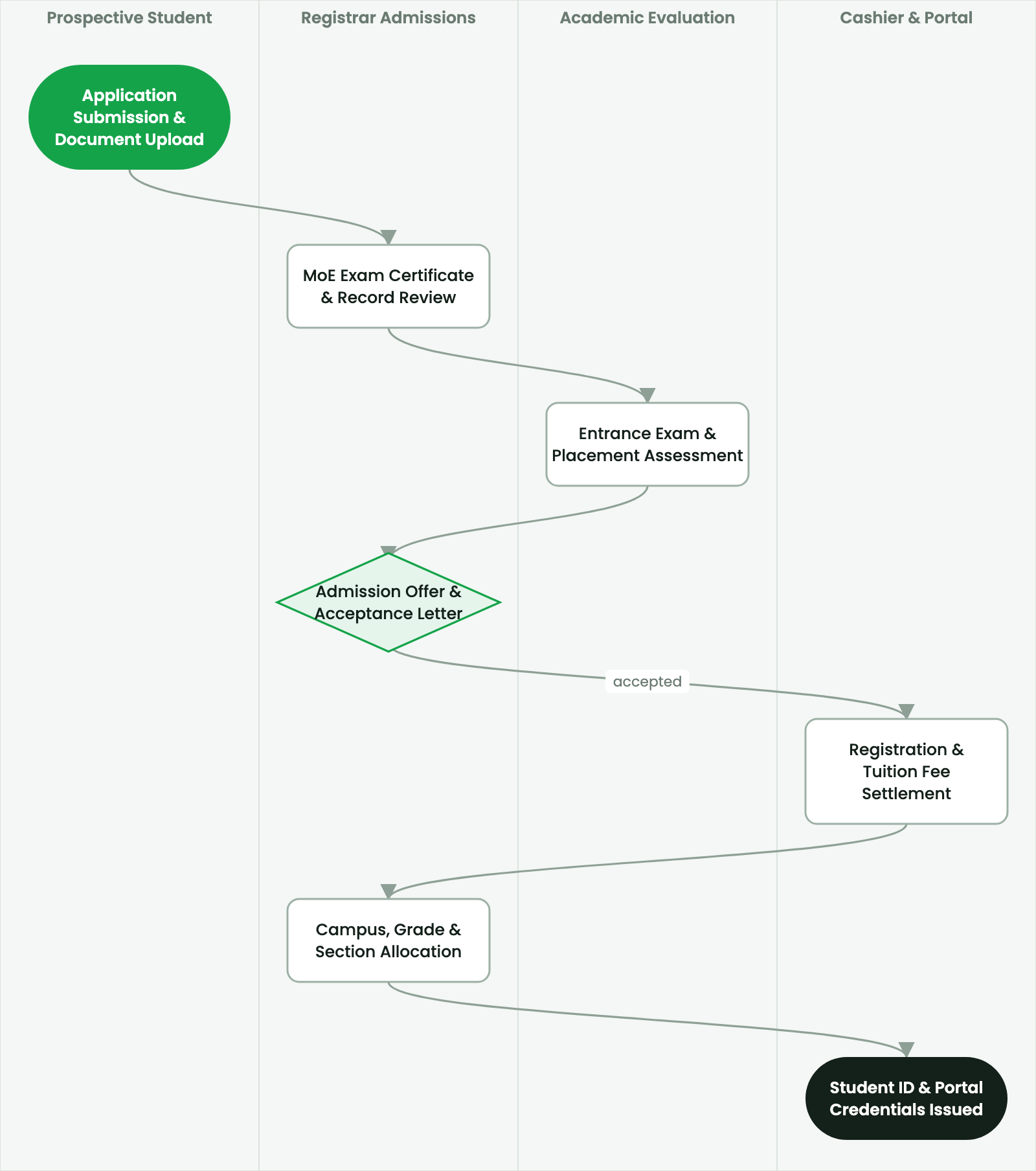
Automate student tuition collection, integrate digital payment gateways, verify instant webhooks, and eliminate manual bank slips.
2. Prerequisites & Security Access Groups#
- Required Modules:
smarterp_higher_education, smarterp_student_records - Security Groups:
Admissions Officer(Technical ID:smarterp_higher_ed.group_admissions_user)Registrar / Academic Dean(Technical ID:smarterp_higher_ed.group_registrar_manager)Faculty Member / Instructor(Technical ID:smarterp_higher_ed.group_faculty_user)
- Master Data Dependencies: Faculties, departments, ECTS modular curricula, academic semesters (Ethiopian/Gregorian calendar), tuition fee schedules, and student master files.
3. Step-by-Step Configuration & Execution#
Step 1: Navigating to the Interface#
- Log into your SmartERP instance at
https://smarterp.et/odoo. - Open the main App Switcher (grid icon in the top-left corner).
- Navigate to Academic → Students → Admissions.
Step 2: Operational Data Parameters & Controls#
Ensure all mandatory parameters comply with enterprise operational standards:
- Authorized Operator: Action executed under assigned RBAC permissions (Academic Registrar, Faculty Dean, Student Affairs Officer).
- Relational Integrity: Linked to upstream master records, approval requests, or transactional ledgers.
- Statutory & Quality Controls: Verified against Ethiopian statutory regulations and corporate governance standards.
Step 3: Operational Execution & State Progression#
- State Progression Gate: Advance record from Draft through Audited to Confirmed / Certified.
- Integrated System Impact: Automatically updates real-time operational states and posts financial/inventory journal moves.
- Audit Verification: System registers tamper-evident audit records logging user ID, timestamp, and cryptographic transaction digests.
Eliminating Manual Bank Deposit Slips#
Traditional paper bank deposit slips present severe operational challenges: manual queue congestion, forged bank stamps, and delayed reconciliation. SmartERP provides native digital payment gateway integrations with automated webhook callbacks.
The end-to-end digital settlement flow:
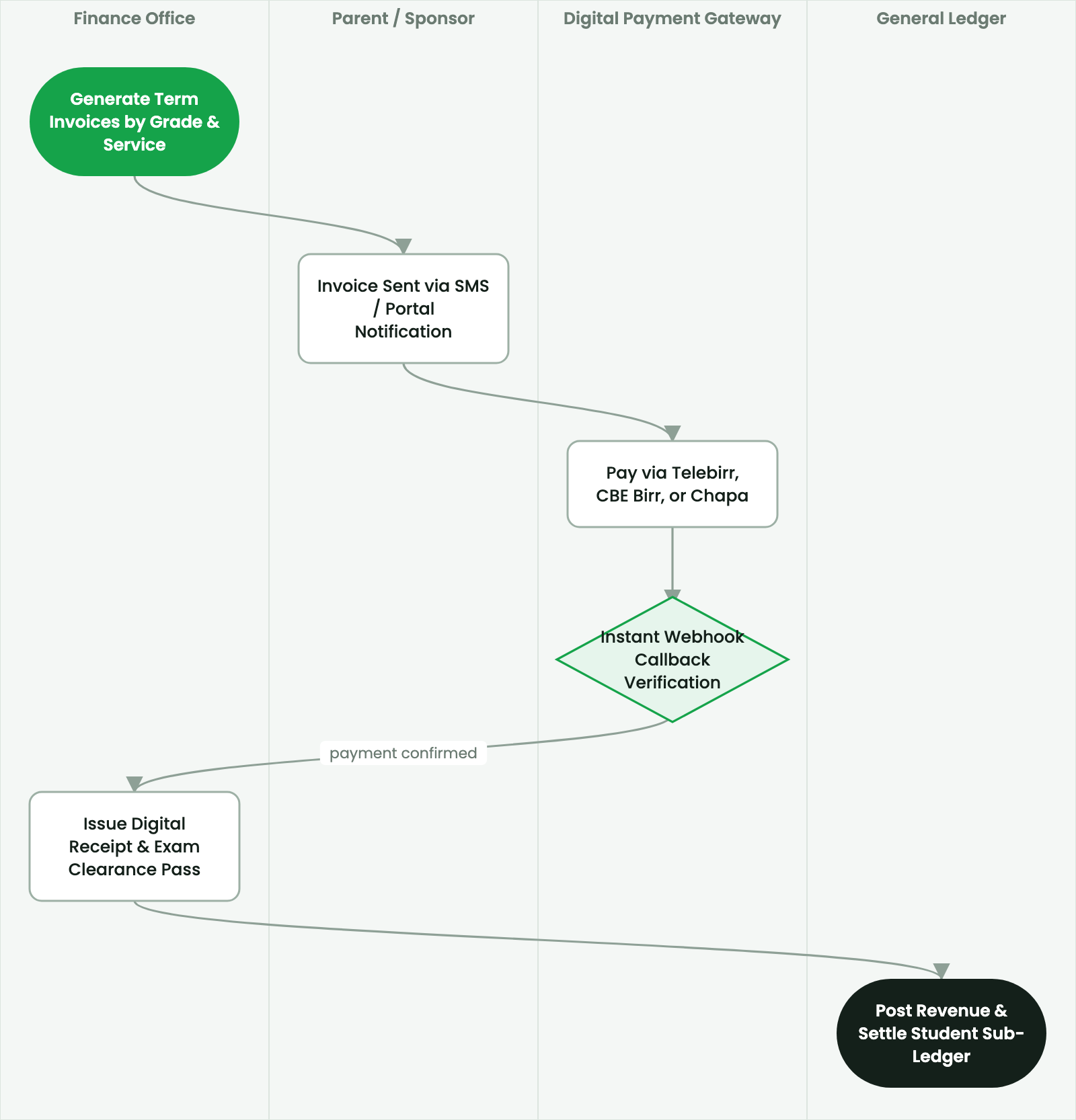
Telebirr Student App & USSD Push Integration#
- The student logs into the portal or accesses the university mini-app on Telebirr.
- The pending semester invoice displays outstanding tuition and service charges.
- The student clicks Pay via Telebirr:
- The gateway prompts for the student's Telebirr PIN on their mobile device.
- Upon successful transaction:
- Ethio Telecom's server dispatches an encrypted HTTPS webhook payload to SmartERP (
/api/v1/payments/telebirr/callback). - The system matches the transaction reference to the student invoice (
account.move). - The invoice transitions from
Posted / UnpaidtoPaid. - A digital, cryptographically signed receipt generates instantaneously.
- Ethio Telecom's server dispatches an encrypted HTTPS webhook payload to SmartERP (
CBE Birr & Commercial Bank Direct Bank APIs#
For students settling fees via Commercial Bank of Ethiopia (CBE Birr / CBE Mobile Banking):
- The student receives a unique, 12-digit Student Payment Reference Number.
- In CBE Mobile Banking, the student selects Bill Payment > Educational Institutions > University Name.
- Entering the payment reference retrieves the exact invoice amount.
- Payment confirmation posts automatically via CBE API webhooks, eliminating manual cashier reconciliation.
Cashier Counter POS & Daily Settlement#
For students paying at on-campus cashier counters:
- Cashier opens Higher Education > Cashier > Tuition Desk.
- Scan Student ID barcode.
- The cashier accepts cash, bank debit card, or mobile transfer.
- The system prints an official university receipt and updates student clearance status immediately.
4. Advanced Configuration Points#
- Automated Actions & Scheduled Tasks (Crons):
Education: Compute semester GPA and cumulative CGPA(smarterp_higher_ed.ir_cron_cgpa_calc): Runs at the end of each examination period to compute student academic standingFinance: Generate semester tuition fee invoices(smarterp_higher_ed.ir_cron_tuition_invoices): Runs prior to semester registration deadline
- Custom Print Templates & Reports:
- Official Student Academic Transcript (MoE & ETA Standards)
- Semester Course Registration & Clearance Slip
- Student ID Card with Cryptographic QR Verification
- Examination Results & Faculty Grade Distribution Ledger
- Multi-Company Rules: Record-level security isolation under Company 1 (
Ashewa Technology Solutions S.C.), preventing cross-company ledger leakage across parent and subsidiary legal entities.
5. Comprehensive Troubleshooting Matrix#
| Error Symptom / Exception | Probable Root Cause | Corrective Action / Resolution |
|---|---|---|
Prerequisite Blocked: Missing course prerequisite | Student has not successfully passed the prerequisite course code. | Register the student for prerequisite course or submit an academic dean prerequisite waiver. |
Grading Window Closed: Semester deadline passed | Faculty grade submission period has officially concluded. | Request temporary grade submission reopening from the Academic Registrar. |
Financial Hold: Outstanding tuition balance | Student examination entry or portal access blocked due to unpaid tuition invoice. | Process fee payment via Telebirr or record bank deposit voucher in the Finance office. |