Manage Patient Master Index & Registration
Guide to registering new patients, managing Enterprise Master Patient Index (EMPI) records, and eliminating duplicate registrations.
1. Overview & Business Value#
This comprehensive operational guide details the architecture, business workflows, configuration parameters, and execution steps for Manage Patient Master Index & Registration within SmartERP.
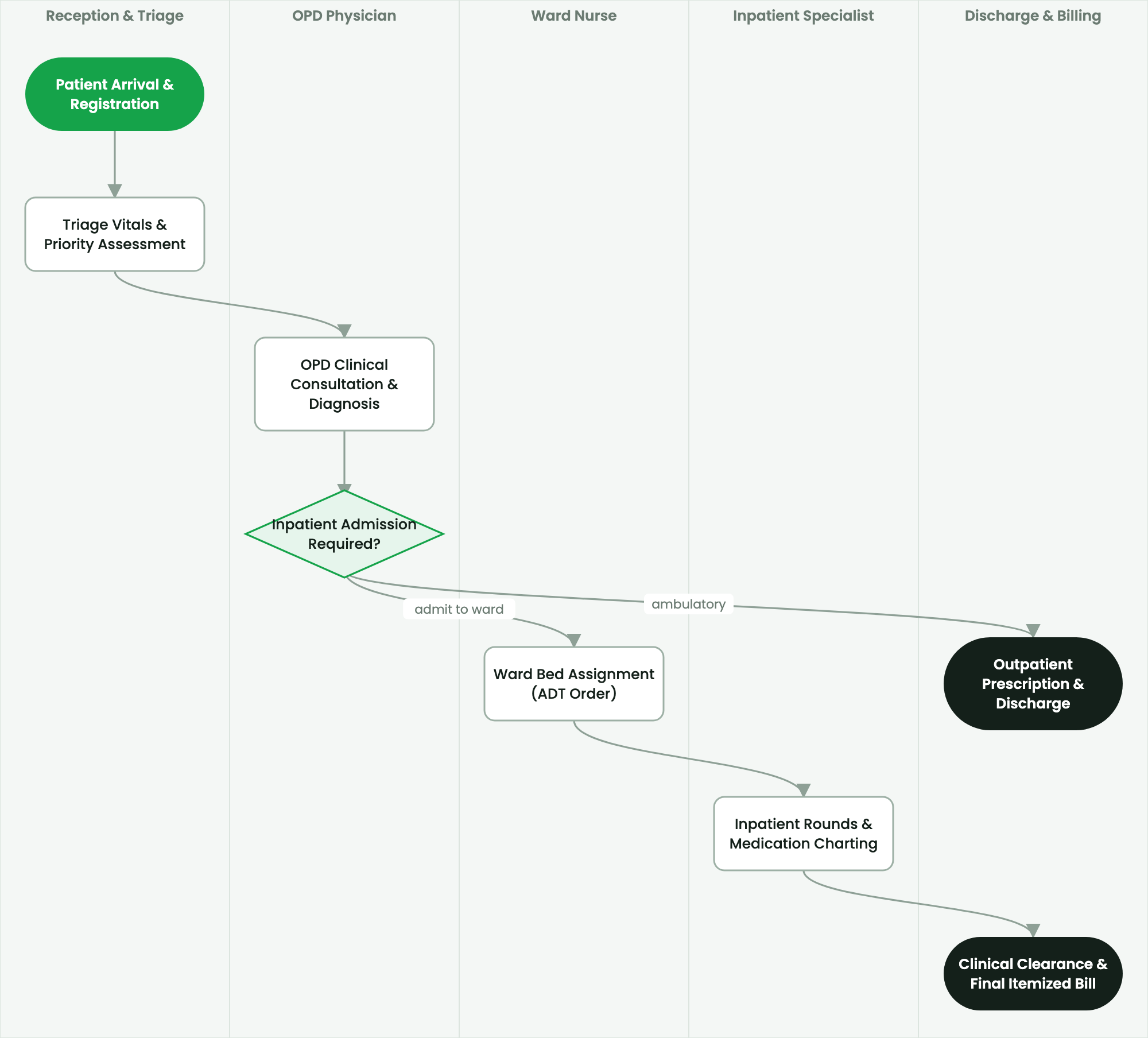
Guide to registering new patients, managing Enterprise Master Patient Index (EMPI) records, and eliminating duplicate registrations.
2. Prerequisites & Security Access Groups#
- Required Modules:
smarterp_healthcare, smarterp_clinical_core, smarterp_pharmacy - Security Groups:
Healthcare Receptionist(Technical ID:smarterp_healthcare.group_medical_receptionist)Physician / Attending Doctor(Technical ID:smarterp_healthcare.group_medical_doctor)Pharmacy Dispenser(Technical ID:smarterp_healthcare.group_medical_pharmacist)
- Master Data Dependencies: Patient master registry (Medical Record Number - MRN), EFDA drug formulary, Ethiopian Ministry of Health (MoH) HMIS disease codes, and EHIS insurance tariffs.
3. Step-by-Step Configuration & Execution#
Step 1: Navigating to the Interface#
- Log into your SmartERP instance at
https://smarterp.et/odoo. - Open the main App Switcher (grid icon in the top-left corner).
- Navigate to Hospital → Patient Management → OPD / IPD.
Step 2: Operational Data Parameters & Controls#
Ensure all mandatory parameters comply with enterprise operational standards:
- Authorized Operator: Action executed under assigned RBAC permissions (Chief Medical Officer, Clinical Nurse, Receptionist, Pharmacist).
- Relational Integrity: Linked to upstream master records, approval requests, or transactional ledgers.
- Statutory & Quality Controls: Verified against Ethiopian statutory regulations and corporate governance standards.
Step 3: Operational Execution & State Progression#
- State Progression Gate: Advance record from Draft through Audited to Confirmed / Certified.
- Integrated System Impact: Automatically updates real-time operational states and posts financial/inventory journal moves.
- Audit Verification: System registers tamper-evident audit records logging user ID, timestamp, and cryptographic transaction digests.
Master Patient Index (MPI) Principles#
The Master Patient Index (MPI) maintains a single, verified identity for every individual seeking care. Duplicate patient records compromise medical history continuity, risk drug interactions, and inflate insurance billing claims. SmartERP employs deterministic and probabilistic matching algorithms across demographic attributes.
Registering a New Patient Profile#
To register a patient:
- Navigate to Healthcare > Registration > Patients and click New.
- Fill the mandatory demographic fields:
- Given Name, Father's Name, Grandfather's Name: Standard Ethiopian three-name patronymic convention.
- Gender and Date of Birth: If exact date is unknown, check Estimated Age; the system calculates the birth year automatically.
- National ID / Kebele Card Number: Vital for deduplication and EHIS verification.
- Contact Details: Mobile phone number and primary residence (Sub-City, Woreda, House Number).
- Emergency Contact: Name, relationship, and reachable telephone number.
- Allergies & Chronic Conditions: Record baseline alerts (e.g., Penicillin hypersensitivity, Type 2 Diabetes) that highlight across all future consultation screens.
- Click Save.
Duplicate Detection Engine#
When saving a patient profile, SmartERP calculates a similarity score based on:
$$\text{Match Score} = w_1 \cdot \text{Levenshtein}(Name_1, Name_2) + w_2 \cdot \mathbb{I}{Phone} + w_3 \cdot \mathbb{I}{Kebele}$$
flowchart TD
    A["New Patient Input"] --> B{"Exact Phone or National ID Match?"}
    B -- Yes --> C["Flag Existing Profile (Prevent Duplicate)"]
    B -- No --> D{"Fuzzy Name & Kebele Match > 85%?"}
    D -- Yes --> E["Prompt Registrar: Potential Duplicate Review"]
    D -- No --> F["Create New Master Record (Generate MRN)"]
If a potential duplicate is detected, the registrar is presented with existing records for comparison before creating a new MRN.
Merging Duplicate Medical Records#
If duplicate records were inadvertently created:
- Open Healthcare > Administration > Record Governance > Merge Patients.
- Select the Surviving Master Record (the primary MRN to retain).
- Select the Duplicate Record (to be retired).
- Review historical encounters, lab tests, prescriptions, and billing folios.
- Click Execute Controlled Merge.
- The system re-links all clinical transactions to the surviving MRN, marks the duplicate as merged with a tombstone pointer, and logs the action in the immutable audit trail.
4. Advanced Configuration Points#
- Automated Actions & Scheduled Tasks (Crons):
Healthcare: Generate daily MoH HMIS aggregate tally(smarterp_healthcare.ir_cron_hmis_sync): Runs daily at 23:00 to prepare DHIS2 health data summariesPharmacy: Flag expiring EFDA medicine batches(smarterp_healthcare.ir_cron_fefo_expiry): Runs daily at 06:00 to alert dispensers of lots expiring within 60 days
- Custom Print Templates & Reports:
- Official Patient Encounter Summary & Medical Certificate
- Electronic Prescription Order Form (Model 19 Compliant)
- Ethiopian Health Insurance Service (EHIS) Claim Dossier
- Daily MoH Outpatient / Inpatient Morbidity Tally Sheet
- Multi-Company Rules: Record-level security isolation under Company 1 (
Ashewa Technology Solutions S.C.), preventing cross-company ledger leakage across parent and subsidiary legal entities.
5. Comprehensive Troubleshooting Matrix#
| Error Symptom / Exception | Probable Root Cause | Corrective Action / Resolution |
|---|---|---|
Access Block: Confidential clinical diagnosis restricted | User is not listed as the patient's attending physician or authorized consultant. | Request explicit clinical consultation delegation from the department head. |
Credit Ceiling Block: Corporate insurance expired | Patient corporate insurance policy limit exceeded or expired. | Switch billing mode to private cash settlement or upload pre-authorization approval from the insurer. |
FEFO Allocation Error: Expired medicine batch blocked | Dispenser selected medicine lot past statutory EFDA expiry date. | Isolate expired lot to quarantine storage and dispense compliant active lot. |