WMS Architecture & Modular Suite Overview
Architectural blueprint of the SmartERP Enterprise WMS Suite built across four decoupled Community addons without Enterprise licensing dependencies.
1. Overview & Business Value#
This comprehensive operational guide details the architecture, business workflows, configuration parameters, and execution steps for WMS Architecture & Modular Suite Overview within SmartERP.
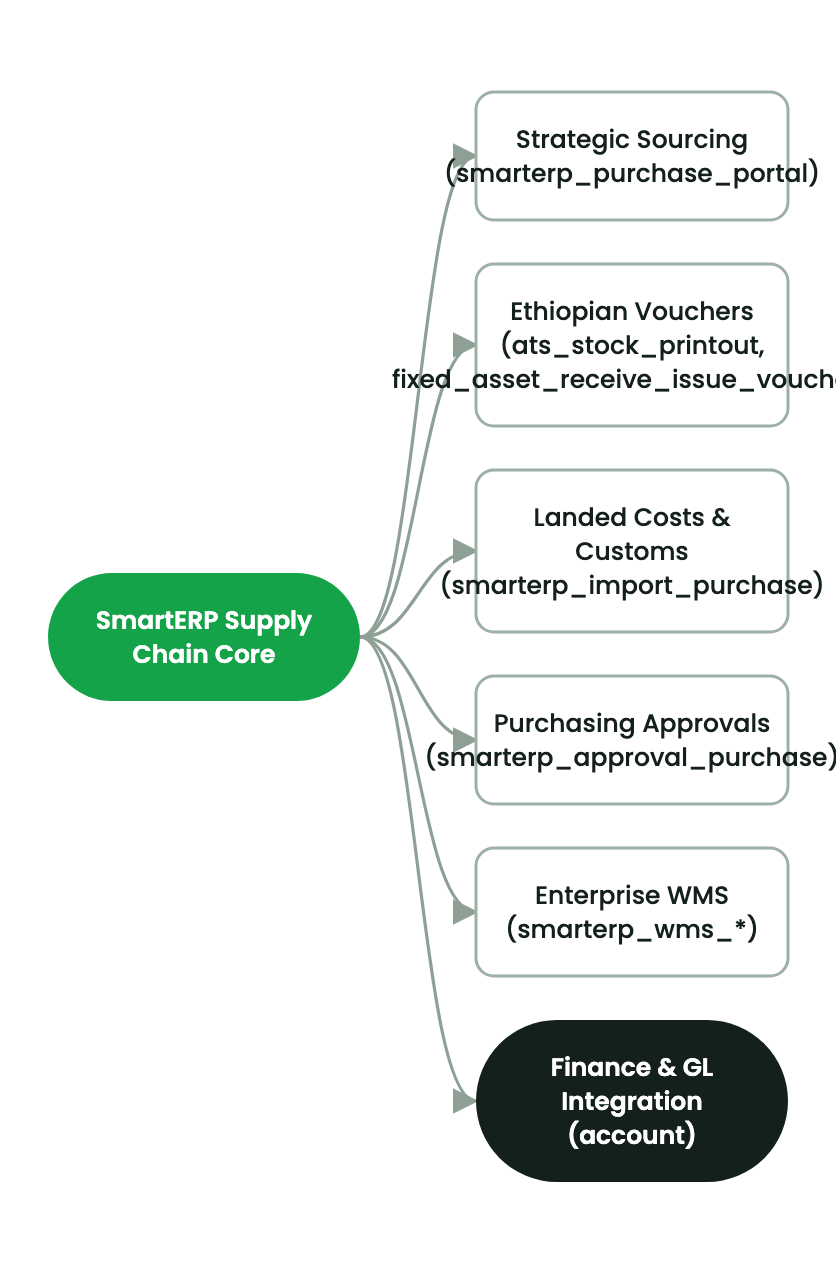
SmartERP Enterprise WMS Suite Overview#
The SmartERP Enterprise Warehouse Management System (WMS) is a Tier-1 operational platform architected for high-throughput distribution hubs, manufacturing warehouses, cold-chain depots, and multimodal dry ports.
graph TD
    DASH["smarterp_wms_dashboard<br/>Command Center & IronNest Visualizer"]
    SLOT["smarterp_wms_slotting<br/>3D Volumetrics & ABC/XYZ Engine"]
    GOV["smarterp_wms_governance<br/>Blind Counting & QC Interception"]
    FUL["smarterp_wms_fulfillment<br/>Wave/Cluster Picking & Mobile RF"]

    SLOT -->|Live Occupancy & Limits| DASH
    GOV -->|Exception Feeds & Approvals| DASH
    FUL -->|Throughput & Route Progress| DASH
    SLOT -->|Pick Sequence & Putaway Rules| FUL
    GOV -->|Quarantine Routing| SLOT
2. Prerequisites & Security Access Groups#
- Required Modules:
stock, smarterp_wms_enterprise - Security Groups:
Warehouse Clerk(Technical ID:stock.group_stock_user)Warehouse Manager(Technical ID:stock.group_stock_manager)
- Master Data Dependencies: Multi-warehouse aisles, racks, shelves, bins, putaway rules, cycle count schedules, and barcode terminal profiles.
3. Step-by-Step Configuration & Execution#
Step 1: Navigating to the Interface#
- Log into your SmartERP instance at
https://smarterp.et/odoo. - Open the main App Switcher (grid icon in the top-left corner).
- Navigate to Settings → Technical.
Step 2: Operational Data Parameters & Controls#
Ensure all mandatory parameters comply with enterprise operational standards:
- Authorized Operator: Action executed under assigned RBAC permissions (System Administrator, Certified Specialist).
- Relational Integrity: Linked to upstream master records, approval requests, or transactional ledgers.
- Statutory & Quality Controls: Verified against Ethiopian statutory regulations and corporate governance standards.
Step 3: Operational Execution & State Progression#
- State Progression Gate: Advance record from Draft through Audited to Confirmed / Certified.
- Integrated System Impact: Automatically updates real-time operational states and posts financial/inventory journal moves.
- Audit Verification: System registers tamper-evident audit records logging user ID, timestamp, and cryptographic transaction digests.
Modular Addon Structure#
The platform is partitioned into four independent, upgrade-safe modules targeting Odoo 19 Community Edition + OWL 2.0:
smarterp_wms_slotting:- 3D physical constraints on warehouse bins: cubic meters ($m^3$) and maximum weight load ($kg$).
- Automated Pareto ABC turnover velocity and XYZ demand variance classification.
- S-Shape serpentine routing sequence algorithm.
- Capacity-aware directed putaway rules preventing bin overflow.
smarterp_wms_governance:- Blind cycle counting with theoretical on-hand quantity obfuscation for counters.
- Two-tier financial variance sign-offs ($5,000 / 50,000 ETB CFO threshold).
- Inline Quality Control (QMS) quarantine hold and inspection routing.
smarterp_wms_fulfillment:- Batch wave and cluster cart picking orchestration.
- Multi-tote cart assignment with visual pick-to-light color tags.
- Mobile GS1-128 RF barcode scanner OWL 2.0 progressive web app with Web Audio feedback chimes.
smarterp_wms_dashboard:- Sub-200ms raw SQL KPI engine (Valuation, Turnover, OTIF, Stockout Risk, Dead Stock, Dock-to-Stock).
- IronNest 2D multi-section warehouse floor map with solid occupied pockets vs. diagonal-hatched empty slots.
- Circular SVG radial usage donut gauge (
56% Location Used) and interactive bin inspection drawers.
4. Advanced Configuration Points#
- Automated Actions & Scheduled Tasks (Crons):
Inventory: Cycle count schedule trigger(stock.ir_cron_cycle_count): Runs weekly to select locations for scheduled physical cycle countingWMS: Auto-replenish forward pick bins(stock.ir_cron_replenish): Runs daily to trigger internal moves from bulk storage to picking faces
- Custom Print Templates & Reports:
- Warehouse Storage Bin Location Map & Occupancy
- Stock Valuation Summary by Storage Location
- Wave Picking & Packing Slip with Barcode Verification
- Multi-Company Rules: Record-level security isolation under Company 1 (
Ashewa Technology Solutions S.C.), preventing cross-company ledger leakage across parent and subsidiary legal entities.
5. Comprehensive Troubleshooting Matrix#
| Error Symptom / Exception | Probable Root Cause | Corrective Action / Resolution |
|---|---|---|
Stock Reservation Error: Insufficient available balance | Requested product quantity is already allocated to another confirmed order. | Replenish pick location from bulk overstock or verify physical stock count. |
Putaway Rule Conflict: Incompatible product storage | Attempting to place hazardous or refrigerated goods in standard dry bin. | Select a destination location configured for the product category specification. |
Barcode Scan Mismatch: Scanned code does not match item | Scanned barcode belongs to a different product variant or lot. | Verify physical item label and scan the correct SKU barcode. |
Last updated: 2026-11-15