Blind Cycle Counting & Tiered Governance Approvals
Segregated blind physical inventory counting, theoretical stock obfuscation, and two-tier variance approval workflows with mandatory CFO sign-off above $5,000.
1. Overview & Business Value#
This comprehensive operational guide details the architecture, business workflows, configuration parameters, and execution steps for Blind Cycle Counting & Tiered Governance Approvals within SmartERP.
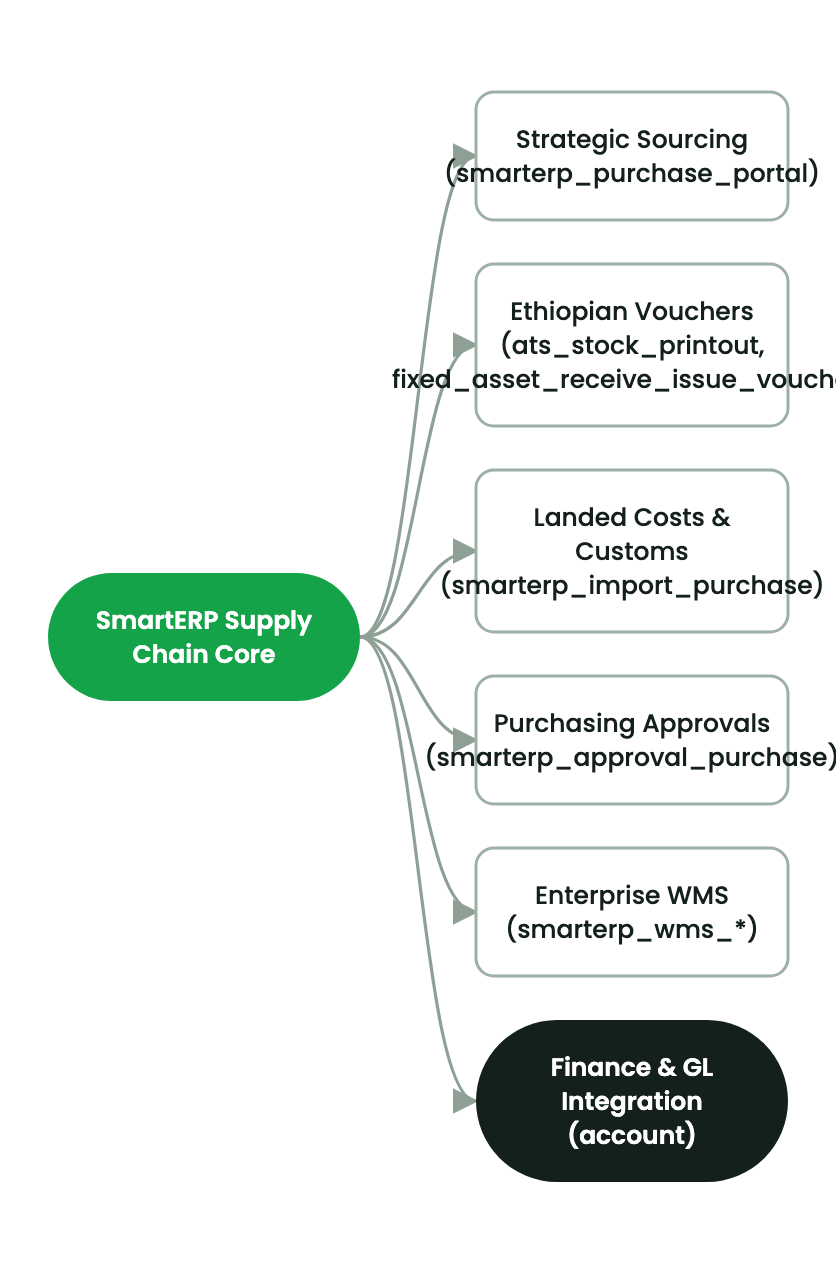
Blind Cycle Counting & Governance Approvals#
2. Prerequisites & Security Access Groups#
- Required Modules:
stock, smarterp_wms_enterprise - Security Groups:
Warehouse Clerk(Technical ID:stock.group_stock_user)Warehouse Manager(Technical ID:stock.group_stock_manager)
- Master Data Dependencies: Multi-warehouse aisles, racks, shelves, bins, putaway rules, cycle count schedules, and barcode terminal profiles.
3. Step-by-Step Configuration & Execution#
Step 1: Navigating to the Interface#
- Log into your SmartERP instance at
https://smarterp.et/odoo. - Open the main App Switcher (grid icon in the top-left corner).
- Navigate to Settings → Technical.
Step 2: Operational Data Parameters & Controls#
Ensure all mandatory parameters comply with enterprise operational standards:
- Authorized Operator: Action executed under assigned RBAC permissions (System Administrator, Certified Specialist).
- Relational Integrity: Linked to upstream master records, approval requests, or transactional ledgers.
- Statutory & Quality Controls: Verified against Ethiopian statutory regulations and corporate governance standards.
Step 3: Operational Execution & State Progression#
- State Progression Gate: Advance record from Draft through Audited to Confirmed / Certified.
- Integrated System Impact: Automatically updates real-time operational states and posts financial/inventory journal moves.
- Audit Verification: System registers tamper-evident audit records logging user ID, timestamp, and cryptographic transaction digests.
Physical Blind Count Obfuscation#
To guarantee audit integrity and prevent confirmation bias, warehouse counting personnel in security group smarterp_wms_governance.group_wms_counter:
- Are strictly prevented from viewing book inventory (
quantity) or variance amounts (inventory_diff_quantity). - Can only view the location, product, and input field
inventory_quantity.
Two-Tier Variance Approval Workflow#
When a blind count is submitted:
- Zero Variance: Automatically approved and applied.
- Variance $< \$5,000$ (or 50,000 ETB): Routed to
pending_supervisor. Requires sign-off from a Warehouse Supervisor (group_wms_supervisor). - Variance $\ge \$5,000$ (or 50,000 ETB): Routed to
pending_finance. Standard approval buttons are disabled; sign-off requires a Finance Controller or CFO (group_wms_finance_approver).
Recount Justification Wizard#
If a supervisor or finance approver rejects an adjustment:
- The Recount Justification Wizard (
stock.quant.reject.wizard) opens. - The user selects a discrepancy category (Miscount, Damaged Goods, Misplaced Stock, Incorrect Lot).
- The reason and user notes are permanently stamped on
x_rejection_reason. - The record resets to
rejectedand appears on the counter's recount queue.
Inline Quality Control (QMS) Gates#
Incoming receipts for products flagged with x_requires_qc = True:
- Are automatically intercepted upon receipt confirmation and routed to
Quarantine / QC Hold. - A pending
stock.quality.checkrecord is generated. - Pass: Automatically generates an internal move from Quarantine to the directed storage bin.
- Fail: Triggers return-to-vendor or scrap workflows with mandatory failure categorization.
4. Advanced Configuration Points#
- Automated Actions & Scheduled Tasks (Crons):
Inventory: Cycle count schedule trigger(stock.ir_cron_cycle_count): Runs weekly to select locations for scheduled physical cycle countingWMS: Auto-replenish forward pick bins(stock.ir_cron_replenish): Runs daily to trigger internal moves from bulk storage to picking faces
- Custom Print Templates & Reports:
- Warehouse Storage Bin Location Map & Occupancy
- Stock Valuation Summary by Storage Location
- Wave Picking & Packing Slip with Barcode Verification
- Multi-Company Rules: Record-level security isolation under Company 1 (
Ashewa Technology Solutions S.C.), preventing cross-company ledger leakage across parent and subsidiary legal entities.
5. Comprehensive Troubleshooting Matrix#
| Error Symptom / Exception | Probable Root Cause | Corrective Action / Resolution |
|---|---|---|
Stock Reservation Error: Insufficient available balance | Requested product quantity is already allocated to another confirmed order. | Replenish pick location from bulk overstock or verify physical stock count. |
Putaway Rule Conflict: Incompatible product storage | Attempting to place hazardous or refrigerated goods in standard dry bin. | Select a destination location configured for the product category specification. |
Barcode Scan Mismatch: Scanned code does not match item | Scanned barcode belongs to a different product variant or lot. | Verify physical item label and scan the correct SKU barcode. |
Last updated: 2026-11-15