የWMS አርክቴክቸር እና ሞጁላር ስብስብ አጠቃላይ እይታ (WMS Architecture & Modular Suite Overview)
ያለ ምንም የEnterprise ፍቃድ ጥገኝነት በአራት የተነጠሉ የCommunity ተጨማሪዎች ላይ የተገነባው የSmartERP Enterprise WMS ስብስብ አርክቴክቸር ንድፍ።
1. Overview & Business Value#
ይህ የተሟላ የተግባር መመሪያ በSmartERP ውስጥ የWMS አርክቴክቸር እና ሞጁላር ስብስብ አጠቃላይ እይታ (WMS Architecture & Modular Suite Overview) የሚተገበርበትን አርክቴክቸር፣ የስራ ፍሰቶች፣ የቅንብር መለኪያዎች እና የአፈጻጸም እርምጃዎች በዝርዝር ያብራራል።
SmartERP Enterprise WMS Suite Overview#
የSmartERP Enterprise Warehouse Management System (WMS) ለከፍተኛ ፍሰት ስርጭት ማዕከላት፣ ለማምረቻ መጋዘኖች፣ ለቀዝቃዛ ሰንሰለት ማከማቻዎች እና ለባለብዙ-አይነት የደረቅ ወደቦች የተነደፈ የከፍተኛ ደረጃ (Tier-1) የአሰራር መድረክ ነው።
graph TD
    DASH["smarterp_wms_dashboard<br/>Command Center & IronNest Visualizer"]
    SLOT["smarterp_wms_slotting<br/>3D Volumetrics & ABC/XYZ Engine"]
    GOV["smarterp_wms_governance<br/>Blind Counting & QC Interception"]
    FUL["smarterp_wms_fulfillment<br/>Wave/Cluster Picking & Mobile RF"]

    SLOT -->|Live Occupancy & Limits| DASH
    GOV -->|Exception Feeds & Approvals| DASH
    FUL -->|Throughput & Route Progress| DASH
    SLOT -->|Pick Sequence & Putaway Rules| FUL
    GOV -->|Quarantine Routing| SLOT
2. Prerequisites & Security Access Groups#
- Required Modules:
stock, smarterp_wms_enterprise - Security Groups:
Warehouse Clerk(Technical ID:stock.group_stock_user)Warehouse Manager(Technical ID:stock.group_stock_manager)
- Master Data Dependencies: Multi-warehouse aisles, racks, shelves, bins, putaway rules, cycle count schedules, and barcode terminal profiles.
3. Step-by-Step Configuration & Execution#
Step 1: Navigating to the Interface#
- ወደ SmartERP መድረክዎ በ
https://smarterp.et/odooይግቡ። - ዋናውን የመተግበሪያ መቀየሪያ (በላይኛው ግራ ጥግ ያለውን የፍርግርግ አርማ) ይክፈቱ።
- ወደ Settings → Technical ይሂዱ።
Step 2: Operational Data Parameters & Controls#
አስገዳጅ መለኪያዎች በድርጅታዊ መመሪያው መሰረት መሞላታቸውን ያረጋግጡ፦
- የስልጣን ባለቤትነት፦ በተፈቀደ የተጠቃሚ የስራ ሚና (System Administrator, Certified Specialist) መሰረት መስራት።
- የመረጃ ትክክለኛነት፦ ከትክክለኛ ማስተር መረጃዎች፣ የፍቃድ ጥያቄዎች ወይም የግብይት ሰነዶች ጋር ማገናኘት።
- የህግ እና የጥራት ቁጥጥር፦ የኢትዮጵያን የንግድ እና የታክስ ህጎች እንዲሁም ድርጅታዊ የደህንነት ደረጃዎች በጥብቅ መከተል።
Step 3: Operational Execution & State Progression#
- የሁኔታ ሽግግር በር፦ ግብይቱን ከረቂቅ ወደ የተረጋገጠ / የጸደቀ ማሸጋገር።
- የስርዓት ተፅዕኖ፦ የተግባር ሁኔታዎችን በቅጽበት ያዘምናል እንዲሁም አስፈላጊ የሂሳብ እና የመጋዘን መዝገቦችን ያስመዘግባል።
- የኦዲት ክትትል፦ ስርዓቱ የተጠቃሚውን መለያ፣ ትክክለኛ ሰዓት እና የግብይት ኮድ በመመዝገብ አስተማማኝ የኦዲት መከታተያ ያዘጋጃል።
Modular Addon Structure#
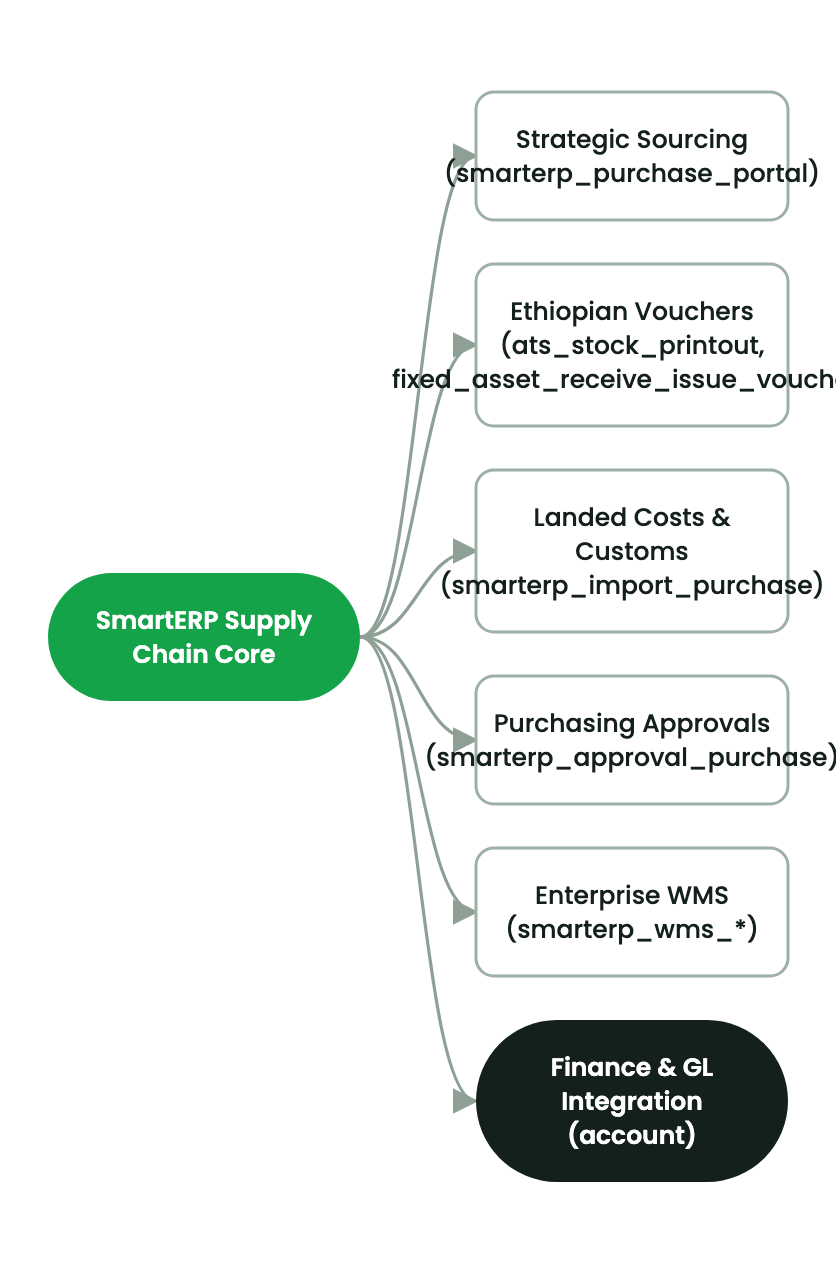
መድረኩ Odoo 19 Community Edition + OWL 2.0ን ኢላማ ባደረጉ አራት ገለልተኛ እና ማሻሻያ-አስተማማኝ ሞጁሎች የተከፋፈለ ነው፦
smarterp_wms_slotting፦- በመጋዘን ማከማቻ ሳጥኖች ላይ ባለ 3D አካላዊ ገደቦች፦ ኪዩቢክ ሜትር ($m^3$) እና ከፍተኛ የመሸከም አቅም ክብደት ($kg$)።
- አውቶማቲክ የPareto ABC የሽግሽግ ፍጥነት እና የXYZ የፍላጎት ልዩነት ምደባ።
- የS-Shape እባባዊ የመንገድ ቅደም ተከተል አልጎሪዝም።
- የማከማቻ ሳጥን ሞልቶ መፍሰስን የሚከላከል አቅም-አዋቂ የመመደቢያ ደንቦች።
smarterp_wms_governance፦- ለቆጣሪዎች የንድፈ-ሀሳባዊ የእጅ-ላይ ክምችት ብዛትን በመደበቅ የሚሰራ ዓይነ-ስውር የክምችት ቆጠራ።
- ባለሁለት-ደረጃ የፋይናንስ ልዩነት ማጽደቂያዎች ($5,000 / 50,000 ETB CFO threshold)።
- አብሮ የተሰራ የጥራት ቁጥጥር (QMS) የኳራንቲን እገዳ እና የፍተሻ መስመር።
smarterp_wms_fulfillment፦- የቡድን ሞገድ (Batch Wave) እና የክላስተር ጋሪ እቃ አሰባሰብ ቅንጅት።
- በቪዥዋል ፒክ-ቱ-ላይት የቀለም መለያዎች የታገዘ ባለብዙ-ቶት ጋሪ ምደባ።
- የሞባይል GS1-128 RF ባርኮድ ስካነር OWL 2.0 ተራማጅ የድረ-ገጽ መተግበሪያ ከWeb Audio የድምፅ ምላሾች ጋር።
smarterp_wms_dashboard፦- ከ200 ሚሊሰከንድ በታች የሚሰራ ጥሬ የSQL KPI ሞተር (Valuation, Turnover, OTIF, Stockout Risk, Dead Stock, Dock-to-Stock)።
- የተያዙ ጠንካራ ኪሶችን ካልተያዙ ሰያፍ-መስመር ካላቸው ባዶ ክፍተቶች ጋር የሚያሳይ የIronNest ባለ 2D የባለብዙ-ክፍል የመጋዘን ወለል ካርታ።
- ክብ የSVG የአጠቃቀም ዶናት መለኪያ (
56% Location Used) እና በይነተገናኝ የማከማቻ ሳጥን መመርመሪያ መሳቢያዎች።
4. Advanced Configuration Points#
- Automated Actions & Scheduled Tasks (Crons):
Inventory: Cycle count schedule trigger(stock.ir_cron_cycle_count): Runs weekly to select locations for scheduled physical cycle countingWMS: Auto-replenish forward pick bins(stock.ir_cron_replenish): Runs daily to trigger internal moves from bulk storage to picking faces
- Custom Print Templates & Reports:
- Warehouse Storage Bin Location Map & Occupancy
- Stock Valuation Summary by Storage Location
- Wave Picking & Packing Slip with Barcode Verification
- Multi-Company Rules: Record-level security isolation under Company 1 (
Ashewa Technology Solutions S.C.), preventing cross-company ledger leakage across parent and subsidiary legal entities.
5. Comprehensive Troubleshooting Matrix#
| Error Symptom / Exception | Probable Root Cause | Corrective Action / Resolution |
|---|---|---|
Stock Reservation Error: Insufficient available balance | Requested product quantity is already allocated to another confirmed order. | Replenish pick location from bulk overstock or verify physical stock count. |
Putaway Rule Conflict: Incompatible product storage | Attempting to place hazardous or refrigerated goods in standard dry bin. | Select a destination location configured for the product category specification. |
Barcode Scan Mismatch: Scanned code does not match item | Scanned barcode belongs to a different product variant or lot. | Verify physical item label and scan the correct SKU barcode. |
መጨረሻ የተሻሻለው: 2026-11-15