Technical architecture
Software architecture, state machines, ORM models, and offline POS caching in SmartERP Sales.
1. Overview & Business Value#
This comprehensive operational guide details the architecture, business workflows, configuration parameters, and execution steps for Technical architecture within SmartERP.
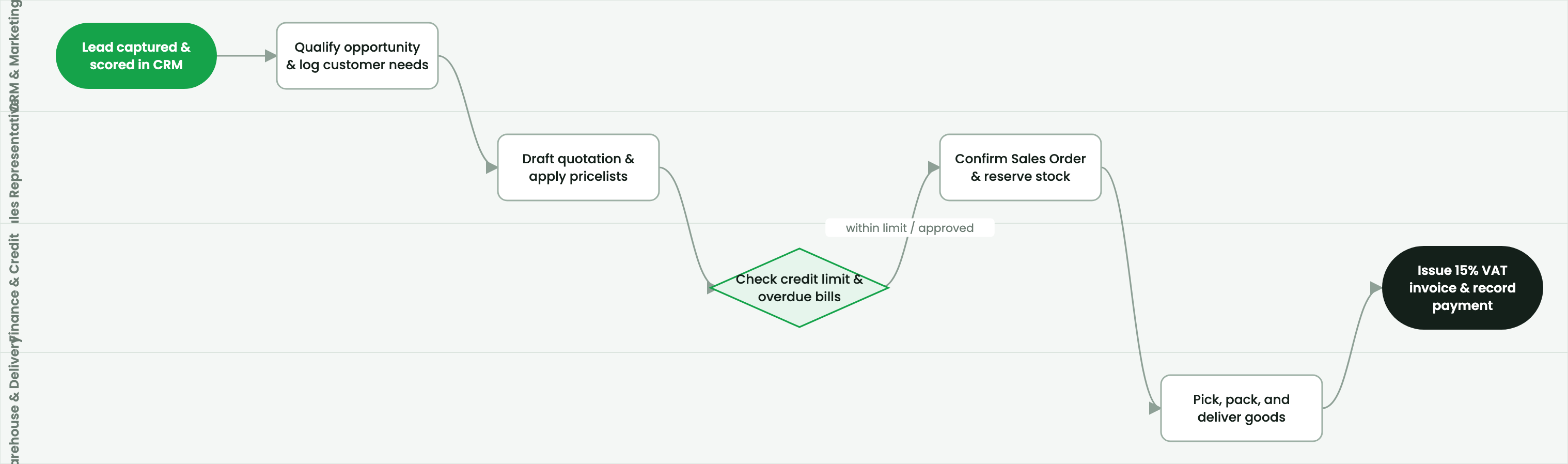
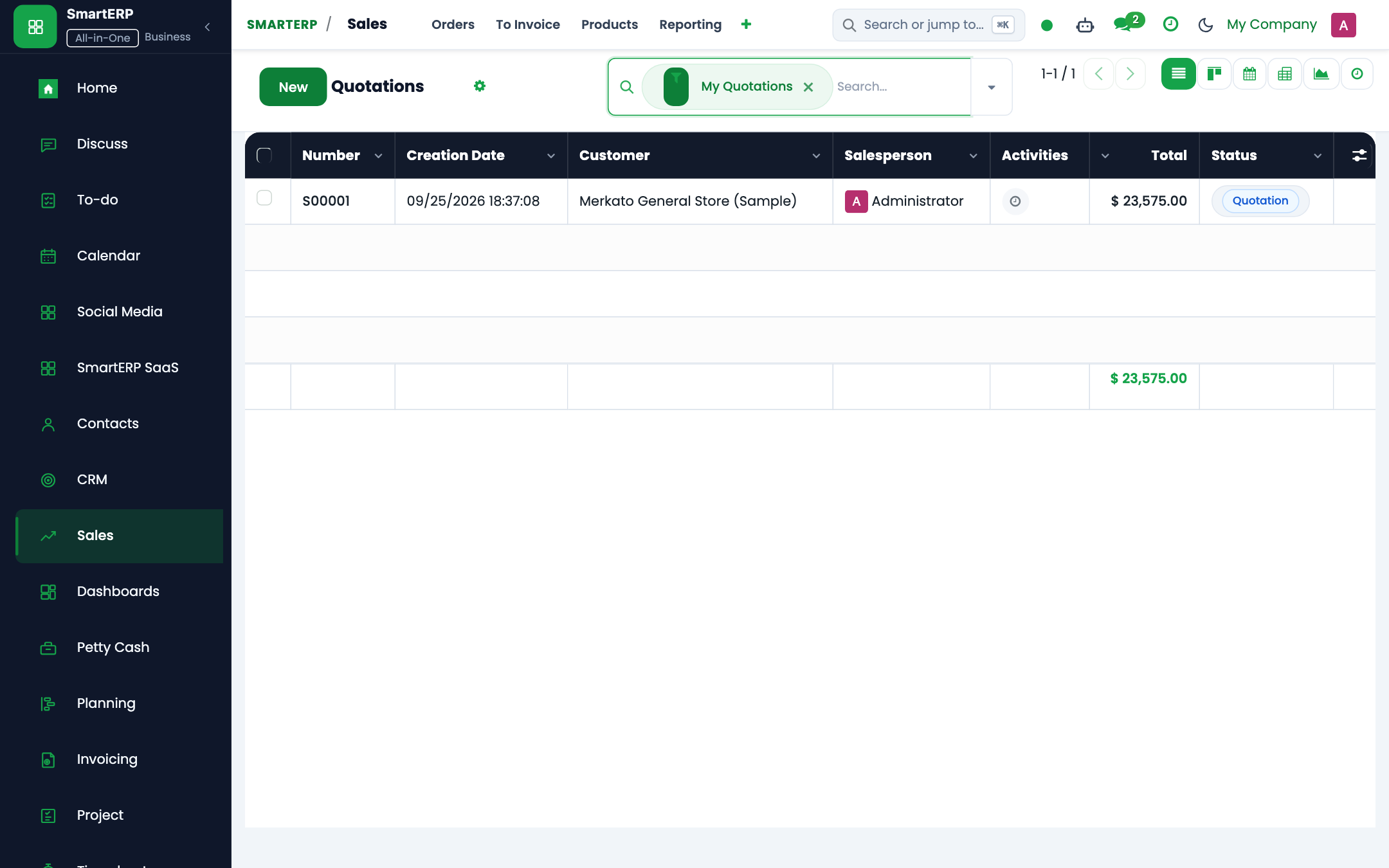
This technical document details the internal design of SmartERP Sales, CRM, and POS.
2. Prerequisites & Security Access Groups#
- Required Modules:
sale_management, crm, point_of_sale, smarterp_payment_telebirr - Security Groups:
Sales User(Technical ID:sales_team.group_sale_salesman)Sales Administrator(Technical ID:sales_team.group_sale_manager)POS User / Cashier(Technical ID:point_of_sale.group_pos_user)
- Master Data Dependencies: Customer partner registry, selling pricelists, product inventory balances, payment providers (Telebirr/CBE Birr), and POS terminal sessions.
3. Step-by-Step Configuration & Execution#
Step 1: Navigating to the Interface#
- Log into your SmartERP instance at
https://smarterp.et/odoo. - Open the main App Switcher (grid icon in the top-left corner).
- Navigate to Operations.
Step 2: Operational Data Parameters & Controls#
Ensure all mandatory parameters comply with enterprise operational standards:
- Authorized Operator: Action executed under assigned RBAC permissions (Authorized Operator).
- Relational Integrity: Linked to upstream customer, product, inventory lot, or manufacturing order.
- Statutory & Quality Controls: Verified against Ethiopian commercial and tax regulations or technical engineering specifications.
Step 3: Operational Execution & State Progression#
- State Progression Gate: Advance record from Draft through Confirmed to Completed / Posted.
- Integrated System Impact: Automatically updates inventory stock quants, customer receivables, or work-in-progress cost accounting ledgers.
- Audit Verification: System registers tamper-evident audit records logging user ID, timestamp, and cryptographic transaction digests.
State Machines#
Sales Order Lifecycle (sale.order)#
draft (Quotation) -> sent -> sale (Sales Order) -> done (Locked)
                  \                     \
                   -> cancel             -> cancel
POS Session Lifecycle (pos.session)#
opening_control -> opened -> closing_control -> closedPOS Offline Architecture#
- Client Storage: Uses browser
IndexedDBto cache products, pricelists, barcodes, and partner records locally. - Transaction Queue: Orders placed while offline are committed to a local FIFO queue.
- Conflict Resolution: Uses deterministic server-side reconciliation ensuring inventory quant decrement matches actual transaction timestamps.
4. Advanced Configuration Points#
- Automated Actions & Scheduled Tasks (Crons):
CRM: Lead auto-assignment(crm.ir_cron_lead_assign): Runs hourly to allocate unassigned leads across sales teamsSales: Expire overdue quotations(sale.ir_cron_expire_quotes): Runs nightly to mark stale quotes as cancelledPOS: Close abandoned register sessions(point_of_sale.ir_cron_session_cleanup): Runs nightly to alert managers of open cashier terminals
- Custom Print Templates & Reports:
- Customer Sales Quotation / Pro-forma Invoice
- Commercial Tax Invoice (Model 85 Compliant)
- POS Cash Register Receipt with QR Validation
- Customer Credit Limit & Receivables Aging Statement
- Multi-Company Rules: Record-level security isolation under Company 1 (
Ashewa Technology Solutions S.C.), preventing cross-company ledger leakage across parent and subsidiary legal entities.
5. Comprehensive Troubleshooting Matrix#
| Error Symptom / Exception | Probable Root Cause | Corrective Action / Resolution |
|---|---|---|
Credit Limit Blocked: Customer balance exceeds ceiling | Outstanding customer debt plus current order exceeds approved credit limit. | Obtain credit committee exception approval or collect an advance cash payment. |
Validation Error: Tax definition missing on product line | Product item lacks default statutory 15% VAT mapping. | Update the product master accounting tab with standard statutory VAT rates. |
POS Session Error: Cash register mismatch upon closure | Physical cash count does not reconcile with POS recorded register balance. | Document discrepancy explanation in the closing wizard and submit for manager review. |
Payment Gateway Error: Telebirr timeout | Network timeout or invalid API bridge credentials. | Verify merchant credentials in Invoicing → Configuration → Payment Providers and retry transaction query. |
Next#
- Data model: Relational data model.
Last updated: 2026-11-15