Customer self-service portal guide
Operating manual for customers accessing proposals, tracking delivery dispatches, and paying VAT invoices online.
1. Overview & Business Value#
This comprehensive operational guide details the architecture, business workflows, configuration parameters, and execution steps for Customer self-service portal guide within SmartERP.
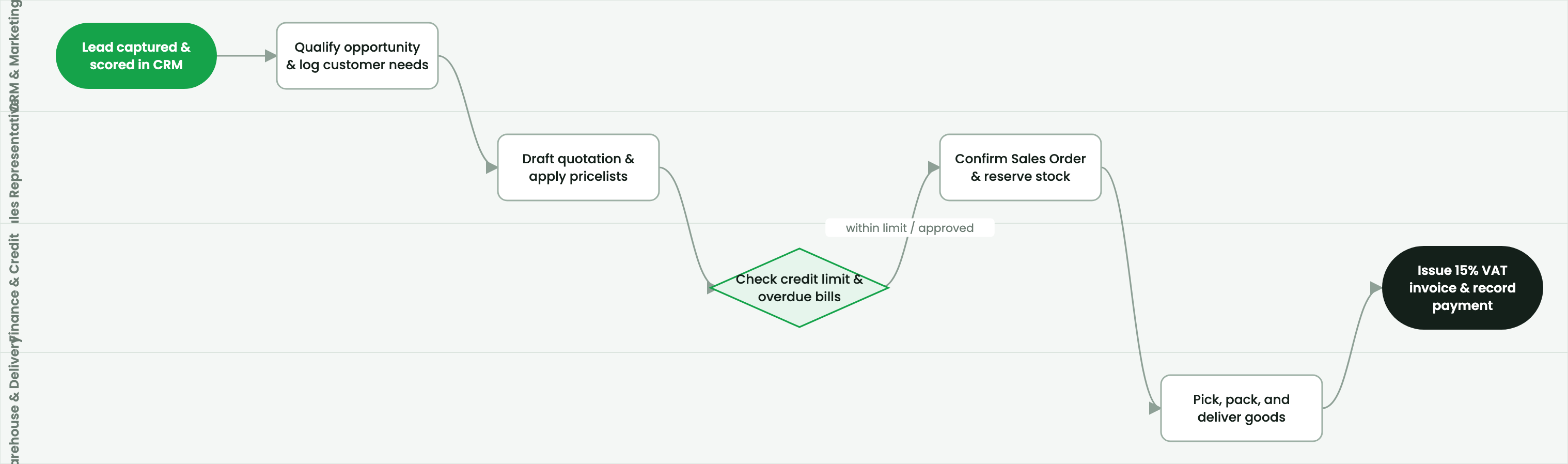
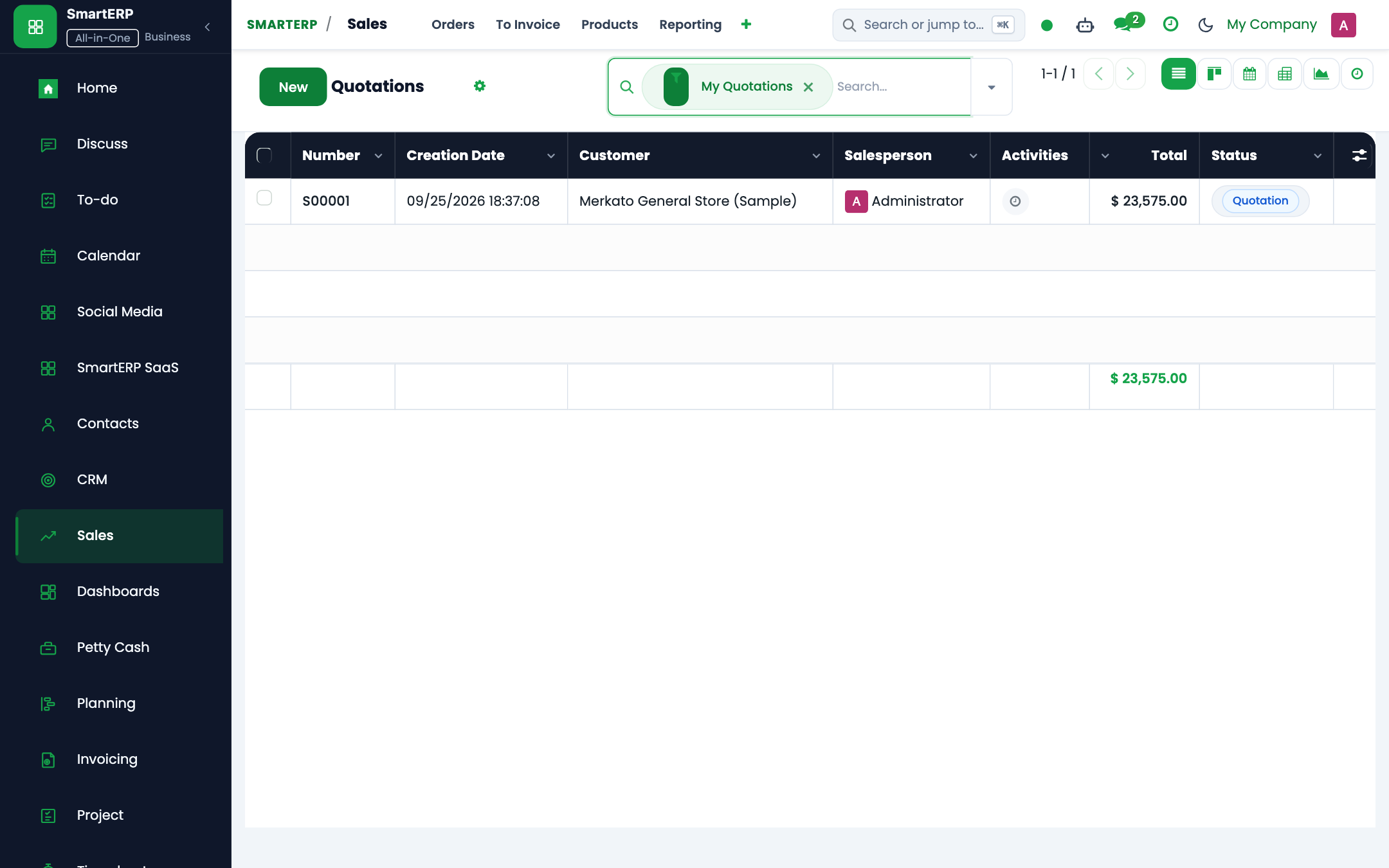
This reference document explains capabilities available on the SmartERP Customer Self-Service Portal (https://smarterp.et/my).
2. Prerequisites & Security Access Groups#
- Required Modules:
sale_management, crm, point_of_sale, smarterp_payment_telebirr - Security Groups:
Sales User(Technical ID:sales_team.group_sale_salesman)Sales Administrator(Technical ID:sales_team.group_sale_manager)POS User / Cashier(Technical ID:point_of_sale.group_pos_user)
- Master Data Dependencies: Customer partner registry, selling pricelists, product inventory balances, payment providers (Telebirr/CBE Birr), and POS terminal sessions.
3. Step-by-Step Configuration & Execution#
Step 1: Navigating to the Interface#
- Log into your SmartERP instance at
https://smarterp.et/odoo. - Open the main App Switcher (grid icon in the top-left corner).
- Navigate to Operations.
Step 2: Operational Data Parameters & Controls#
Ensure all mandatory parameters comply with enterprise operational standards:
- Authorized Operator: Action executed under assigned RBAC permissions (Authorized Operator).
- Relational Integrity: Linked to upstream customer, product, inventory lot, or manufacturing order.
- Statutory & Quality Controls: Verified against Ethiopian commercial and tax regulations or technical engineering specifications.
Step 3: Operational Execution & State Progression#
- State Progression Gate: Advance record from Draft through Confirmed to Completed / Posted.
- Integrated System Impact: Automatically updates inventory stock quants, customer receivables, or work-in-progress cost accounting ledgers.
- Audit Verification: System registers tamper-evident audit records logging user ID, timestamp, and cryptographic transaction digests.
Portal Capabilities#
Authenticated customers can:
- Quotations & Orders: Review active proposals, accept terms, apply digital signatures, and download quotation PDFs.
- Shipment Tracking: Track delivery progress in real time (Picked → Shipped → Delivered).
- Invoices & Statements: Download official 15% VAT invoices (Form 3.10) and view running account statements.
- Online Payments: Settle unpaid invoices using Telebirr SuperApp QR, CBE Birr, or Chapa e-commerce checkout.
Security & Verification#
- Protected by Two-Factor Authentication (2FA via SMS/email OTP).
- Customer portal users access only documents where their partner record is explicitly set as the customer.
4. Advanced Configuration Points#
- Automated Actions & Scheduled Tasks (Crons):
CRM: Lead auto-assignment(crm.ir_cron_lead_assign): Runs hourly to allocate unassigned leads across sales teamsSales: Expire overdue quotations(sale.ir_cron_expire_quotes): Runs nightly to mark stale quotes as cancelledPOS: Close abandoned register sessions(point_of_sale.ir_cron_session_cleanup): Runs nightly to alert managers of open cashier terminals
- Custom Print Templates & Reports:
- Customer Sales Quotation / Pro-forma Invoice
- Commercial Tax Invoice (Model 85 Compliant)
- POS Cash Register Receipt with QR Validation
- Customer Credit Limit & Receivables Aging Statement
- Multi-Company Rules: Record-level security isolation under Company 1 (
Ashewa Technology Solutions S.C.), preventing cross-company ledger leakage across parent and subsidiary legal entities.
5. Comprehensive Troubleshooting Matrix#
| Error Symptom / Exception | Probable Root Cause | Corrective Action / Resolution |
|---|---|---|
Credit Limit Blocked: Customer balance exceeds ceiling | Outstanding customer debt plus current order exceeds approved credit limit. | Obtain credit committee exception approval or collect an advance cash payment. |
Validation Error: Tax definition missing on product line | Product item lacks default statutory 15% VAT mapping. | Update the product master accounting tab with standard statutory VAT rates. |
POS Session Error: Cash register mismatch upon closure | Physical cash count does not reconcile with POS recorded register balance. | Document discrepancy explanation in the closing wizard and submit for manager review. |
Payment Gateway Error: Telebirr timeout | Network timeout or invalid API bridge credentials. | Verify merchant credentials in Invoicing → Configuration → Payment Providers and retry transaction query. |
Next#
- Reports: Sales cockpits and revenue reports.
Last updated: 2026-11-15