Renewals, quotations and customer follow-up for an insurance agency
An agency's income depends on customers renewing and on the agency being reachable when a claim happens. SmartERP holds the customer, the quotation shown, the reminder to call ahead of renewal and the agency's own invoices and bank entries. It is not a policy or claims system; that stays with the insurer.
Start with CRM, Sales and Accounting. Employees holds the agents and account handlers. Add Calendar for customer meetings and Email Marketing for renewal notices to customers who agreed to receive them.
Typical businesses: Insurance agencies · Motor cover agents · Small business cover agents · Broker offices · Branch agent offices
Problems this industry runs into
Renewal dates are remembered by the agent, not the office
A customer's motor or shop cover lapses because the agent who arranged it was away and nobody else knew the day to call.
Comparing insurers is done in a notebook
Offers from several insurers for the same vehicle or shop are copied onto paper, so the customer waits and the offer given is hard to reproduce later.
Claim calls arrive with no customer context
When someone phones after an accident, staff search through messages to learn who they are, what was offered and who last spoke to them.
Premium receipts are matched by memory
Cash and bank transfers for premiums and agency fees arrive daily and are matched to customers at the end of the week from what somebody remembers.
A recommended starting set of applications
There is no packaged edition for this industry yet. These applications are our recommendation for a business of this kind, not a fixed bundle.
Often added for this industry
What each application does for insurance agency
Accounting
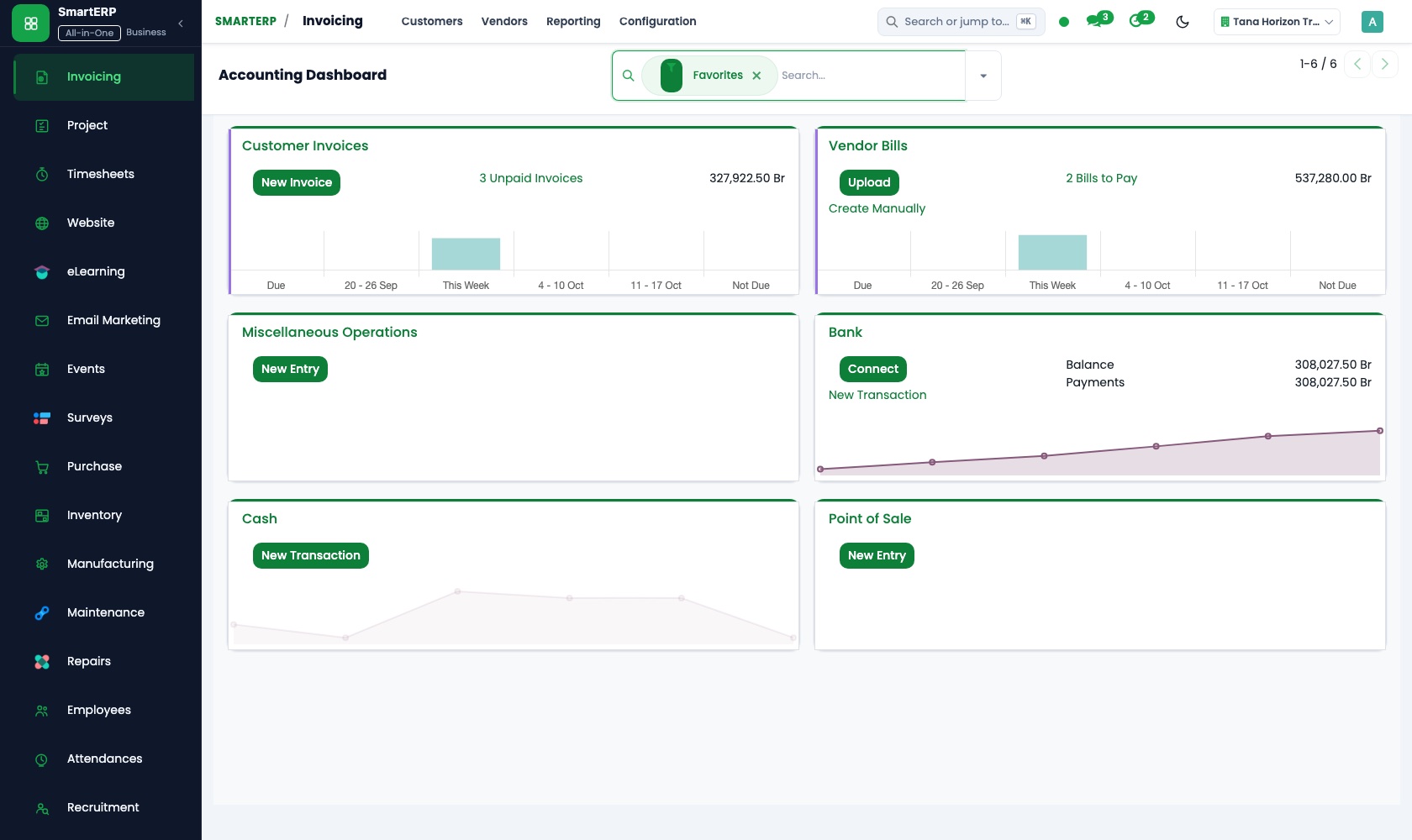
The agency's fee invoices, and any premium it collects for an insurer, sit in one ledger. Bank transfers and counter cash are matched to the customer who paid, and the owner reads financial reports for the month.
CRM
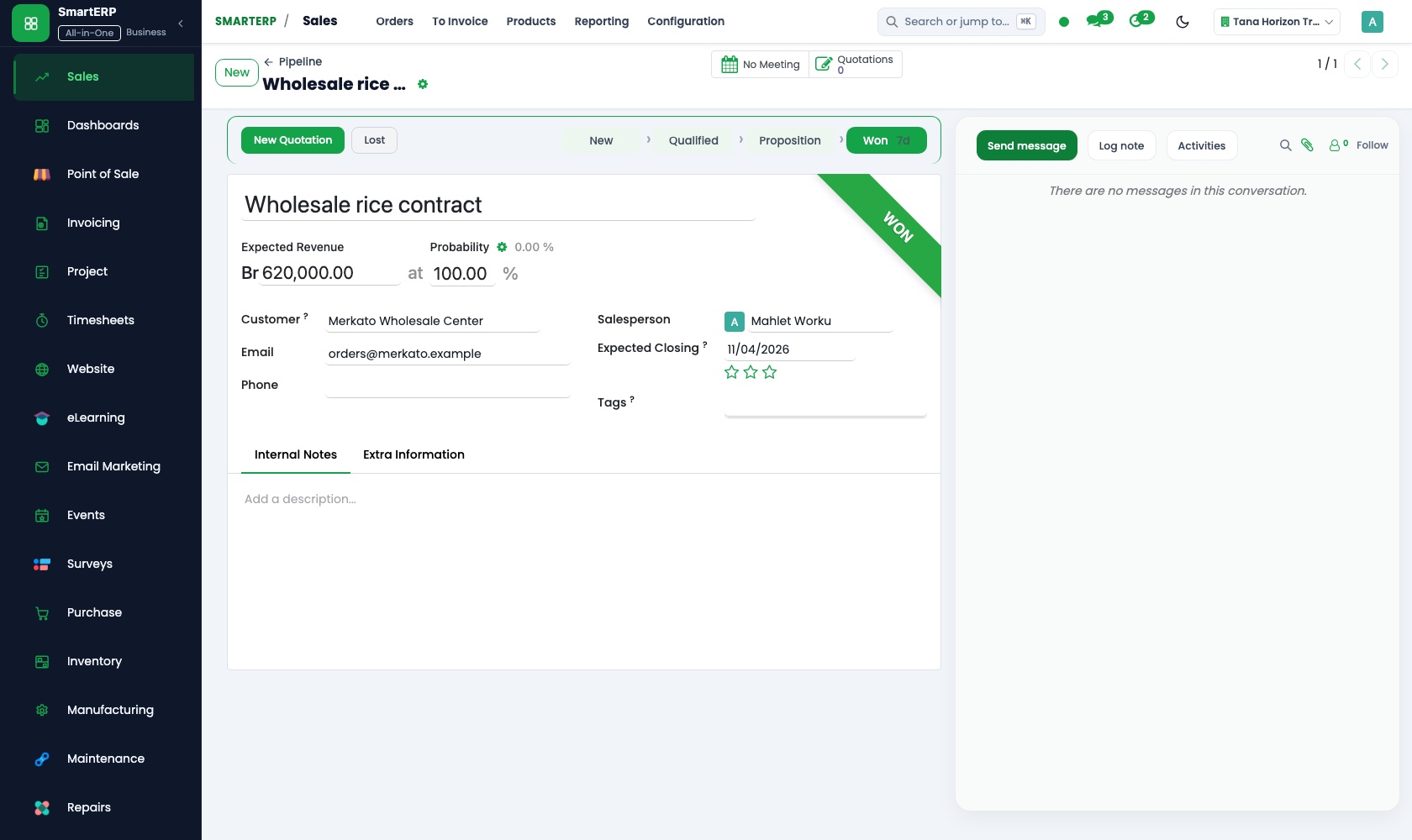
Each enquiry for motor or shop cover becomes an opportunity in a pipeline by stage: insurers asked, offer sent, accepted. A scheduled activity sets the renewal call weeks ahead, so the office notices a lapse, not only the agent.
Sales
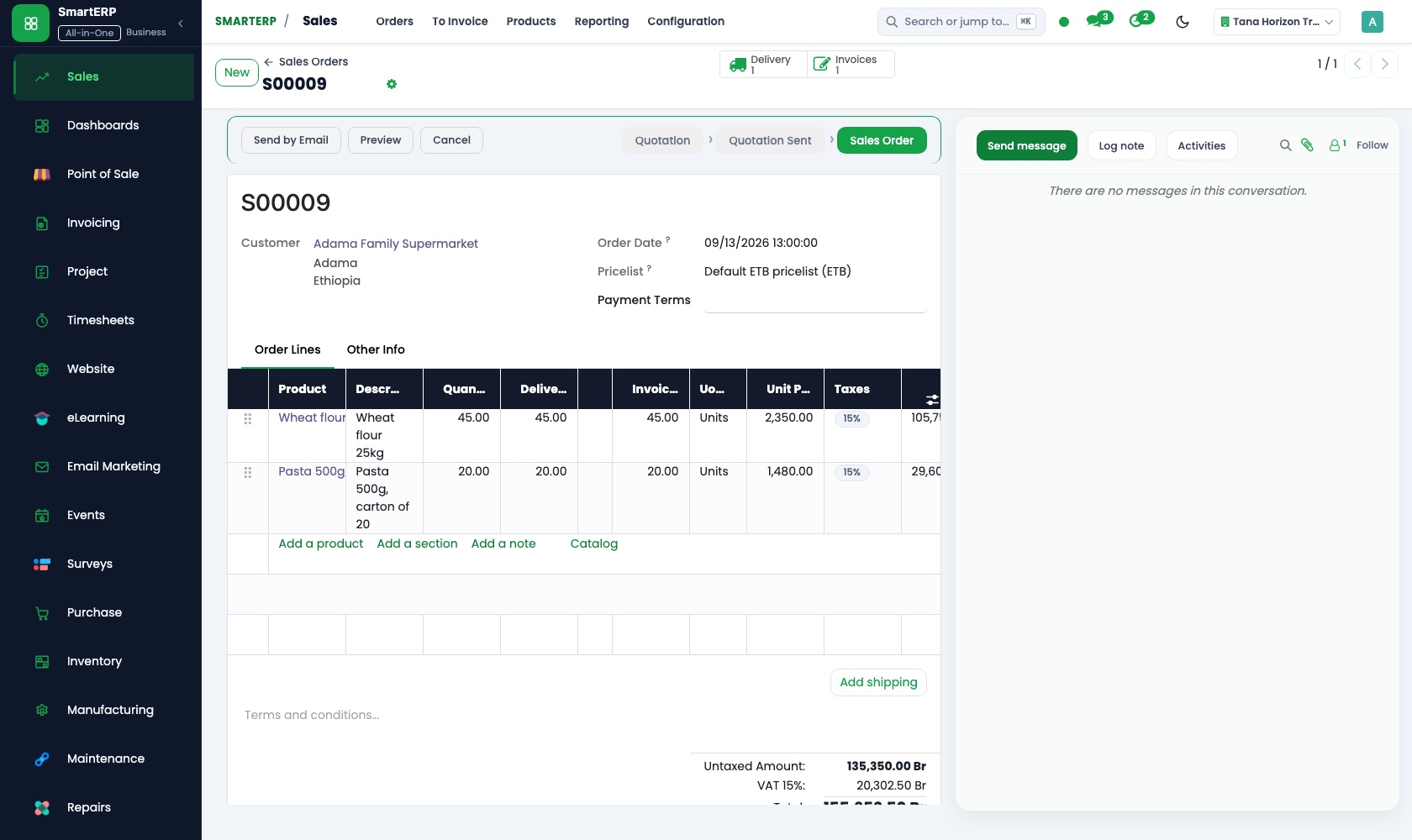
Once insurers reply, the agent builds a quotation showing the insurer's premium and the agency's own fee, and emails it. The quotation the customer accepts becomes the sales order, recording which cover was chosen.
Employees
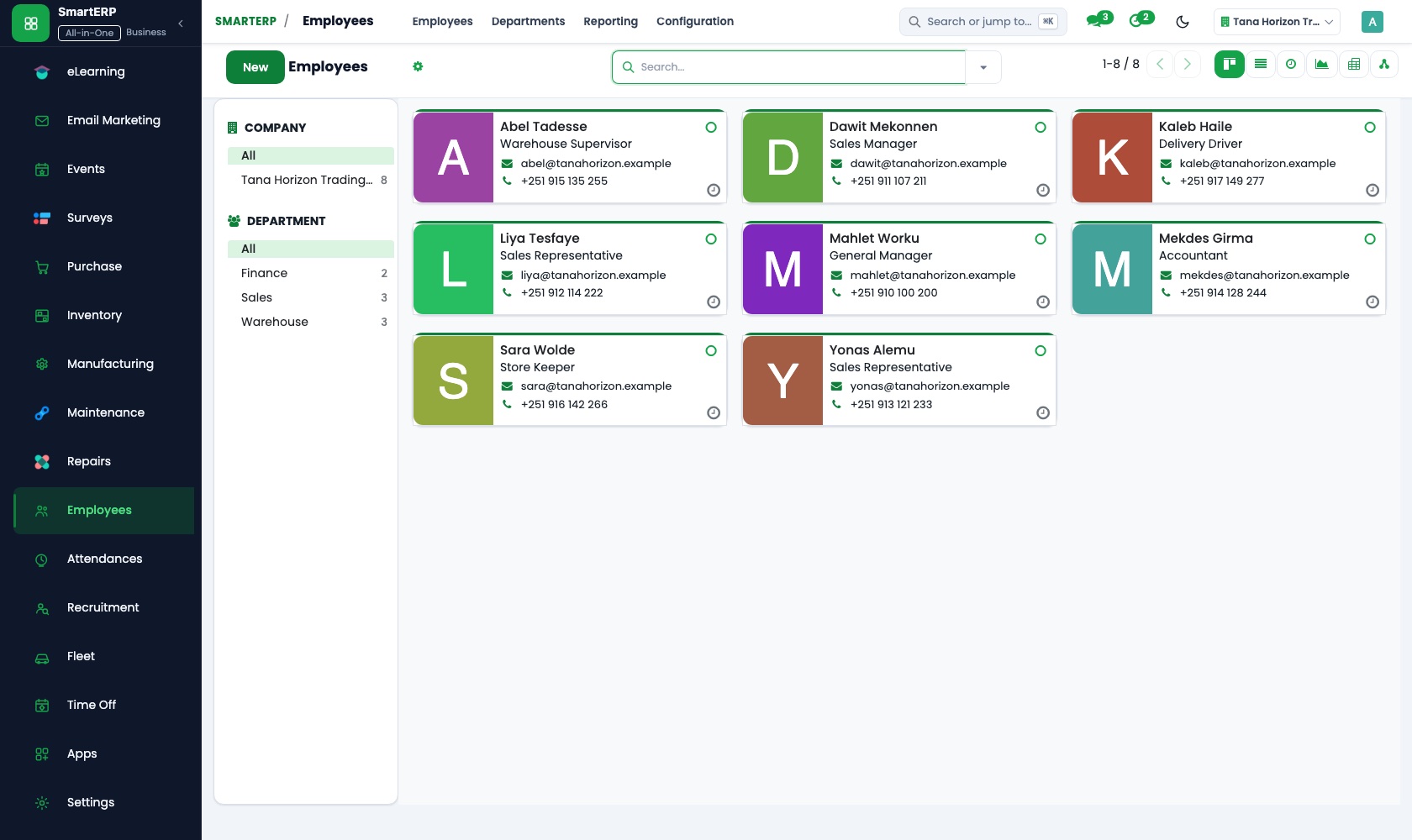
Agents, account handlers and back-office staff are listed in the employee directory with position, department and manager. The org chart shows who reports to whom; private details stay with the HR officer.
How the work runs on SmartERP
From a cover enquiry to an offer the customer accepts
A vehicle or shop owner asks for cover, insurers are asked to quote, the agency prepares an offer and records what was accepted.
- CRM: Leads and opportunities Record the vehicle or shop owner asking for cover and what needs protecting.
- CRM: Pipeline by stage Keep the enquiry moving through insurers asked, offer sent and accepted, so a waiting customer stands out.
- CRM: Quotations from opportunities Prepare the offer from the opportunity, showing the insurer's premium and the agency's own fee.
- Sales: Quotations and sales orders Confirm what the customer accepted, so the record shows which cover was chosen.
- Accounting: Customer invoices and credit notes Invoice the customer for the agency's fee and, where the agency collects it, the premium.
From a renewal reminder to a customer kept
A reminder falls due before cover ends, the customer is contacted, and the premium received is matched to them.
- CRM: Scheduled activities Set the renewal call weeks before cover ends, so the customer hears from the agency first.
- Calendar: Reminders The reminder lands on the account handler's day and links back to the customer's record.
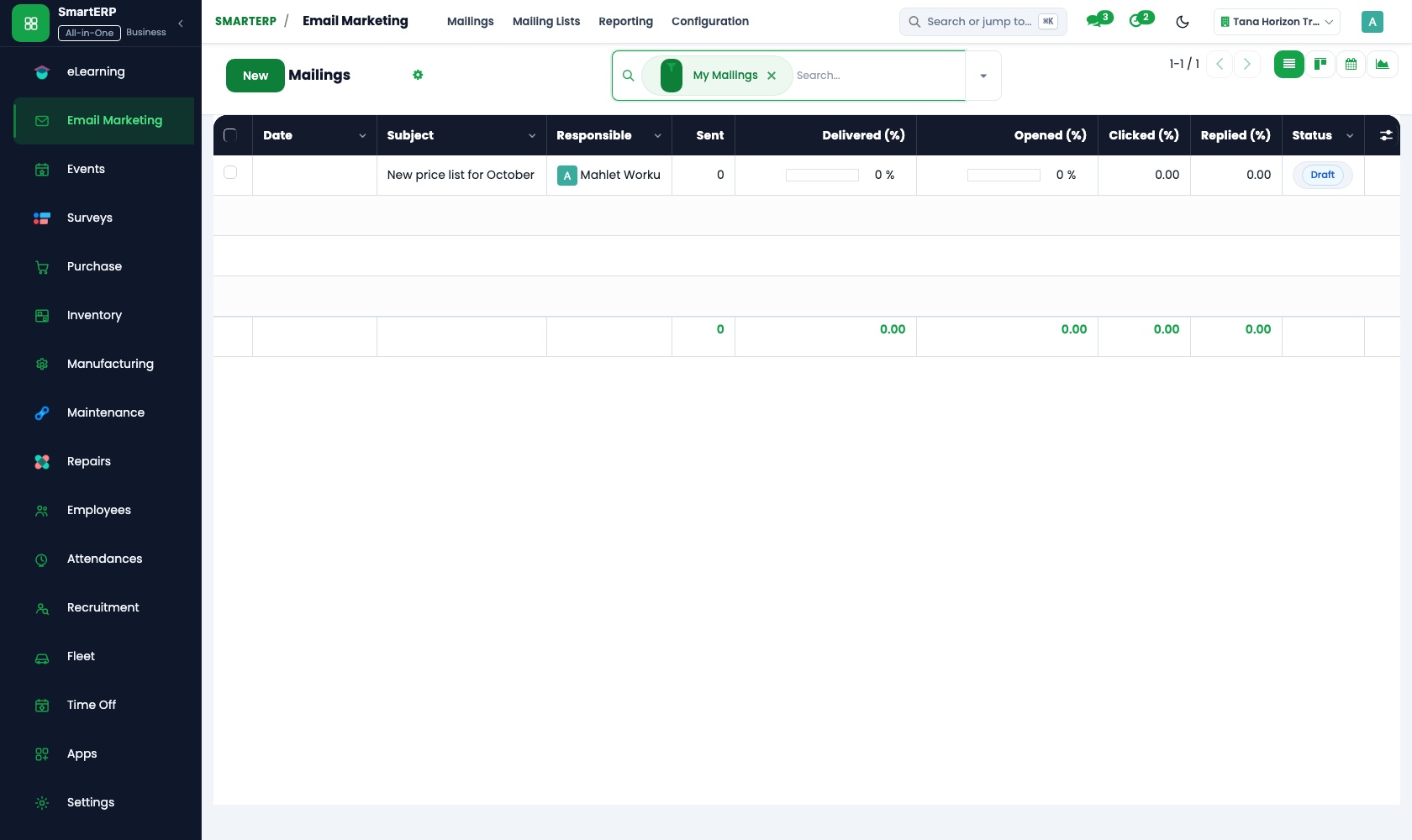
- Email Marketing: Mailings from templates Send a renewal notice from a template to customers who agreed to receive mail, with an unsubscribe link.
- Accounting: Bank and cash Match the premium the customer transferred, or paid over the counter, to the right invoice.
Your first month
- First week. We list the covers you sell, the insurers you use and your sales team, then load customers with the date each cover ends.
- Second week. Your accountant helps us set up the chart of accounts, the bank account and the fee items, and opening balances go in so the books begin from the real position.
- Third week. Agents practise the route from enquiry to accepted offer on real customers, with a scheduled renewal call. Finance matches a bank transfer and a counter payment to an invoice.
- After go-live. We look at the first renewals that fell due: which calls were made in time, which invoices are unpaid. Then we adjust pipeline stages and reminders.
What to have ready
- Your customer list with contact details and the date each cover ends
- The insurers you place business with and the kinds of cover you offer
- The fees you charge today, written the way you quote them
- Agents and staff with positions and who reports to whom
- Your accountant's opening balances and the bank account the agency uses
The applications on screen
Real SmartERP screens with sample data.
Who uses it
- Business owner or general managerSee the whole business and keep every department working on the same records.
- Finance and accountingInvoices, bills, bank and reports from one ledger.
- Sales and customer serviceLeads, quotations, orders and follow-up.
- Marketing and webWebsite, campaigns and events.
Company sizes
- Up to 10 people
- 11 to 50 people
What SmartERP does not cover for this industry
SmartERP has no policy administration, premium calculation, insurer connection or claims file. Policy terms and claims stay with the insurer; the agency records customers, quotations, follow-up dates and its own accounts.
Questions about SmartERP for insurance agency
Does SmartERP hold our customers' policies and claims?
No. SmartERP has no policy administration, premium calculation, insurer connection or claims file. Those stay with the insurer; the agency keeps customers, quotations, follow-up dates and its own accounts here.
Can the office be reminded before a customer's cover ends?
Yes. Set a scheduled activity in CRM for the renewal call. Calendar shows it in the account handler's day, linked to the customer's record.
How do an enquiry, an offer and an invoice stay connected?
An opportunity in CRM becomes a quotation in Sales, the confirmed order becomes an invoice in Accounting, and the bank entry is matched to it. Employees holds the people doing the work.
Can we send renewal notices to customers by email?
Yes, from Email Marketing. Build a mailing from a template and send it to a list or filtered group; recipients can opt out. Sending depends on your email domain and mail server.
Can renewal dates show in the Ethiopian calendar?
Not in the standard cloud service. Dates use the Gregorian calendar, so agree with your team how renewal dates are read before loading them.
See it before you decide
A renewal chased and paid for a fictional insurance agency
The walkthrough schedules a renewal call, sends the notice from a template to a customer who agreed to mail, and matches the premium received to the invoice, on sample data.
There is no self-service sandbox. The demo is a guided walkthrough on sample data, or you can start a trial workspace.
Pricing
This industry has no packaged edition yet. You can start on a per-user plan with the recommended applications, or ask for a quote. Current plans and prices are on the pricing page.
See plans and pricingA website for your business
SmartERP can also set up a starter website for this kind of business, offered as part of a website project: Home, Motor, Property & Business, Life & Health, Claims Help, Insurers We Work With, Get a Quote, Contact. How the website tools work.
Start with what your business needs first
Tell us your industry and we carry it through the guided set-up, or talk to us first.
Start SmartERP Book a demo