Sales
Procurement
Customer Relationship Management
Warehouse Management
Challenges Faced by Smart Trading Businesses
CompetitionInformation OverloadMarket VolatilityRegulatory Compliance
Why Choose Us for Your Trading Business?
Aspects of a well-run trading business
Strong logistical organization
Faster distribution
Dedicated operational methodology
Marketing that has been modernized
Fully functional inventory
Simple Sale Operation
Manage your sales activities with ease and specialized operation management and control tools.
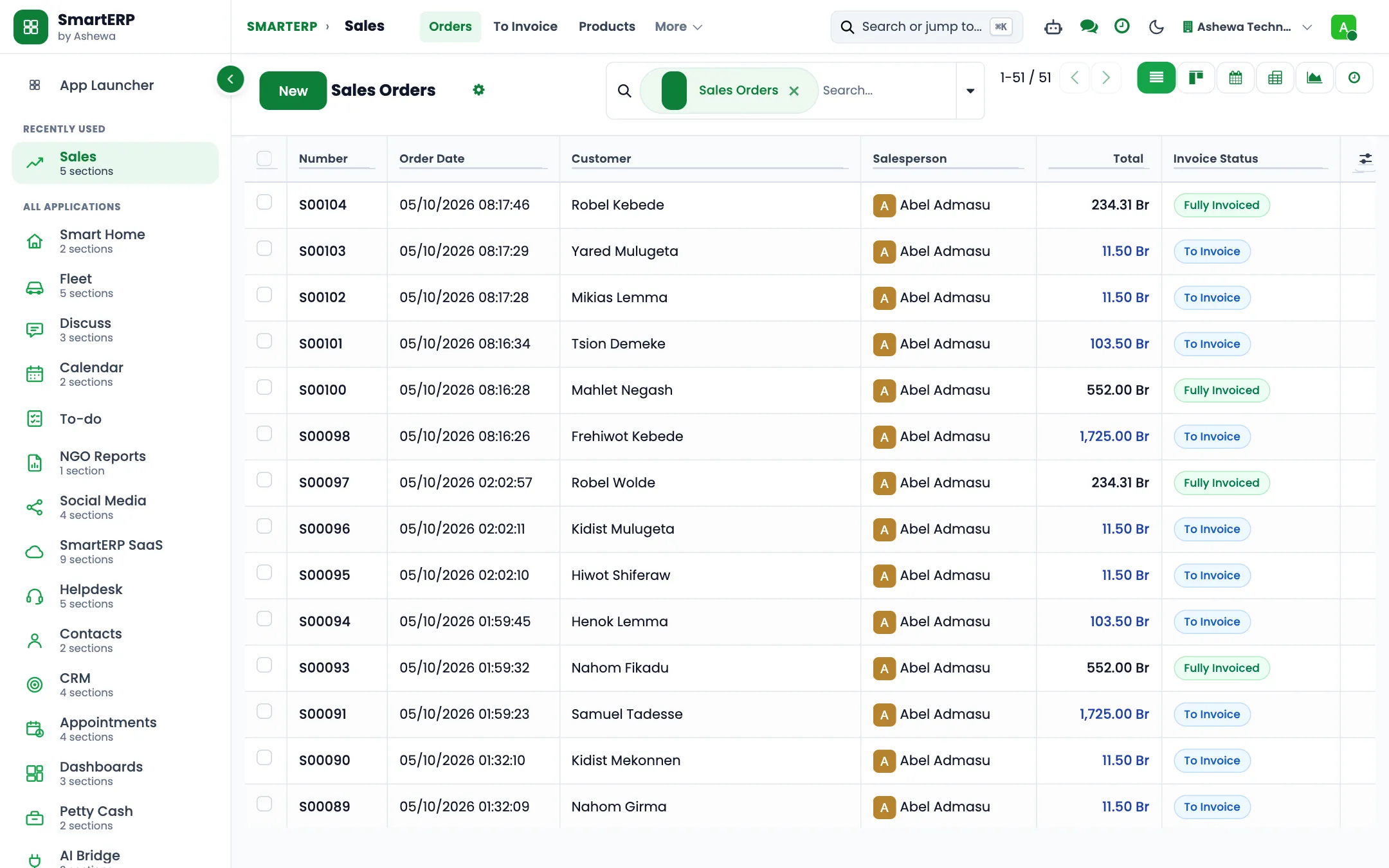
Manage E-commerce and retail sales
Ability to lock orders
Automated Sales Warnings
Complete Sales team Management
Draft Sales quotations
Well-structured Quotation templates
Send out Proforma Invoices
Define custom payment methodologies
Discounts and Coupons programs
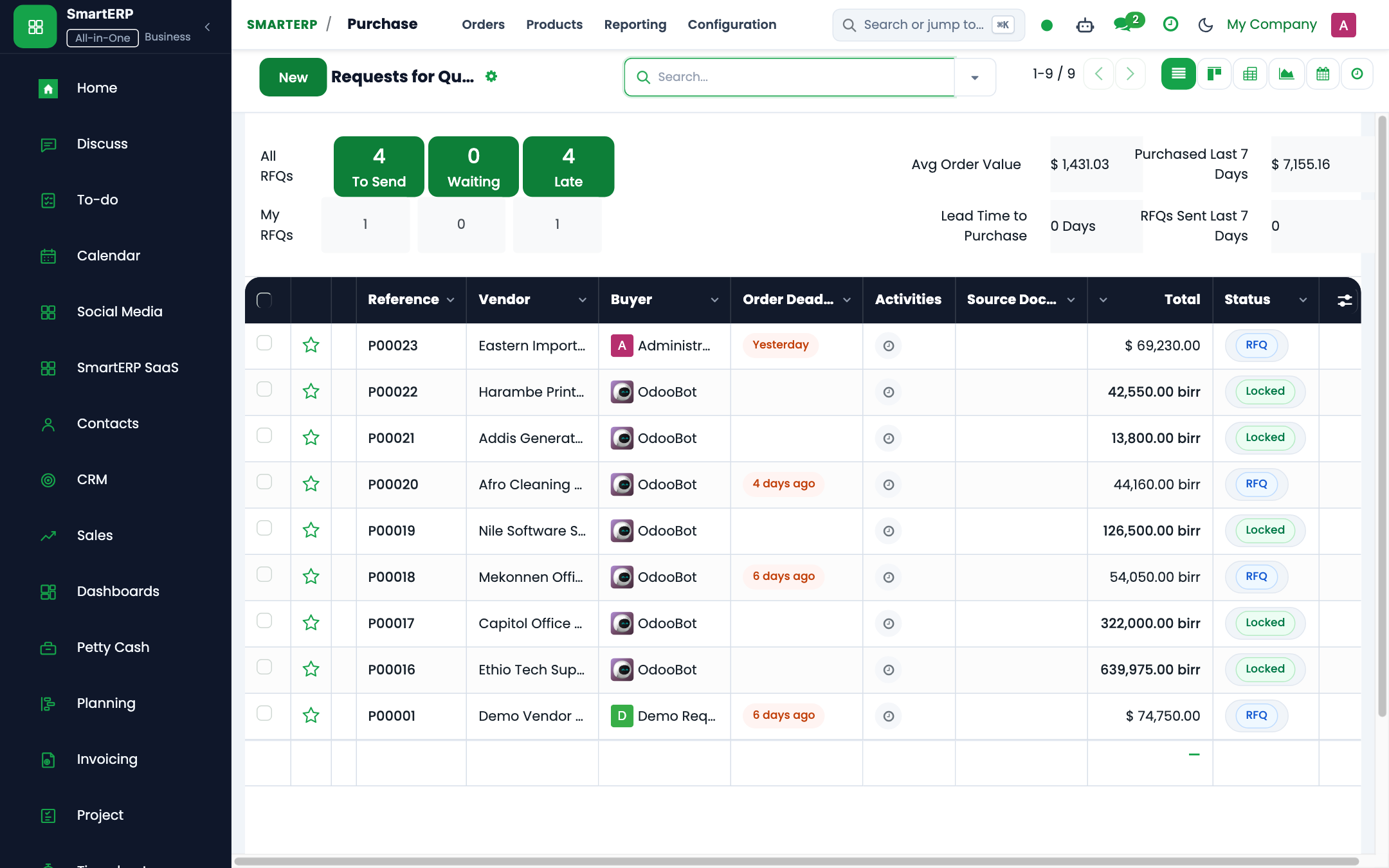
Product Procurement Administration
Manage buy operations from various suppliers at the same time based on your trading firm's requirements.- Draft & send out Purchase quotation
- Send out Request for Quotations (RFQ)
- Manage Multiple vendors
- Define charts of accounts
- Customizable Purchase agreements
- Create your own Product procurement rules
- Capability to run Drop-Shipping operations on products
- Approval and request management
- Warnings and process blocking
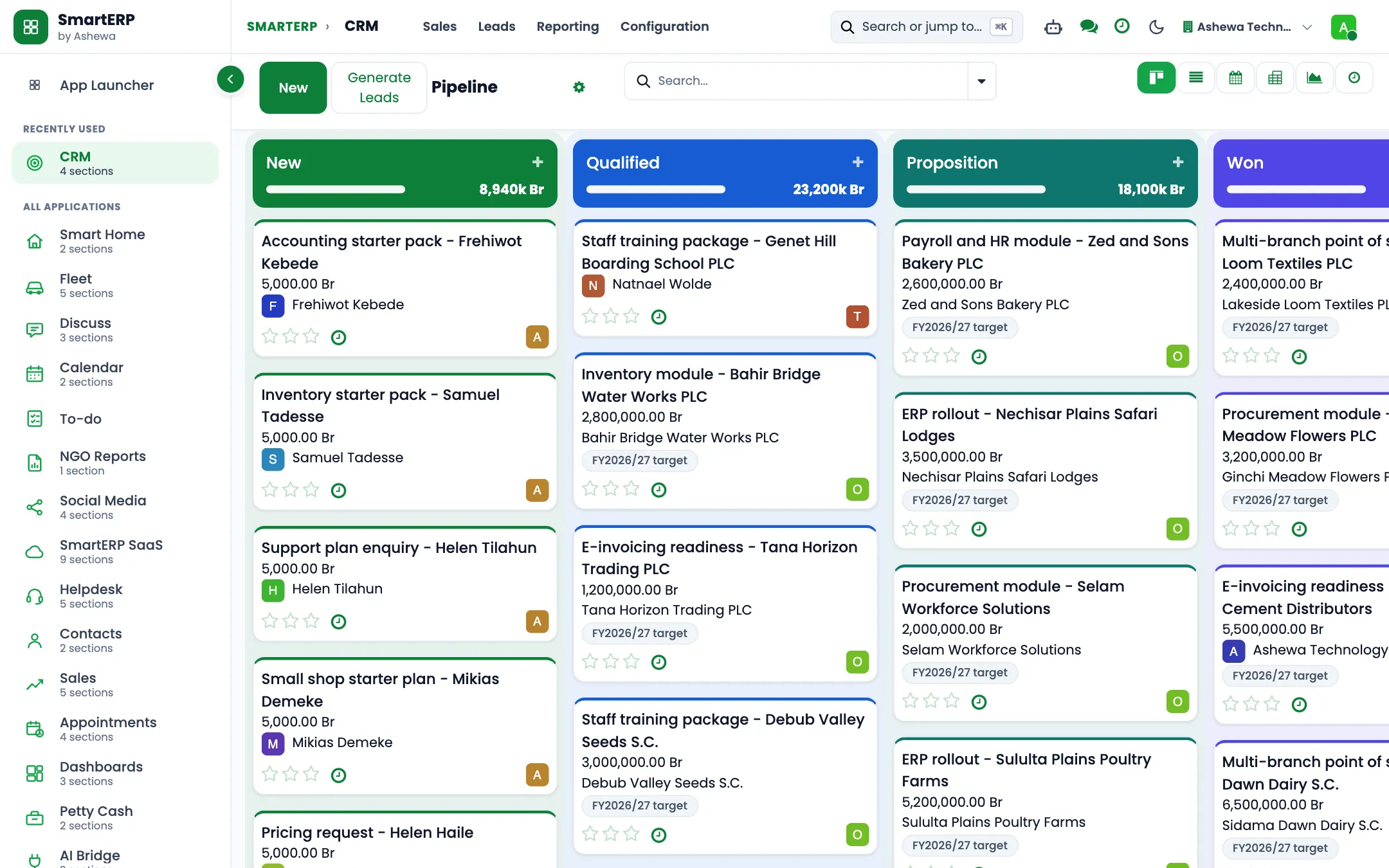
Improve Your Client Relationship Management Skills.
Bring in more clients by pursuing each lead and business opportunity with the support of the dedicated SmartERP customer relationship management approach.
Lead mining to extract lead information
Enrichment of lead obtain lead information online
Emails can be used to generate leads.
Leads, pipeline, and activity reporting
Website visitors' leads drive follow-up activity
Pipeline operation on a dedicated basis
Integration with the sales module
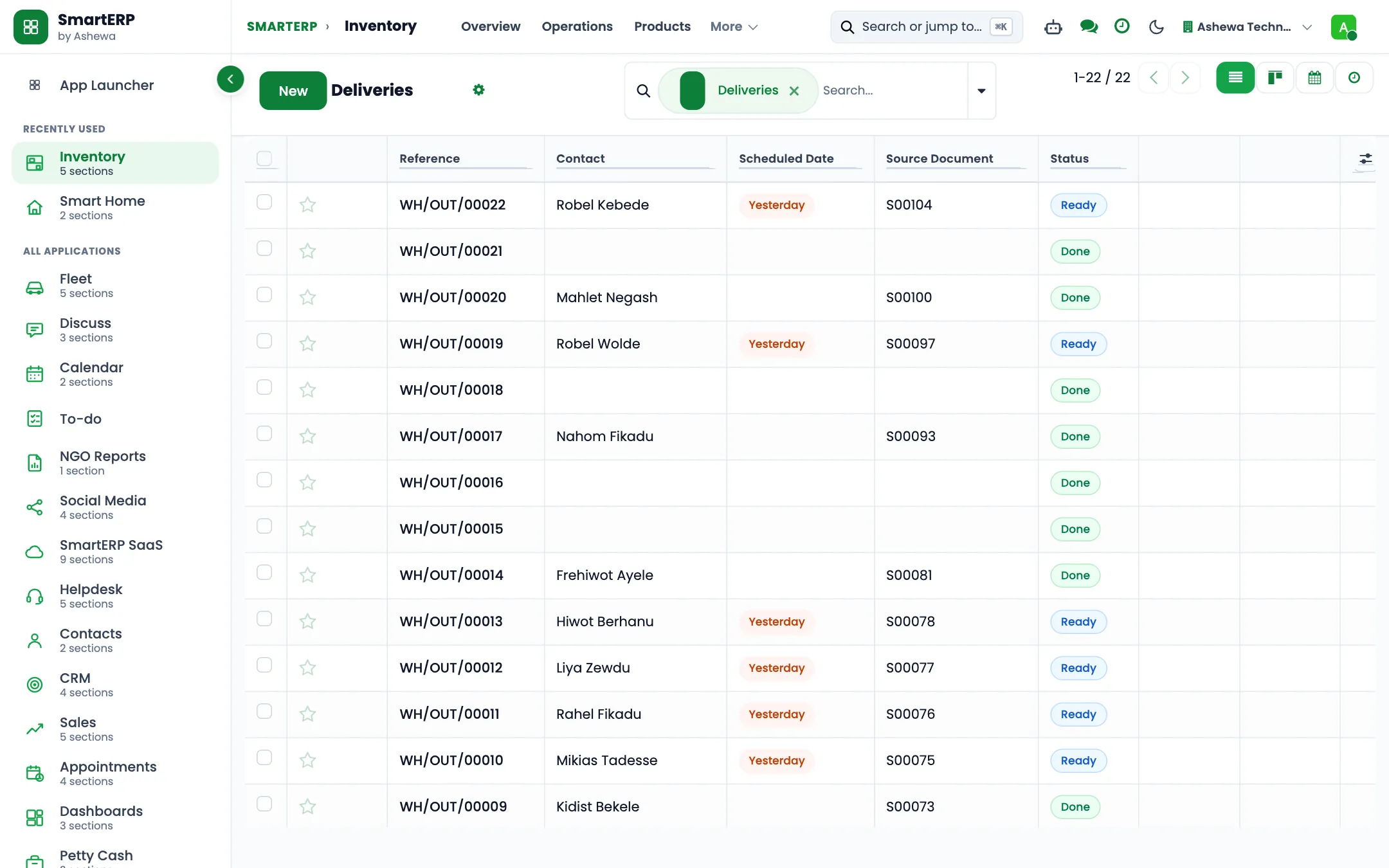
Complete Warehouse Management
The company's warehouse operations will be supported by a specialized inventory module of the SmartERP from the point of product movement until it is delivered to the customers.- Coordinate several warehouses
- Well-organized storage areas
- Batch picking to make product selection easier Product packages
- Product movement made simple with a barcode scanner
- SMS and email confirmation
- Connect several Shipping connectors.
- Tracking and tracing products using serial and missing numbers
- Define Product landed cost
- Run cross-docking procedures throughout the processing lead time
- Routes and standards for product movement
Cost Management
Track and analyze production costs, including material, labor, and overhead costs, to ensure profitability. Allocate costs to specific products or production orders for accurate cost accounting. Compare standard costs with actual production costs to identify variances and improve cost controlReporting and Analytics
Generate detailed reports on production performance, including efficiency, yield, and downtime. Analyze production costs with customizable reports to identify cost-saving opportunities. Create custom dashboards to monitor key performance indicators (KPIs) and manufacturing metrics in real time.The industry
A trading company lives between supplier terms and customer promises
- Quotes are made from memory and spreadsheets.
- Nobody is sure what is in which warehouse.
- Unpaid customer invoices are found by asking around.
- Supplier prices change and old quotes are still sent.
SmartERP customers in this sector: AM Import and Export (AM Motors), Aforo Trading PLC. All customers
How the work flows
From the first step to the management dashboard
From the first enquiry to the paid invoice, and from the supplier to the shelf, every step is on one record, so the order, the stock and the invoice agree.
In the product
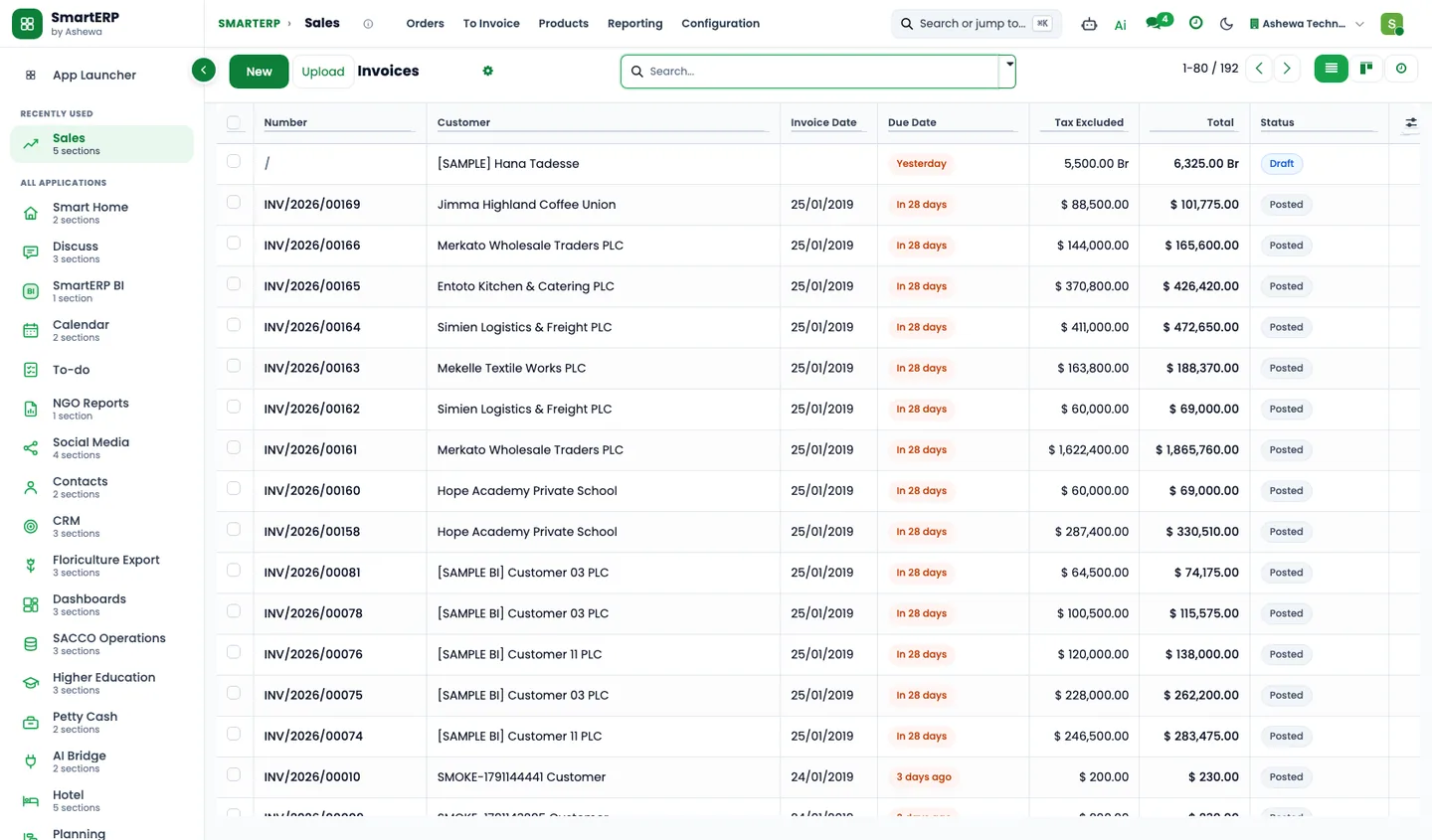
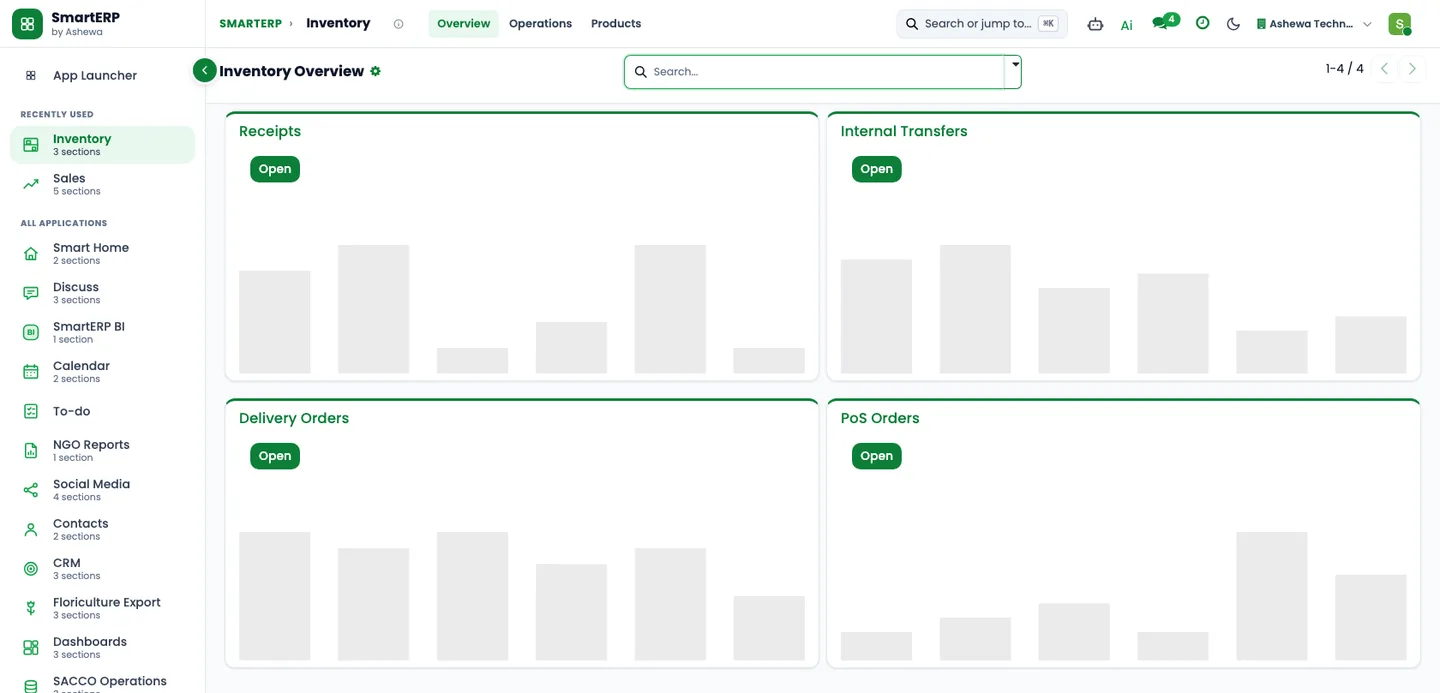
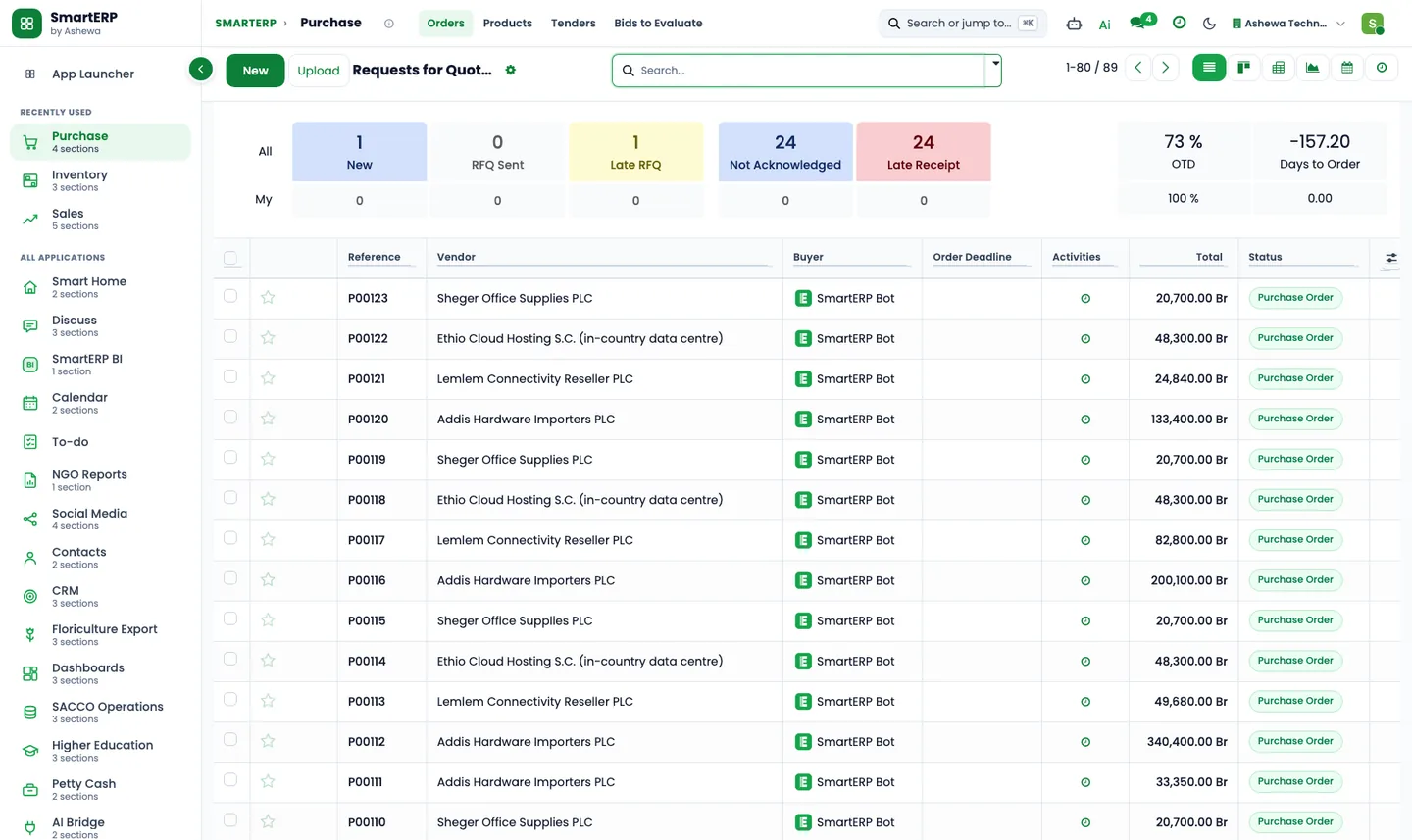
A real SmartERP screen for this work
Captured from a running SmartERP system. Every company, person and figure shown is invented sample data.
Beyond a generic ERP
What goes further for this industry
Freight management
Coming soon
Quotation to booking for forwarding work. Not offered yet.
Commission and incentives
Coming soon
Sales commission and incentive tracking. Not offered yet.
Withholding tax at payment
Coming soon
Apply withholding tax when a payment is made. A prototype.
Management visibility
What management sees
Sales by customer and product, stock by warehouse, and outstanding invoices, read from the same records as the orders.
What changes
The outcome, without invented numbers
- Every quote starts from current prices and stock.
- Receivables are visible without asking.
- Stock and sales never disagree because they are one record.
Not included: Import and customs document handling is not a standard module; it is scoped as customization.
Built for you
Who this solution is for
Owner-managed trading houses, import traders and sourcing agents with a small team that buy goods from local and overseas suppliers for contractors, hotels and institutions and add a margin of their own.
Typical size: up to 10 people, 11 to 50 people.
How it works
Your work, step by step in SmartERP
The routine of this industry, followed from the first step to the money in the bank.
From a buyer's request to a written offer
- The sales officer logs the buyer's request as an opportunity with the items wanted, the delivery date given and a named owner.
- The sourcing officer sends a request for quotation to each supplier, local and overseas, for the same list of items.
- Each supplier's reply is entered on that supplier's request, so every price quoted for the buyer's list is on record.
- The opportunity becomes a quotation in which the sales officer sets the selling price above the supplier price chosen.
- When the buyer accepts, the quotation is confirmed as a sales order, so buying starts against an agreed request.
From supplier delivery to buyer invoice and payment
- The sourcing officer confirms a purchase order with the chosen supplier for the quantity the buyer accepted.
- The storekeeper records what actually arrived in a receipt, with any shortage, and then the handover to the buyer or the buyer's transporter in a delivery.
- Finance invoices the buyer at the offer price; a credit note covers any part of the delivery that is refused.
- Finance matches the buyer's transfer or cash payment to the invoice, in whichever account received it.
- Finance registers the supplier's bill against the order and pays it once the buyer's money is in.
Goods held between receipt and handover
- The storekeeper receives the goods into the location for held goods and notes on the receipt the buyer they were bought for.
- The weekly held goods check compares what waits in the store with the confirmed orders it belongs to.
- The delivery to the buyer takes the goods out of the store, so a shortage is recorded when it is found.
Reviewing what a trade earned
- After the delivery the owner opens the sales order and the purchase orders of the trade.
- The owner compares the price paid per item, plus transport, with the price sold per item and notes the difference.
- The follow-up activity Margin review after delivery records what to change in the next offer.
In the product
The core applications it runs on
Real SmartERP screens with sample data: every company, person and figure shown is invented.
Who uses it
Each person sees their own work
- General manager
- Sales officer
- Sourcing officer
- Storekeeper
- Finance officer
Access follows the role: people see and change only what their job needs.
What you can follow
Figures management asks for
- Open requests by pipeline stage (Sales officer)
- Sales by buyer (Sales officer)
- Purchases by supplier (Sourcing officer)
- Goods held in the store (Storekeeper)
- Unpaid buyer invoices (Finance officer)
- Supplier bills still to pay (Finance officer)
- Margin by product (General manager)
- Margin per trade (General manager) On request
Documents
Printed and shared from the system
- Quotation / order
- Customer invoice
- Credit note
- Purchase order / request for quotation
- Delivery slip
- Quotation in Amharic Coming soon
What you get
What is included, and what comes next
Included from day one
- Supply categories, a starter item list and transport and handling services
- Follow-up activities for buyer requests, supplier quotes and held goods
- Buyer and supplier tags
- Pipeline stages for buyer requests
- Sourcing, sales desk, store and finance departments and job positions
- Lost reasons and lead sources, so reports show why deals are lost and where they come from
- Approval workflows by job position, applied where SmartERP Approvals is installed, with no amount limits
- A storage location for held goods and discounts on order lines
What comes next Coming soon
- Landed cost of freight and duties spread over the items
- A sheet that compares supplier quotes line by line
Available on request
- A margin report for each trade
Delivered through implementation for your business.
What this solution does not do
shipment tracking and customs clearance; storage of scanned paperwork; foreign-exchange payments to overseas suppliers; invoice submission to the tax authority; the Ethiopian VAT invoice layout; mobile-wallet payments; payroll and pay slips. For these, SmartERP works next to other specialised software or a manual process; ask us how.
SmartERP for trading and distribution
Applications, pricing and next steps
Applications
Start with these applications
The starting set of the Trading and Distribution industry edition (required and recommended applications).
Pricing
Industry edition: Trading and Distribution
An industry edition bundles the applications this industry typically uses, priced per company per year. Pricing by application and user per year is the alternative.
Related sectors
Services for your rollout
Quick Service Request