SmartERP Wholesale Management
Work Effortlessly on Your Key Operations with SmartERP for Wholesale Management.
In today's competitive wholesale market, efficient management is key to success. Our SmartERP solution offers features like inventory management, purchase order management, sales order management, customer relationship management, and financial management to optimize operations, reduce costs, and enhance customer satisfaction.
Complete Maintenance Management
Quality Control
Inventory Management
Cost Management
Reporting and Analytics
Challenges Faced by Wholesale Businesses
Inventory Management
IssuesQuality Assurance
ProblemsData FragmentationCost Control
DifficultiesOrder Fulfillment
Delays
Why choose SmartERP Wholesale?
Complete Coverage of Wholesale Support
Meets all industry needs.Flexible Deployment
Adaptable to various business requirements.Great Value for the Company
Low implementation cost and easily scalable.Customizable
Tailored to specific business needs.Complete Maintenance Management
Tracks and schedules maintenance activities for equipment and systems to ensure operational efficiency.Preventive Maintenance
Schedules and performs routine maintenance to prevent equipment failures.Corrective Maintenance
Manages repairs and corrections when equipment issues occur.Maintenance Scheduling
Plans and organizes maintenance tasks to minimize disruption to operations.Work Order Management
Creates, assigns, and tracks maintenance work orders for efficient execution.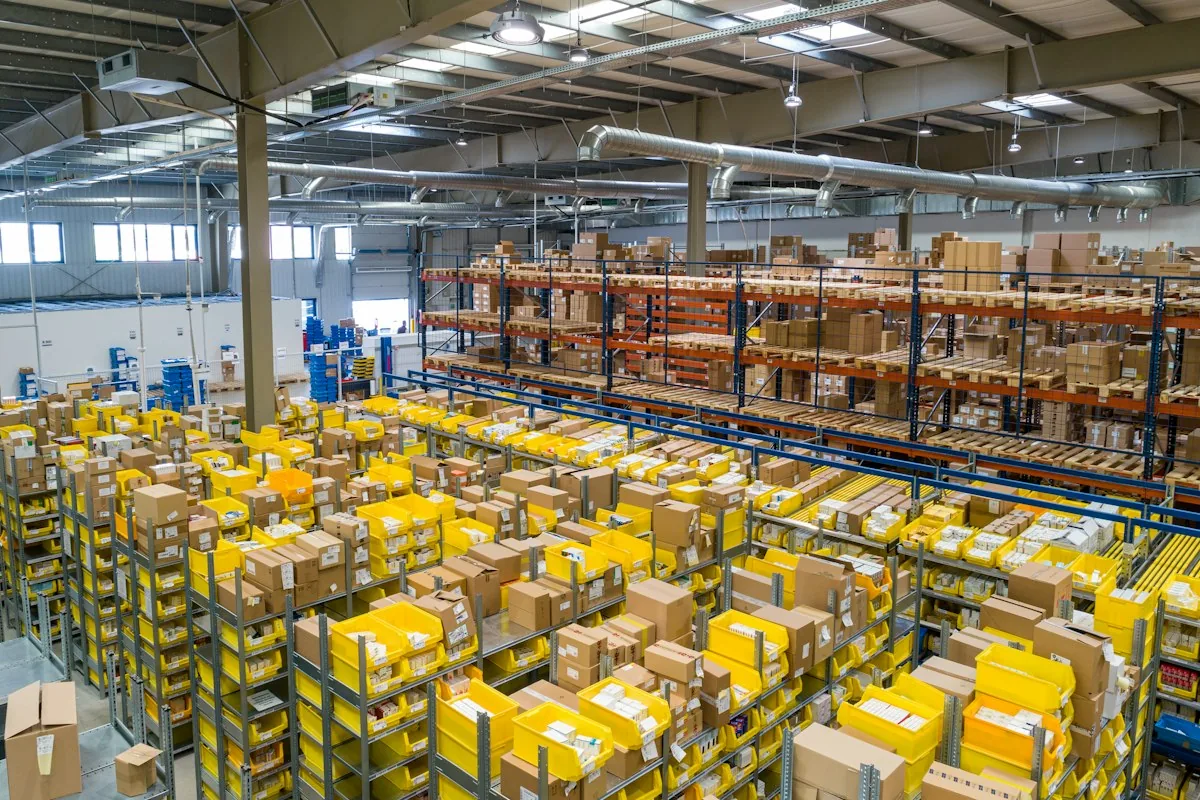
Quality Control
Ensures that products meet specified quality standards through rigorous testing and inspection processes.
Defect Tracking
Records and analyzes defects to improve quality and reduce returns.Quality Inspection
Conducts inspections at various stages of the supply chain to ensure product quality.Compliance Checks
Verifies that products comply with industry standards and regulations.Quality Reporting
Provides reports on quality metrics to support continuous improvement.Well-Defined Inventory Management
Optimizes the management of inventory levels, movements, and locations to ensure stock accuracy and availability.Inventory Tracking
Monitors inventory levels and movements to maintain accurate stock records.Automated Replenishment
Automatically triggers reorder processes when stock levels fall below predefined thresholds.Location Management
Manages inventory across multiple locations and warehouses for efficient storage.Inventory Valuation
Provides accurate valuation of inventory based on various methods such as FIFO, LIFO, or weighted average.Cost Management
Monitors and controls costs associated with wholesale operations to enhance profitability and efficiency.
Cost Analysis
Identifies cost-saving opportunities through detailed cost analysis and reporting.Cost Tracking
Records and analyzes costs related to procurement, storage, and distribution.Budget Management
Helps in setting and managing budgets for various wholesale activities.Expense Reporting
Provides insights into expenses related to wholesale operations for better financial management.Reporting and Analytics
Offers comprehensive reporting and analytics tools for data-driven decision-making and performance evaluation.Performance Dashboards
Displays real-time key performance indicators (KPIs) and metrics for wholesale operations.Custom Reports
Enables the creation of tailored reports to address specific business needs and objectives.Data Visualization
Utilizes charts and graphs to present data in an easily digestible format.Trend Analysis
Analyzes historical data to identify trends and make informed business decisions.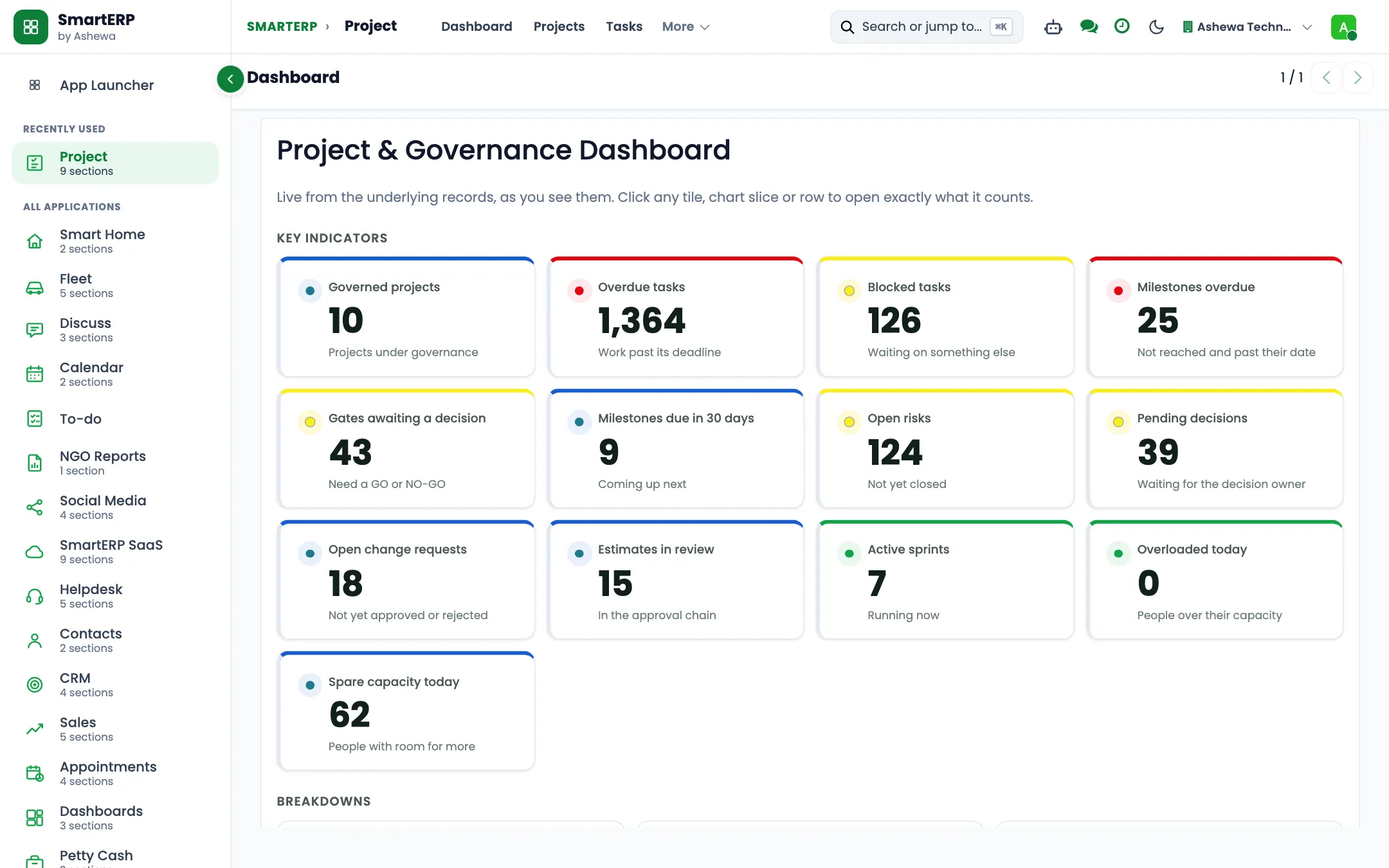
The industry
A trading company lives between supplier terms and customer promises
- Quotes are made from memory and spreadsheets.
- Nobody is sure what is in which warehouse.
- Unpaid customer invoices are found by asking around.
- Supplier prices change and old quotes are still sent.
SmartERP customers in this sector: Aforo Trading PLC. All customers
How the work flows
From the first step to the management dashboard
From the first enquiry to the paid invoice, and from the supplier to the shelf, every step is on one record, so the order, the stock and the invoice agree.
In the product
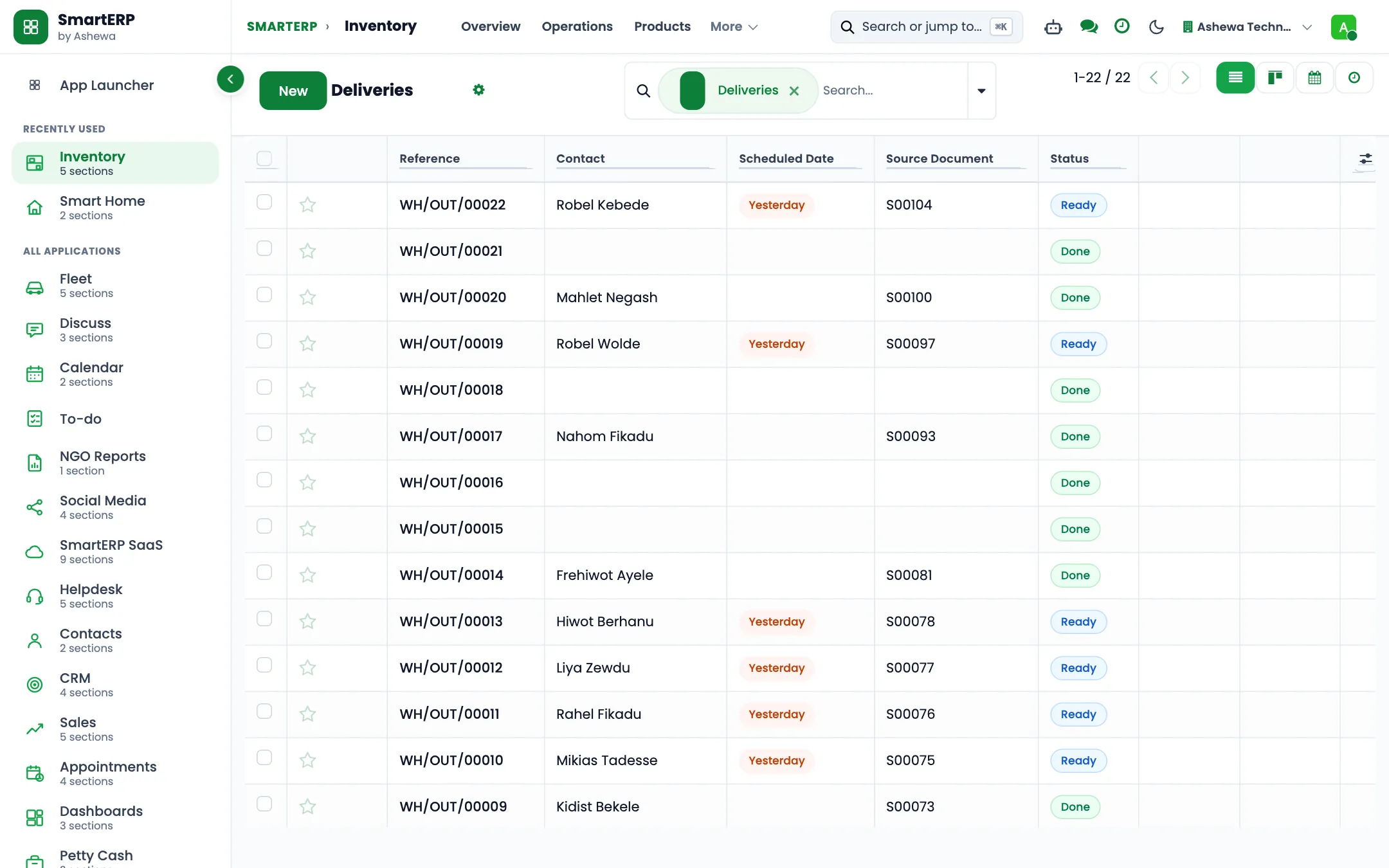
A real SmartERP screen for this work
Captured from a running SmartERP system. Every company, person and figure shown is invented sample data.
Beyond a generic ERP
What goes further for this industry
Freight management
Coming soon
Quotation to booking for forwarding work. Not offered yet.
Commission and incentives
Coming soon
Sales commission and incentive tracking. Not offered yet.
Withholding tax at payment
Coming soon
Apply withholding tax when a payment is made. A prototype.
Management visibility
What management sees
Sales by customer and product, stock by warehouse, and outstanding invoices, read from the same records as the orders.
What changes
The outcome, without invented numbers
- Every quote starts from current prices and stock.
- Receivables are visible without asking.
- Stock and sales never disagree because they are one record.
Not included: Import and customs document handling is not a standard module; it is scoped as customization.
Built for you
Who this solution is for
Owner-managed wholesalers, distributors and cash-and-carry depots with one or a few warehouses that sell by the carton or sack to shops and restaurants on trade terms and restock from importers and producers.
Typical size: 11 to 50 people, 51 to 100 people.
How it works
Your work, step by step in SmartERP
The routine of this industry, followed from the first step to the money in the bank.
From a shopkeeper's order to a route delivery
- The counter salesperson applies the shop's price list and any carton discount agreed with it instead of quoting from memory.
- The order taken at the counter or by phone is entered and confirmed, so the warehouse sees it at once.
- The storekeeper prepares the delivery from warehouse stock, in cartons or sacks, for the morning delivery or for collection at the counter.
- Finance invoices what was actually handed over; a credit note covers cartons the shop sends back.
Collecting what trade accounts owe each week
- Sales lists the deliveries that left the warehouse and are not yet invoiced before the week closes.
- Finance issues the missing invoices and records credit notes for damaged or returned crates.
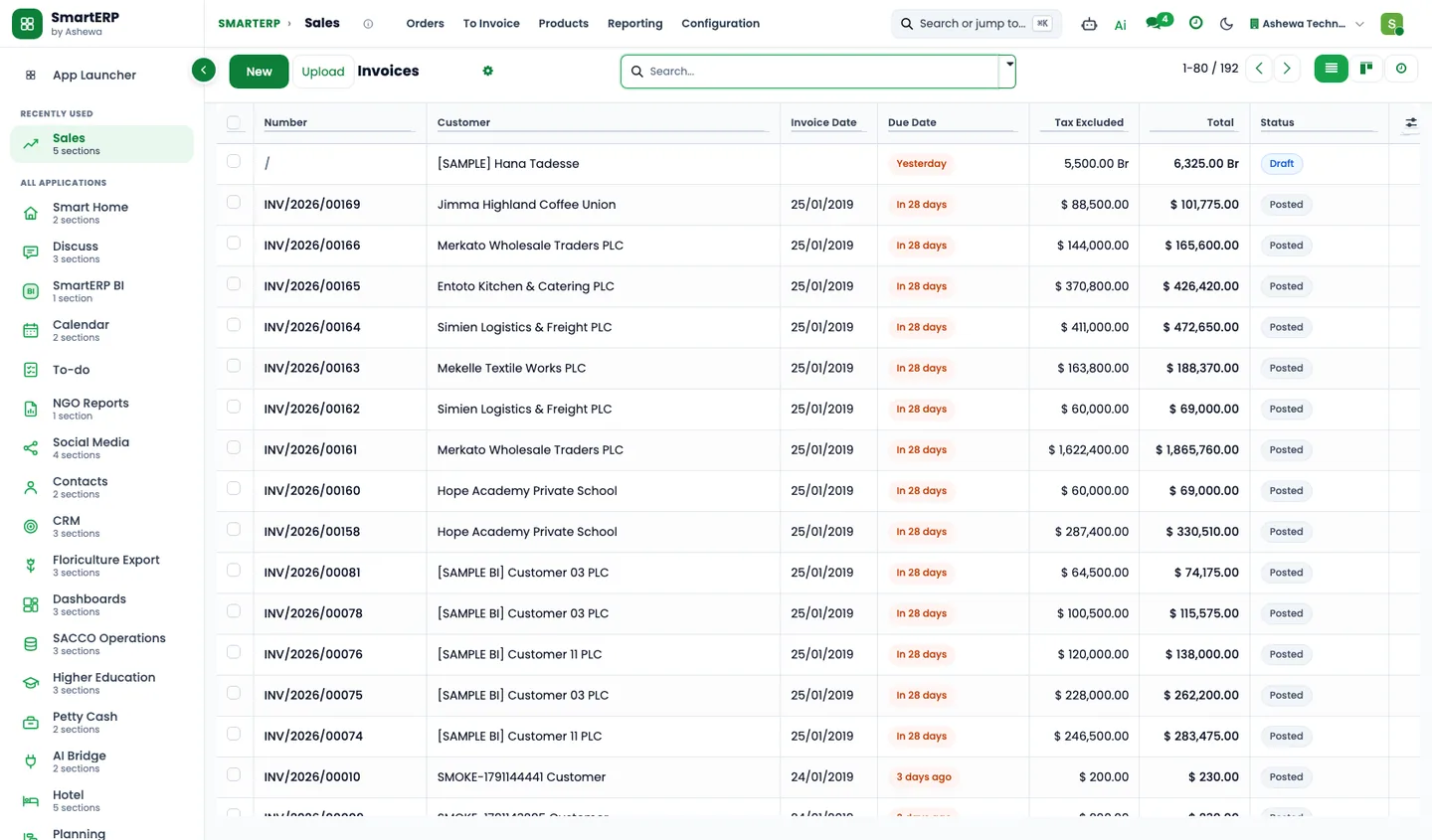
- Finance lists the unpaid invoices past their due date, grouped by customer, from the invoice list.
- Each account with a late balance gets a scheduled call or visit from its named salesperson.
- Finance matches counter cash and customers' bank transfers to the open invoices.
Restocking a fast mover from the supplier
- A reordering rule flags a fast mover when its warehouse stock falls below the minimum.
- The procurement officer asks the importer or producer for a quotation and confirms a purchase order in cartons or sacks.
- The storekeeper receives the delivery by carton count and compares it with the order and the supplier's paper bill.
- Finance enters the vendor bill against the order and schedules the payment.
Opening an account for a new shop
- A salesperson logs a new kiosk or minimarket as an opportunity and plans the first visit.
- The trade tier and carton discount agreed with the shop are recorded on its price list and its contact.
- The first order is confirmed, delivered and invoiced; the shop then joins the weekly visit list.
In the product
The core applications it runs on
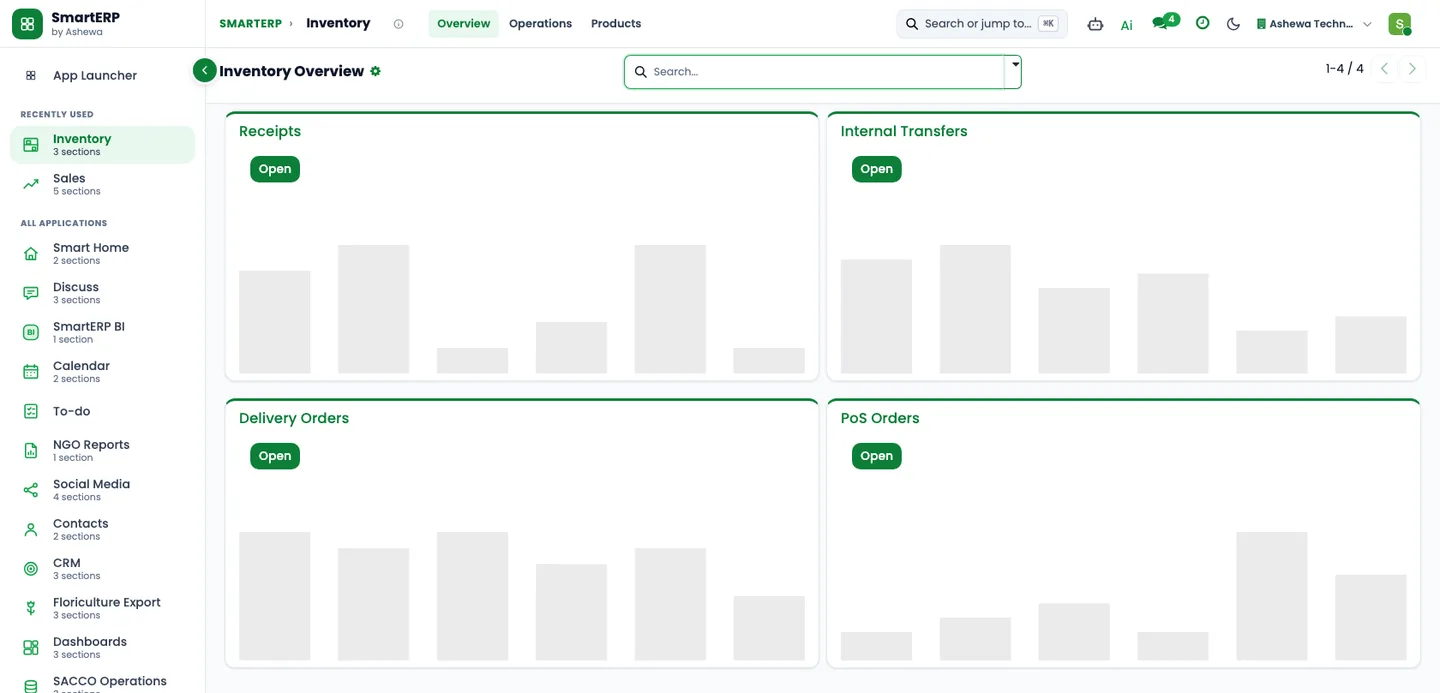
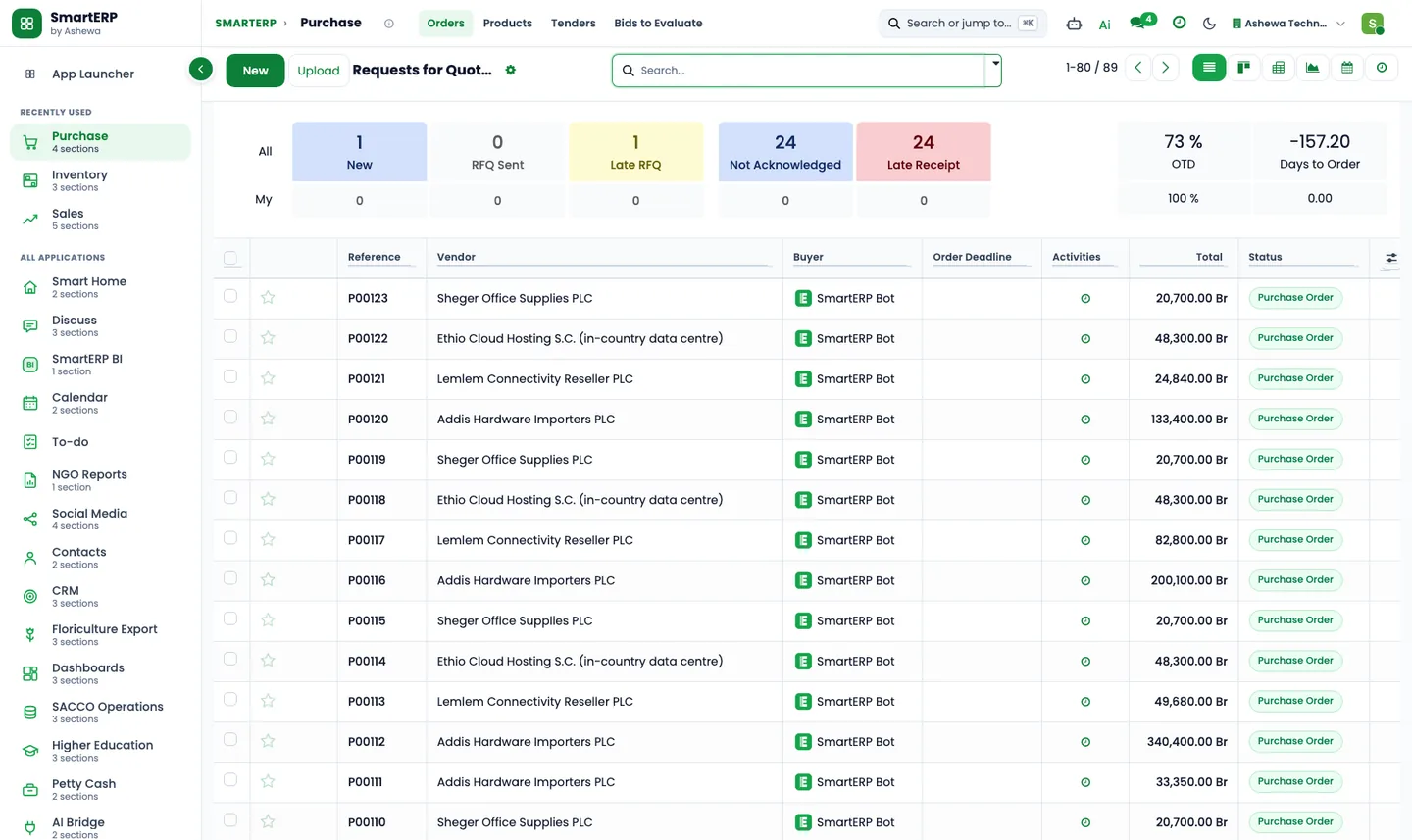
Real SmartERP screens with sample data: every company, person and figure shown is invented.
Who uses it
Each person sees their own work
- Counter or visiting salesperson
- Distribution manager
- Storekeeper
- Procurement officer
- Accounts receivable officer
- Delivery driver
Access follows the role: people see and change only what their job needs.
What you can follow
Figures management asks for
- Sales by shop account (Counter or visiting salesperson)
- Fast movers by product (Distribution manager)
- Stock on hand by product and bay (Storekeeper)
- Purchases by supplier (Procurement officer)
- Items below their reorder level (Procurement officer)
- Delivered but not yet invoiced (Accounts receivable officer)
- Overdue invoices by customer (Accounts receivable officer)
- Customer balances aged by days overdue (Accounts receivable officer) On request
Documents
Printed and shared from the system
- Quotation / order
- Customer invoice
- Credit note
- Delivery slip
- Purchase order / request for quotation
- Quotation in Amharic Coming soon
What you get
What is included, and what comes next
Included from day one
- Trade categories and a starter list of carton and sack items
- Weekly collection, visit and stock follow-up activities
- Trade-account and supplier tags
- Pipeline stages for new shop accounts
- Warehouse, sales and accounts departments and job positions
- Lost reasons and lead sources, so reports show why deals are lost and where they come from
- Approval workflows by job position, applied where SmartERP Approvals is installed, with no amount limits
- Warehouse locations, price lists, line discounts, units of measure and packagings
What comes next Coming soon
- Credit limits set on shops by the pack
Available on request
- Customer balances aged by days overdue
Delivered through implementation for your business.
What this solution does not do
delivery route planning; van and driver tracking; an ordering app for shopkeepers' phones; van sales and order taking on a phone; automatic payment reminders to late accounts; link to a fiscal cash machine; barcode app for receiving and stock counts; mobile-wallet payments; payroll and pay slips. For these, SmartERP works next to other specialised software or a manual process; ask us how.
SmartERP for wholesale
Applications, pricing and next steps
Applications
Start with these applications
The starting set of the Trading and Distribution industry edition (required and recommended applications).
Pricing
Industry edition: Trading and Distribution
An industry edition bundles the applications this industry typically uses, priced per company per year. Pricing by application and user per year is the alternative.
Related sectors
Services for your rollout
Quick Service Request