Student and parent self-service portal
Responsive self-service portal for guardians and students: timetable views, live grade books, attendance records, school announcements, and online fee payments.
1. Overview & Business Value#
This comprehensive operational guide details the architecture, business workflows, configuration parameters, and execution steps for Student and parent self-service portal within SmartERP.
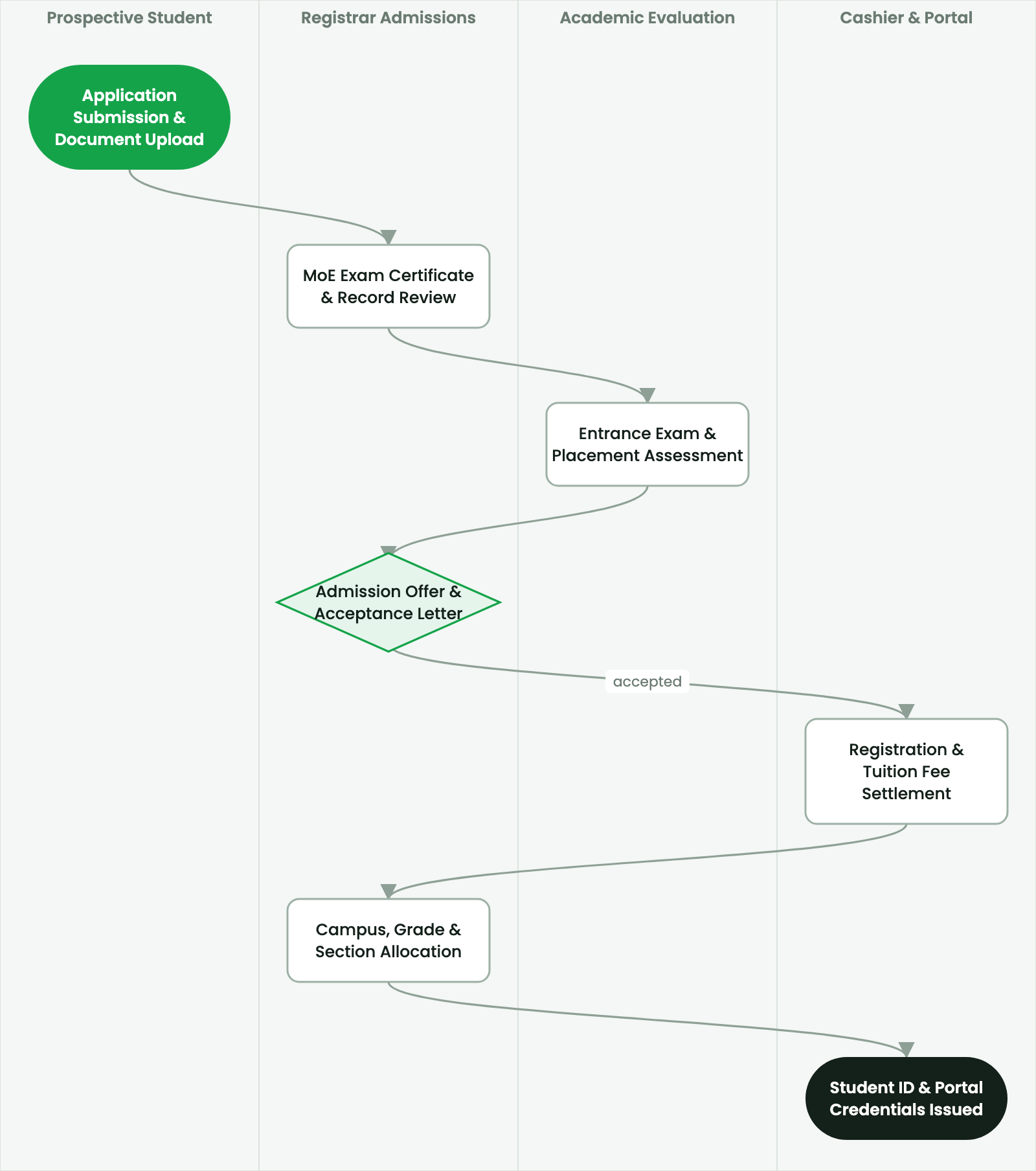
SmartERP School Portal (smarterp_school_portal) extends student records and academic information to parents, guardians, and students via a secure, mobile-optimized web portal accessible from any smartphone or browser.
2. Prerequisites & Security Access Groups#
- Required Modules:
smarterp_school, smarterp_academic - Security Groups:
Teacher / Instructor(Technical ID:smarterp_school.group_school_teacher)Academic Registrar(Technical ID:smarterp_school.group_school_registrar)Principal / Headmaster(Technical ID:smarterp_school.group_school_manager)
- Master Data Dependencies: Academic grade levels (Primary, Middle, Secondary), curriculum syllabus, examination schedules, fee structures, and guardian records.
3. Step-by-Step Configuration & Execution#
Step 1: Navigating to the Interface#
- Log into your SmartERP instance at
https://smarterp.et/odoo. - Open the main App Switcher (grid icon in the top-left corner).
- Navigate to School → Admissions.
Step 2: Operational Data Parameters & Controls#
Ensure all mandatory parameters comply with enterprise operational standards:
- Authorized Operator: Action executed under assigned RBAC permissions (School Principal, Academic Secretary, Registrar).
- Relational Integrity: Linked to upstream master records, approval requests, or transactional ledgers.
- Statutory & Quality Controls: Verified against Ethiopian statutory regulations and corporate governance standards.
Step 3: Operational Execution & State Progression#
- State Progression Gate: Advance record from Draft through Audited to Confirmed / Certified.
- Integrated System Impact: Automatically updates real-time operational states and posts financial/inventory journal moves.
- Audit Verification: System registers tamper-evident audit records logging user ID, timestamp, and cryptographic transaction digests.
Portal security and guardian child isolation#
To protect student privacy and comply with child data protection standards:
- Server-Side Record Rules: Strict Odoo record rules ensure that an authenticated parent can only view data belonging to children where they are formally registered as an authorized guardian in
smarterp_school_student. - Multi-Child Switching: Guardians with multiple children in the school can seamlessly toggle between student profiles within the same portal session.
Core portal capabilities#
- Academic Timetable & Schedule: Real-time weekly timetable showing subjects, start times, classrooms, and assigned teachers.
- Live Grade Book: Continuous tracking of homework scores, quiz results, and official term report card downloads.
- Attendance & Absence Logs: Instant visibility into daily attendance status, tardiness flags, and excused absence justifications.
- Direct Teacher Messaging: Structured communication channel allowing parents to message homeroom teachers without sharing personal phone numbers.
- Fee Ledger & 1-Click Payments: Full history of billed tuition fees, pending balances, printable receipts, and direct online payment links via Telebirr and CBE.
4. Advanced Configuration Points#
- Automated Actions & Scheduled Tasks (Crons):
School: Generate term grade report cards(smarterp_school.ir_cron_gradecards): Runs at the end of each term to compile student transcriptsSchool: Daily parent attendance notification via SMS(smarterp_school.ir_cron_attendance_sms): Runs daily at 09:30 to notify guardians of student absences
- Custom Print Templates & Reports:
- Official Student Report Card & Academic Transcript
- Classroom Daily Attendance Register
- Term Tuition Billing & Fee Collection Ledger
- Multi-Company Rules: Record-level security isolation under Company 1 (
Ashewa Technology Solutions S.C.), preventing cross-company ledger leakage across parent and subsidiary legal entities.
5. Comprehensive Troubleshooting Matrix#
| Error Symptom / Exception | Probable Root Cause | Corrective Action / Resolution |
|---|---|---|
Grading Error: Assessment marks exceed maximum possible score | Entered score is higher than configured assessment component maximum. | Correct score to fall within valid range (e.g. 0 to 20 for mid-term test). |
Section Assignment Error: Class capacity exceeded | Target section has reached maximum allowable classroom pupil ratio. | Allocate student to an alternative section or obtain Principal waiver. |
Financial Hold: Outstanding fee balance | Student examination entry card or portal view blocked by unpaid tuition. | Settle balance via Telebirr or cash cashier receipt. |
Last updated: 2026-11-15