MoE & ETA Statutory Higher Education Reporting
Automate mandatory annual statistical returns for the Ministry of Education (MoE) and Education and Training Authority (ETA).
1. Overview & Business Value#
This comprehensive operational guide details the architecture, business workflows, configuration parameters, and execution steps for MoE & ETA Statutory Higher Education Reporting within SmartERP.
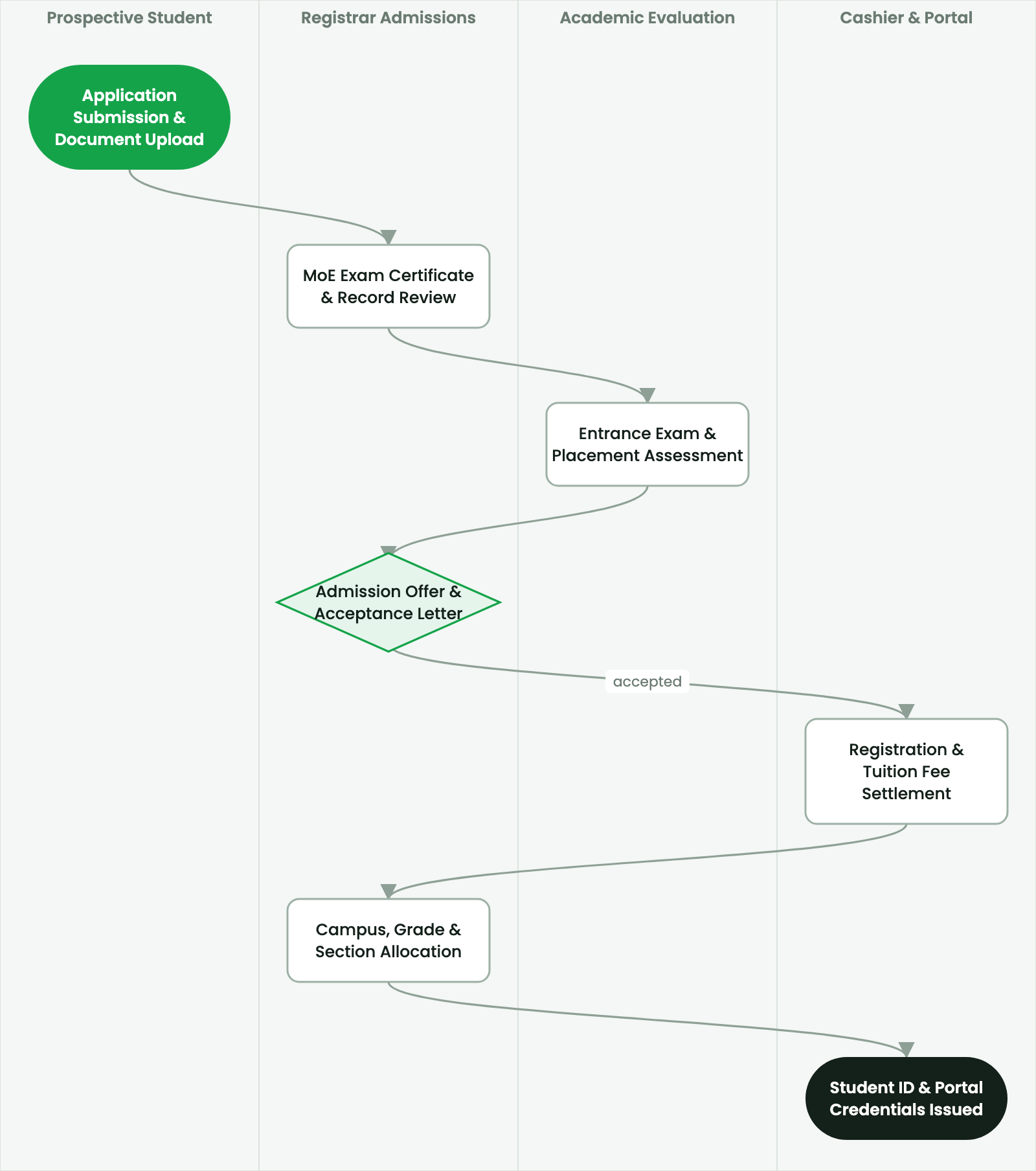
Automate mandatory annual statistical returns for the Ministry of Education (MoE) and Education and Training Authority (ETA).
2. Prerequisites & Security Access Groups#
- Required Modules:
smarterp_higher_education, smarterp_student_records - Security Groups:
Admissions Officer(Technical ID:smarterp_higher_ed.group_admissions_user)Registrar / Academic Dean(Technical ID:smarterp_higher_ed.group_registrar_manager)Faculty Member / Instructor(Technical ID:smarterp_higher_ed.group_faculty_user)
- Master Data Dependencies: Faculties, departments, ECTS modular curricula, academic semesters (Ethiopian/Gregorian calendar), tuition fee schedules, and student master files.
3. Step-by-Step Configuration & Execution#
Step 1: Navigating to the Interface#
- Log into your SmartERP instance at
https://smarterp.et/odoo. - Open the main App Switcher (grid icon in the top-left corner).
- Navigate to Academic → Students → Admissions.
Step 2: Operational Data Parameters & Controls#
Ensure all mandatory parameters comply with enterprise operational standards:
- Authorized Operator: Action executed under assigned RBAC permissions (Academic Registrar, Faculty Dean, Student Affairs Officer).
- Relational Integrity: Linked to upstream master records, approval requests, or transactional ledgers.
- Statutory & Quality Controls: Verified against Ethiopian statutory regulations and corporate governance standards.
Step 3: Operational Execution & State Progression#
- State Progression Gate: Advance record from Draft through Audited to Confirmed / Certified.
- Integrated System Impact: Automatically updates real-time operational states and posts financial/inventory journal moves.
- Audit Verification: System registers tamper-evident audit records logging user ID, timestamp, and cryptographic transaction digests.
Statutory Annual Reporting Requirements#
Higher education institutions in Ethiopia must submit annual statistical reports to the Ministry of Education (MoE) and the Education and Training Authority (ETA) for national educational planning and institutional reaccreditation.
SmartERP compiles these statutory returns directly from operational database records:
1. MoE Annual Higher Education Statistical Return (HE-STAT)#
- Enrollment Matrix: Total student headcount disaggregated by:
- Degree level (Undergraduate, Postgraduate, Ph.D.).
- Gender ratio (Male vs. Female enrollment percentages).
- Study mode (Regular, Extension, Weekend, Distance).
- Regional origin and affirmative action representation.
- Faculty Capacity Matrix: Total academic staff disaggregated by academic rank, highest degree qualification, gender, and nationality.
- Graduation Output: Graduating cohort numbers by discipline, average completion duration, and honor class distributions.
2. ETA Institutional Quality Audit Indicators#
- Faculty-to-Student Ratio: Automated calculation per academic department (standard: 1:20 for STEM; 1:30 for Social Sciences).
- Classroom & Laboratory Space Utilization: Average square meters of instructional space per enrolled student.
- Attrition & Drop-Out Rates: Longitudinal cohort tracking measuring student retention from Year 1 to Year 4.
4. Advanced Configuration Points#
- Automated Actions & Scheduled Tasks (Crons):
Education: Compute semester GPA and cumulative CGPA(smarterp_higher_ed.ir_cron_cgpa_calc): Runs at the end of each examination period to compute student academic standingFinance: Generate semester tuition fee invoices(smarterp_higher_ed.ir_cron_tuition_invoices): Runs prior to semester registration deadline
- Custom Print Templates & Reports:
- Official Student Academic Transcript (MoE & ETA Standards)
- Semester Course Registration & Clearance Slip
- Student ID Card with Cryptographic QR Verification
- Examination Results & Faculty Grade Distribution Ledger
- Multi-Company Rules: Record-level security isolation under Company 1 (
Ashewa Technology Solutions S.C.), preventing cross-company ledger leakage across parent and subsidiary legal entities.
5. Comprehensive Troubleshooting Matrix#
| Error Symptom / Exception | Probable Root Cause | Corrective Action / Resolution |
|---|---|---|
Prerequisite Blocked: Missing course prerequisite | Student has not successfully passed the prerequisite course code. | Register the student for prerequisite course or submit an academic dean prerequisite waiver. |
Grading Window Closed: Semester deadline passed | Faculty grade submission period has officially concluded. | Request temporary grade submission reopening from the Academic Registrar. |
Financial Hold: Outstanding tuition balance | Student examination entry or portal access blocked due to unpaid tuition invoice. | Process fee payment via Telebirr or record bank deposit voucher in the Finance office. |