Operate the Construction and Project Copilot
Verifying BoQ quantity takeoffs, analyzing Interim Payment Certificates (IPCs), and compiling daily site diaries.
1. Overview & Business Value#
This comprehensive operational guide details the architecture, business workflows, configuration parameters, and execution steps for Operate the Construction and Project Copilot within SmartERP.
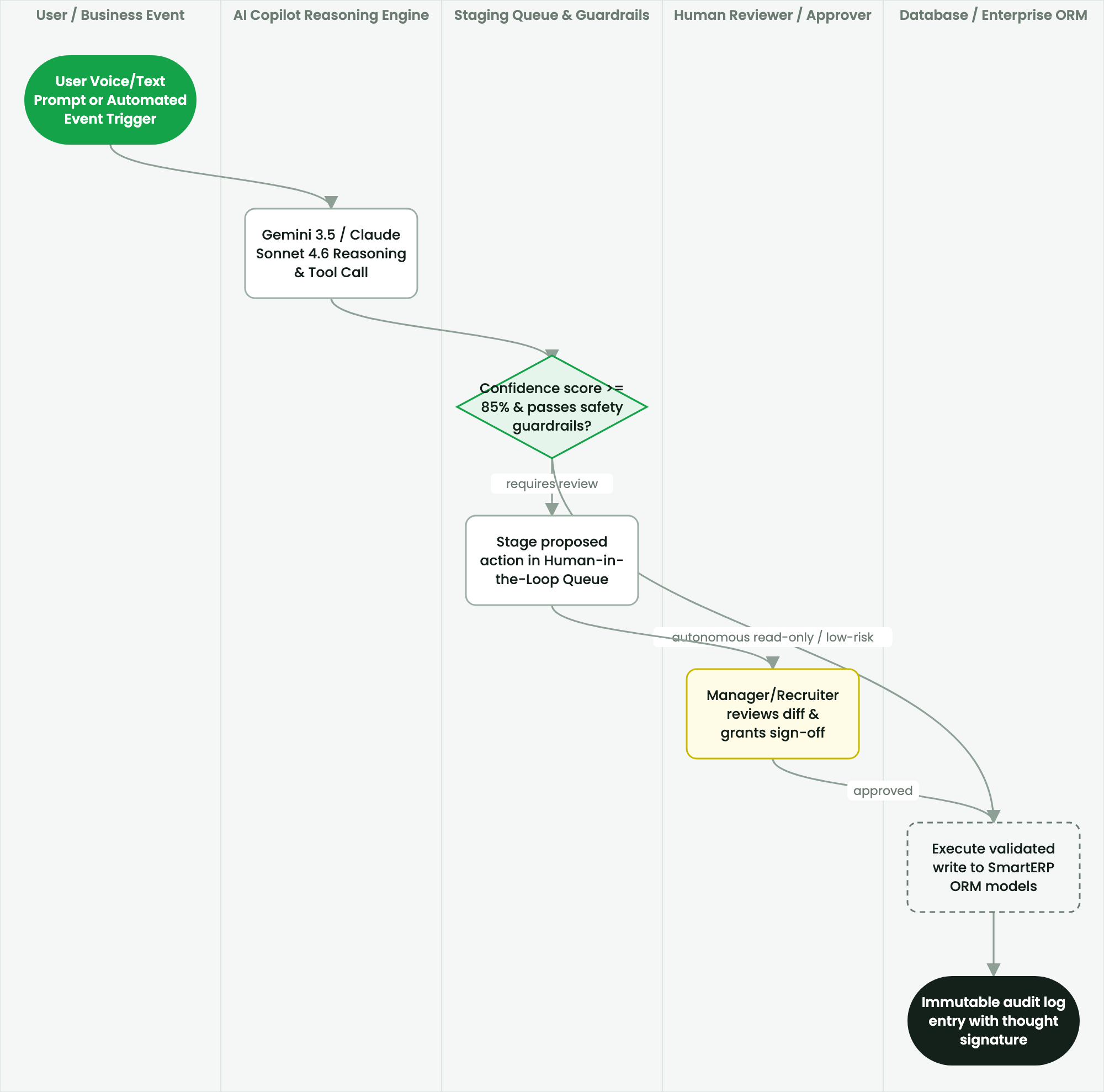
Verifying BoQ quantity takeoffs, analyzing Interim Payment Certificates (IPCs), and compiling daily site diaries.
2. Prerequisites & Security Access Groups#
- Required Modules:
ashewa_ai_workforce, ashewa_ai_bridge, smarterp_ai_agents - Security Groups:
AI Workforce Operator(Technical ID:ashewa_ai.group_ai_operator)AI Systems Administrator(Technical ID:ashewa_ai.group_ai_admin)Governance Officer(Technical ID:ashewa_ai.group_ai_governance)
- Master Data Dependencies: Autonomous AI agent profiles, n8n orchestrator webhooks, LLM model parameters, prompt governance rules, and human-in-the-loop approval queues.
3. Step-by-Step Configuration & Execution#
Step 1: Navigating to the Interface#
- Log into your SmartERP instance at
https://smarterp.et/odoo. - Open the main App Switcher (grid icon in the top-left corner).
- Navigate to AI Workforce → Agents & Workflows.
Step 2: Operational Data Parameters & Controls#
Ensure all mandatory parameters comply with enterprise operational standards:
- Authorized Operator: Action executed under assigned RBAC permissions (AI Operations Architect, Automation Lead, Department Approver).
- Relational Integrity: Linked to upstream master records, approval requests, or transactional ledgers.
- Statutory & Quality Controls: Verified against Ethiopian statutory regulations and corporate governance standards.
Step 3: Operational Execution & State Progression#
- State Progression Gate: Advance record from Draft through Audited to Confirmed / Certified.
- Integrated System Impact: Automatically updates real-time operational states and posts financial/inventory journal moves.
- Audit Verification: System registers tamper-evident audit records logging user ID, timestamp, and cryptographic transaction digests.
Capabilities of the Construction Copilot#
The Construction Copilot assists civil engineering teams with contract administration, BoQ measurement verification, and site progress reporting under FIDIC and PPA conditions.
Procedure: Auditing an Interim Payment Certificate (IPC)#
- Open a draft IPC (Projects > Construction > Payment Requests).
- Click Ask Copilot > Verify IPC Quantities.
- The Copilot checks:
- Cumulative claimed quantities against contractual BoQ allowances.
- Advance payment recovery deduction (ensuring exact statutory percentage).
- 5% retention money deduction calculation.
- Discrepancies between claimed work and daily site diary logs.
- The Copilot generates a Quantity Surveyor Audit Note highlighting any over-measured BoQ items.
- The Resident Engineer reviews the findings before signing the official certificate.
4. Advanced Configuration Points#
- Automated Actions & Scheduled Tasks (Crons):
AI Bridge: Heartbeat check for n8n orchestrator nodes(ashewa_ai.ir_cron_heartbeat): Runs every 10 minutes to verify gateway connectivityAI Governance: Auto-archive cleared approval queue tickets(ashewa_ai.ir_cron_archive_audit): Runs daily at midnight to maintain governance ledger performance
- Custom Print Templates & Reports:
- AI Agent Operational Execution Audit Trail
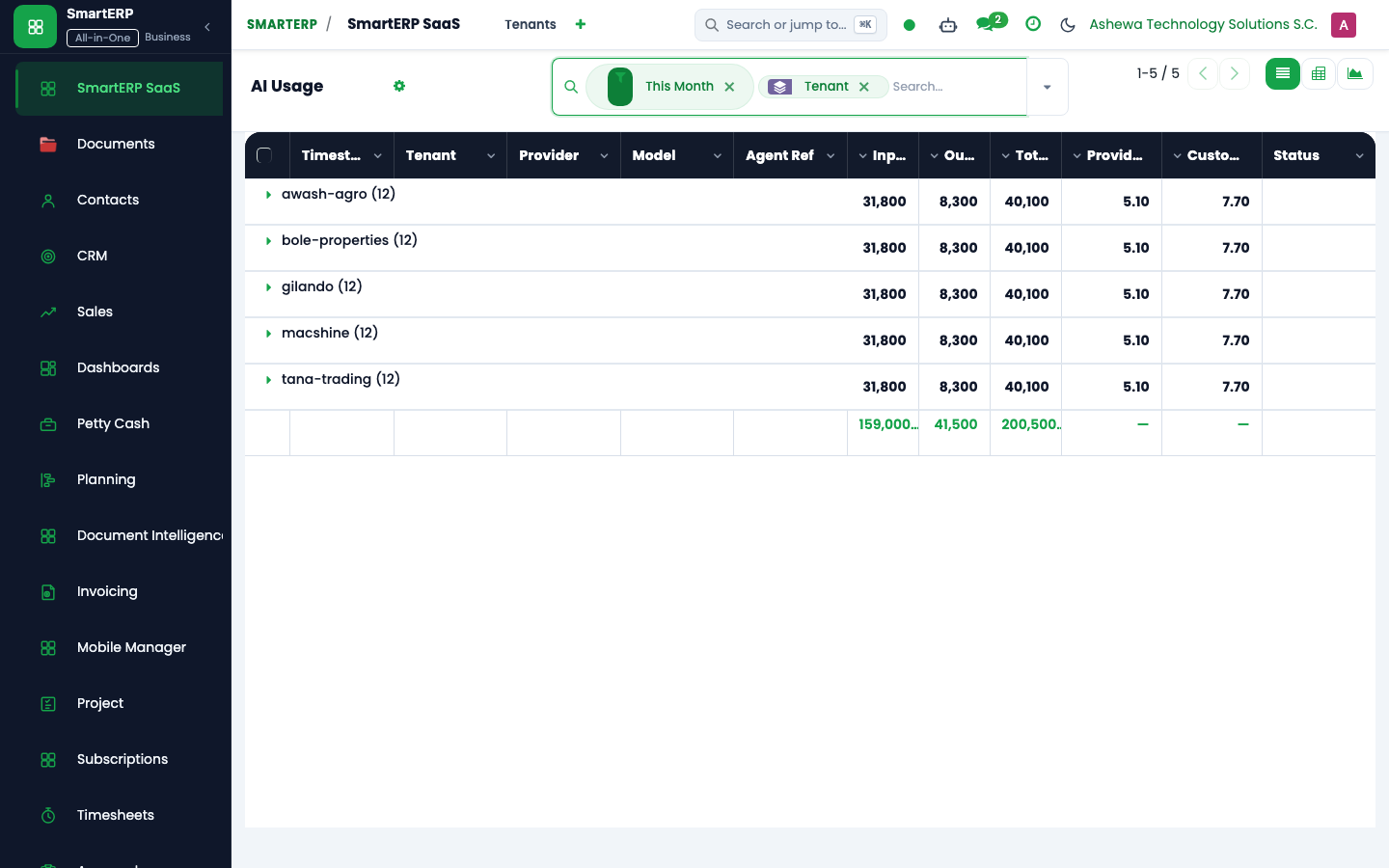
- LLM Token Consumption & Cost Allocation Schedule
- Human-in-the-Loop Decision & Override Ledger
- Agent Workflow Error & Latency Analysis
- Multi-Company Rules: Record-level security isolation under Company 1 (
Ashewa Technology Solutions S.C.), preventing cross-company ledger leakage across parent and subsidiary legal entities.
5. Comprehensive Troubleshooting Matrix#
| Error Symptom / Exception | Probable Root Cause | Corrective Action / Resolution |
|---|---|---|
Connection Refused: n8n webhook unreachable | Endpoint URL invalid, orchestrator service offline, or network firewall block. | Check n8n service health and update bridge URL in AI Workforce Settings. |
Token Limit Exceeded: Context window exhausted | Prompt context exceeds configured model maximum token threshold. | Enable automatic context pruning and reduce historical message buffer in agent settings. |
Governance Block: High-risk action requires human approval | Agent attempted financial posting or document deletion above autonomy threshold. | Review and approve the pending transaction in the Human-in-the-Loop Governance Queue. |
Last updated: 2026-11-15